Need help?
Do you have a question about the Hoover HI642TTC and is the answer not in the manual?
This document serves as an instruction manual for the HOOVER induction hob, guiding users through its installation, operation, and maintenance.
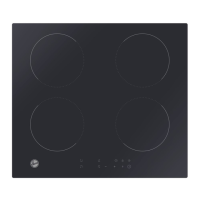
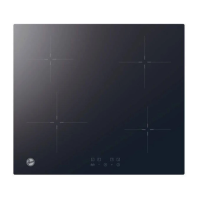
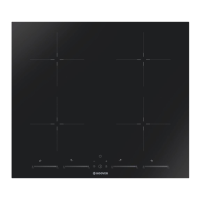
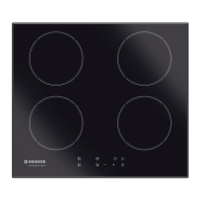
The HOOVER induction hob utilizes advanced, efficient, and economical induction cooking technology. This method generates heat directly in the pan through electromagnetic vibrations, rather than indirectly heating the glass surface. The glass only becomes hot as a result of the pan warming it up. This appliance is designed for household and similar applications, including staff kitchen areas, farmhouses, hotels, motels, other residential environments, and bed and breakfast settings.
The hob features multiple cooking zones, each with boost functionality for increased power and faster cooking. It also incorporates a power management system, allowing users to set the total power level to fit their requirements, with options ranging from 2.5kW to 7.4kW. A timer function can be used as a minute minder or to automatically turn off specific cooking zones after a set period, up to 99 minutes.
Safety features are integrated throughout the hob's design. These include over-temperature protection, which automatically stops operation if excessive temperatures are detected, and over-spillage protection, which switches off the hob if water flows onto the control panel. The hob also has an auto shutdown protection that turns off cooking zones if left unattended for too long, with default working times varying by power level. A keylock control allows users to lock the controls to prevent unintended use, particularly by children.
To begin cooking, users first touch the ON/OFF control. The display will show "—" or "--", indicating standby mode. A suitable pan should then be placed on the desired cooking zone. It's crucial to ensure the pan's bottom and the cooking zone surface are clean and dry. After selecting a heating zone, an indicator next to the key will flash, and the power level can be set using the “-” or “+” controls. If a heat zone is not selected within one minute, the hob will automatically switch off. The heat setting can be adjusted at any time during cooking.
If the display flashes alternately with the heat setting, it indicates that a pan is not placed correctly, is unsuitable for induction cooking, or is too small/not properly centered. Heating will not occur until a suitable pan is detected, and the display will turn off after one minute if no suitable pan is placed.
To finish cooking, users can turn off a cooking zone by touching the “-” control and scrolling down to “0”, or by holding the “+” and “-” buttons simultaneously for one second. The power display will show “0” and then “H”, indicating a hot surface. The entire cooktop can be turned off using the ON/OFF control. The “H” indicator will remain until the surface has cooled to a safe temperature, also serving as an energy-saving reminder for subsequent cooking.
The boost function allows a cooking zone to temporarily increase its power for five minutes, enabling faster cooking. To activate, select the desired heating zone and then touch the Boost button. The display will show “P”. After five minutes, the zone will revert to power stage 9. The boost can be canceled prematurely by selecting the zone and touching the Boost button again. When using boost, ensure other zones in the same group are operating at or below power level 5.
The pause function allows users to temporarily stop cooking. By touching the Pause function button, all cooking zones will deactivate, and the indicator will show “II”. Only the Pause, ON/OFF, and lock keys remain active. To resume cooking, touch the Pause function button again, and the cooking zones will return to their previous power settings.
The keylock control is activated by touching it, and the timer indicator will show “Lo”. To unlock, hold the keylock control for a while. While locked, only the ON/OFF control is functional for emergencies, but the hob must be unlocked for subsequent operations.
Regular care and cleaning are essential for maintaining the induction hob. For everyday soiling like fingerprints, marks, or non-sugary spills, switch off the cooktop, apply a cooktop cleaner while the glass is still warm (but not hot), rinse, and wipe dry with a clean cloth or paper towel. Then, switch the power back on. It's important to avoid heavy-duty scourers or harsh/abrasive cleaning agents, as these can scratch the glass. Cleaning residue should never be left on the cooktop, as it can stain the glass.
For boilovers, melts, and hot sugary spills, these should be removed immediately using a fish slice, palette knife, or razor blade scraper suitable for induction glass cooktops, taking care around hot cooking zones. First, switch off the cooktop at the wall. Hold the blade at a 30° angle and scrape the spill to a cool area, then clean it with a dishcloth or paper towel. Afterward, follow the steps for everyday soiling. Always store sharp scrapers safely and out of reach of children.
If spills occur on the touch controls, switch off the cooktop, soak up the spill, wipe the control area with a damp sponge or cloth, and then dry it completely with a paper towel. The cooktop may beep and turn off, and controls may not function if liquid is present.
In case of a technical fault, where the hob or a cooking zone turns off unexpectedly and displays an error code, note down the error letters and numbers, switch off the power at the wall, and contact a qualified technician. Common failures and their solutions are outlined in the manual, such as inspecting the power supply for abnormal voltage or restarting the hob after it cools down for high-temperature sensor errors. Users are advised not to disassemble the unit themselves to prevent further damage or danger.
 General
| Type | Induction |
|---|---|
| Number of Cooking Zones | 4 |
| Total Power | 7.2 kW |
| Control Type | Touch |
| Dimensions (W x D x H) | 590 x 520 x 60 mm |
| Energy Efficiency Class | A |
| Material | Glass |
| Dimensions (WxD) | 59 cm x 52 cm |
| Safety Features | Child Lock |

 To Next Page