EasyManua.ls Logo

HORI DualSense - User Manual

HORI DualSense
6 pages
Print Icon
To Next Page IconTo Next Page
Loading...
Caution
Instruction Manual
Thank you for purchasing this product.
Before using this product please read the instructions carefully.
After reading the instruction manual, please keep it for reference.
This product is intended to be charged through the PlayStation®5.
We are not responsible for any problems that may be caused by
connecting this product to other devices.
Caution
Parents/Guardians:
Please read the following information carefully.
This product contains small parts. Keep away from children under 3 years old.
Keep this product away from small children or infants. Seek medical attention
immediately if any small parts are swallowed.
Keep the product away from dusty or humid areas.
Do not apply strong impact or weight on the product.
Do not place anything on top of this product.
Do not use this product if it has been damaged or modified.
Do not disassemble, modify or attempt to repair this product.
If product needs cleaning, use only a soft dry cloth. Do not use any chemical
agents like benzene or thinner.
Do not use this product for anything other than its intended purpose. We are
not responsible for any accidents or damages in the event of use other than the
intended purpose.
Question and Answer IconNeed help?

Do you have a question about the HORI DualSense and is the answer not in the manual?

Summary

Caution and Safety Precautions

Product Charging Safety

Ensures product is charged via PlayStation® 5 only, preventing issues with other devices.

Child Safety and Handling

Advises parents on keeping the product away from children due to small parts and potential hazards.

General Usage Precautions

Lists critical warnings about product use, including avoiding water, heat, impact, and unauthorized modifications.

Product Layout and Compatibility

Product Diagram and Components

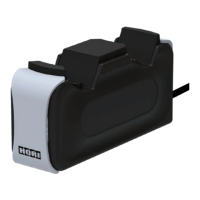
Illustrates the charging station, labeling its key parts like the charging port and LED indicator.

Wireless Controller Compatibility

Details which wireless controllers are compatible and incompatible with the charging station.

How to Use

Connecting the Charger

Instructions for plugging the charger into the PlayStation® 5 USB Type-C port.

Placing the Controller

Guidance on correctly placing the DualSense™ Wireless Controller onto the charging station.

Charging Status Indicators

Explains the LED color changes during charging and when the charge is complete.

Main Features

Overview

This document is an instruction manual for a HORI charging station designed for PlayStation® 5 DualSense™ Wireless Controllers.

Function Description:

The HORI charging station is designed to charge a DualSense™ Wireless Controller by connecting to a PlayStation® 5 console. It provides a dedicated port for the controller and an LED indicator to show the charging status. The product is specifically intended for use with the PlayStation® 5 and DualSense™ Wireless Controllers, and the manufacturer explicitly states that they are not responsible for problems caused by connecting it to other devices.

Important Technical Specifications:

  • External Dimensions: 127 × 40 × 60mm
  • Weight: 180g
  • Cable Length: 0.6m
  • Connection Method: USB Type-C
  • Input: 5V
  • Output: 3A (max)
  • Compatibility: DualSense™ Wireless Controller (PlayStation® 5). It is explicitly incompatible with DUALSHOCK®4, DUALSHOCK®3, and SIXAXIS™ Wireless Controllers.
  • Power Source: Intended to be charged through the PlayStation® 5.

Usage Features:

  • Simple Connection: To use, plug the charger's USB Type-C connector into a PlayStation® 5 console. It is important to note that only USB Type-C ports on the PS5 are compatible; USB Type-A ports are not.
  • Controller Placement: Once the charger is connected, the DualSense™ Wireless Controller is placed onto the charging port on the station.
  • Charging Indication: The DualSense™ Wireless Controller will flash orange while charging. The LED will turn off when the charge is complete.
  • Rest Mode Charging: The manual provides instructions for charging the controller while the PlayStation® 5 is in rest mode. Users need to adjust the console's power saving settings to "Supply Power to USB Ports" to "Always" or "3 Hours."
  • LED Behavior in Rest Mode: If the DualSense™ Wireless Controller is turned on while charging in rest mode, its LED will not blink. In this scenario, users can press the controller's PS Button to check the remaining battery icon on the screen.
  • System Firmware: Users are advised to ensure their PlayStation® 5 is updated to the latest system firmware for optimal compatibility and performance.

Maintenance Features and Safety Precautions:

The manual emphasizes numerous safety and maintenance guidelines:

  • Small Parts: Contains small parts; keep away from children under 3 years old and infants. Seek medical attention if swallowed.
  • Environmental Conditions: Keep away from dusty or humid areas. Do not place near heat sources or under direct sunlight for extended periods to prevent overheating and malfunction.
  • Physical Handling: Do not apply strong impact or weight. Do not place anything on top of the product. Do not use if damaged or modified. Do not disassemble, modify, or attempt to repair.
  • Cleaning: Use only a soft, dry cloth for cleaning. Do not use chemical agents like benzene or thinner.
  • Intended Use: Do not use for anything other than its intended purpose. The manufacturer is not responsible for accidents or damages from unintended use.
  • Cable Safety: Place out of reach of children to prevent strangulation hazards from pulling on the cable, which could also cause the PlayStation® 5 to fall and cause injuries. Do not modify or damage cables, twist or bundle them, or pull roughly or bend them.
  • Operational Safety: Discontinue use if unusual heat, smoke, noise, or smell is detected. Do not place on unstable surfaces. Do not get wet to avoid electric shock or malfunction. Do not cover with cloth to prevent overheating. Do not put water or foreign substances inside to prevent fire, electric shock, or malfunction.
  • Electrical Safety: Do not touch with wet hands. Do not use during lightning storms to avoid fire, electric shock, or malfunction. Do not touch the metal parts of the USB plug. Do not use the USB plug if it's covered with dust.
  • Connection/Disconnection: Do not use too much force when connecting or disconnecting from the PlayStation® 5. Ensure connectors are clean before use.
  • Disconnection: Disconnect after use or before maintenance to avoid fire or electric shock.

The manual also notes that the image on the package may differ from the actual product and that the manufacturer reserves the right to change product design or specifications without notice. "PlayStation," "DualSense," "DUALSHOCK," and "SIXAXIS" are registered trademarks of Sony Interactive Entertainment Inc. USB Type-C® and USB-C® are registered trademarks of USB Implementers Forum. HORI and the HORI logo are registered trademarks of HORI. The product is rated for "Ages 6+."

HORI DualSense Specifications

General IconGeneral
BrandHORI
ModelDualSense
CategoryBattery Charger
LanguageEnglish