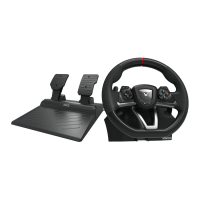
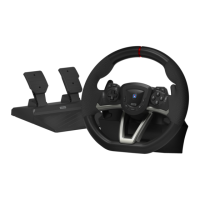
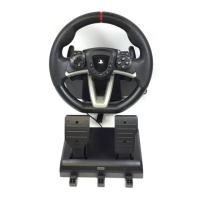
Need help?
Do you have a question about the HORI Racing wheel APEX and is the answer not in the manual?
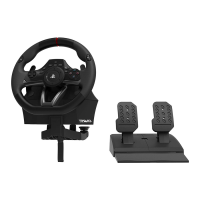
Details the buttons and components on the front of the steering unit.
Details the ports and switches on the back of the steering unit.
Describes the modular plug and pedal connections for the foot pedals.
Explains how to use the steering mode for enhanced realism on PS4.
Details using suction cups or a clamp to secure the steering unit.
Instructions for placing the foot pedals on a flat surface.
Instructions to enable quicker handling by changing max steering output to 180 degrees.
Explains how to switch directional pad controls between DP, Left Stick, and Right Stick.
Guide to adjust the dead zone of the centered wheel across seven levels using buttons.
Instructions to adjust steering wheel sensitivity across seven levels using buttons.
Guide to adjust foot pedal sensitivity across seven levels using buttons.
Steps to simultaneously reset Quick Handling Mode, Dead Zone, and Linearity to default.
Instructions on how to remap programmable buttons to assignable functions.
Procedure to reset individual button assignments back to their default settings.
Procedure to reset all button assignments to their default settings simultaneously.
Guidelines for the correct disposal of electrical products and batteries in Europe.
Details on warranty claims, retailer checks, and contact information for inquiries.
 General
| Device type | Steering wheel + Pedals |
|---|---|
| Buttons quantity | 14 |
| Reflex vibration | Yes |
| Gaming control technology | Analogue / Digital |
| Gaming platforms supported | PC, PlayStation 4 |
| Gaming control function buttons | Options button, Share button |
| Device interface | Bluetooth/USB |
| USB connector type | USB Type-A |
| Connectivity technology | Wired & Wireless |
| Cable length | 3 m |
| Certification | FCC, CE |
| Product color | Black, Red |
| Housing material | Plastic |
| Cables included | USB |
| Power source | Cable/Battery |
| Battery life (max) | 15 h |
| Package type | Box |
| Package depth | 290 mm |
| Package width | 340 mm |
| Package weight | 3180 g |
 Weight and Dimensions
| Weight | - g |
|---|

 To Next Page