EasyManua.ls Logo

Horizon Technology SPE-DEX 4790 - User Manual

Horizon Technology SPE-DEX 4790
72 pages
Print Icon
To Next Page IconTo Next Page
Loading...
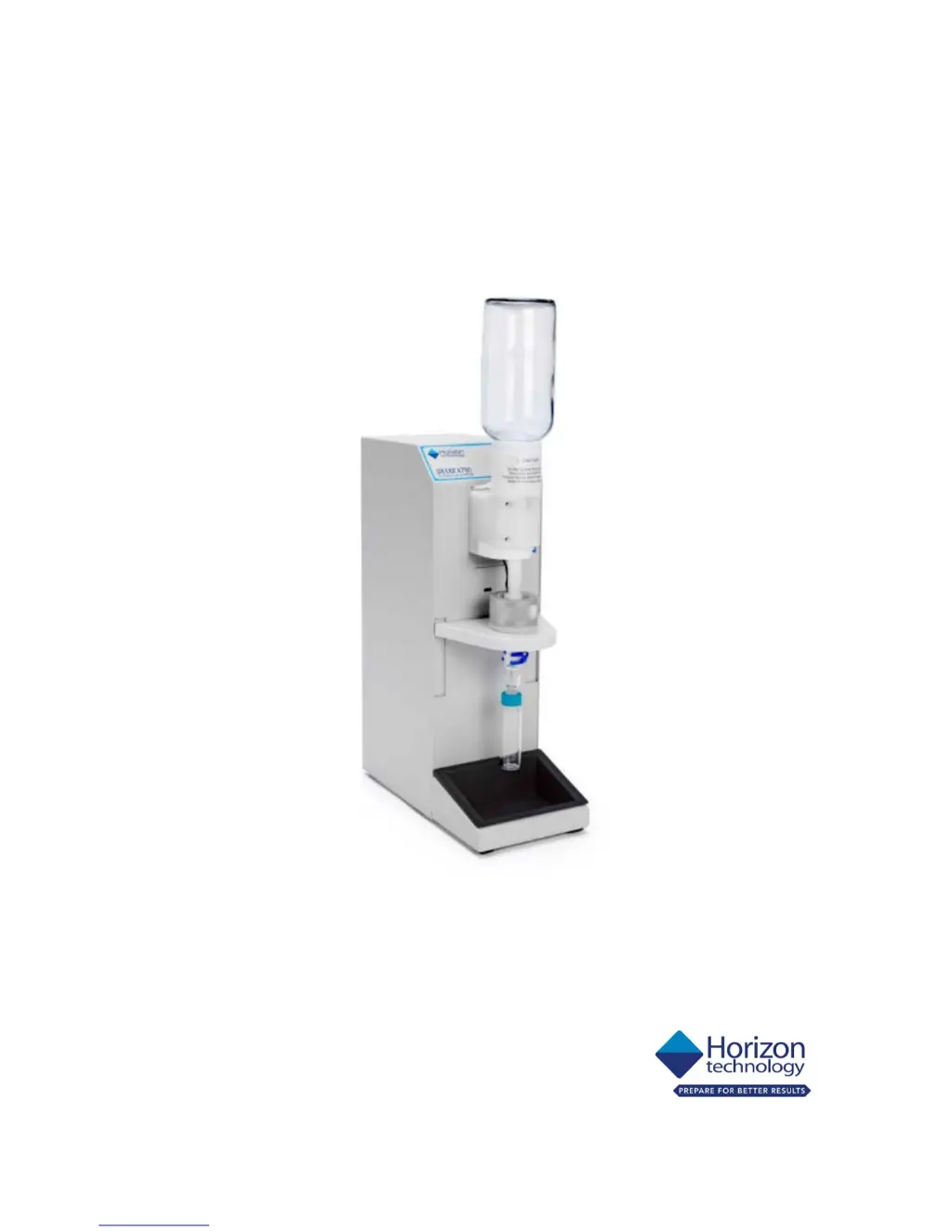
SPE-DEX 4790
®
Solid Phase
Extraction System
Service Manual

Table of Contents

Questions and Answers

  • R
    ramirezkellyNov 22, 2025
    What to do if the prewet solvent does not dispense in my Horizon Technology Laboratory Equipment?
    • J
      Jerry WhitakerNov 22, 2025
      If the prewet solvent isn't dispensing, here are several things to check: * Confirm the method steps to ensure that the prewet is scheduled. * Confirm that the method has been loaded onto the extractor in use. * Verify that the nitrogen source and the Solvent Bottle Pressure are set correctly. * Inspect nitrogen lines for kinks and ensure the bottle cap is tight with undamaged gaskets. * Verify sufficient solvent in the bottle to cover the solvent filter bottom. * Ensure the sip tube is tightened into the cap. * Check for a clogged solvent filter (cut/pull off to test, replace if needed). * Inspect solvent delivery lines for kinks (replace if needed). * Ensure valve pins are properly seated in the Molex Connector. If other valves aren't actuating, replace the fuse on the...
  • A
    Ann GreeneAug 25, 2025
    What to do if my Horizon Technology Laboratory Equipment sample does not dispense?
    • E
      Erin PrinceAug 26, 2025
      If your sample isn't dispensing, check the following: * Verify that the nitrogen source and the Extractor Pressure are set correctly. * If the Water Inlet Valve Actuator is stuck closed, increase Extractor Pressure to 50-60 psi and run the Sample Drain Method. * Actuate the Water Inlet Valve manually. * Verify that the MAC valve is firing by disconnecting the nitrogen line on the top port of the Actuator and running the Sample Drain method. Replace the actuator if the line does not pulse nitrogen. * Treat the Water Inlet valve using Hydrophilic Solution.
  • P
    Pamela AdamsAug 26, 2025
    Why is prewet solvent overflowing in my Horizon Technology SPE-DEX 4790 Laboratory Equipment?
    • K
      Katherine NortonAug 26, 2025
      Prewet solvent overflow can occur due to incorrectly set thermistors. Use the Thermistor Height Tool to ensure the recommended height is set. Also, verify the nitrogen source pressure and the Solvent Bottle Pressure are set correctly. A bad thermistor can also be the cause, replace the Top Thermistor.
  • S
    Stephen RobertsAug 27, 2025
    What to do if my Horizon Technology SPE-DEX 4790 has low or no elution volume?
    • J
      Jason GarciaAug 27, 2025
      If you're experiencing low or no elution volume, consider these factors: * Confirm the method steps and ensure the method has been loaded onto the extractor in use. * If the Check Valve is stuck (rinse solvent was dispensed, but not pulled into the Disk Holder), use the Check Valve Tool to free it. * Ensure the Collection Vessel is properly attached to the Collection Adapter with an upwards-twisting motion for a good seal. * Verify that the vacuum source and the Solvent Waste vacuum are set correctly. * Ensure that the Water-Waste Carboy Manifold is correctly seated and the Water-Waste Carboy Drain is closed.
  • C
    cherringAug 29, 2025
    How to fix prewet solvent that is not drained in Horizon Technology SPE-DEX 4790?
    • J
      Jay LongAug 29, 2025
      If the prewet solvent is not draining, verify that the vacuum source and Solvent Waste vacuum are set correctly. Also, ensure that the Water-Waste Carboy Manifold is correctly seated and the Water-Waste Carboy Drain is closed. If the Solvent-Waste valve isn't opening, write a short method with only 1 prewet and run it. If no actuation is seen, replace the valve.
  • L
    Laura JohnsonSep 23, 2025
    What to do if the keypad lights have dimmed or gone out in my Horizon Technology SPE-DEX 4790 Laboratory Equipment?
    • G
      Gina PerrySep 23, 2025
      If the keypad lights have dimmed or gone out, the LEDs in the Keypad are likely burned out. Replace the Keypad.
  • N
    Nicholas FlynnSep 16, 2025
    What to do if the waste valve is stuck open in my Horizon Technology SPE-DEX 4790 Laboratory Equipment?
    • R
      Ronald AndersonSep 17, 2025
      With the extractor idle, fill a disk holder with water and verify that the fluid level does not decrease. If it does, examine the Waste vessels to determine which valve is stuck open and replace that valve.
  • S
    Scott ConleySep 18, 2025
    Why does my Horizon Technology SPE-DEX 4790 Laboratory Equipment system time out after 60 minutes?
    • T
      Taylor WhiteSep 18, 2025
      If the system times out after 60 minutes, it may be due to an old version of the Extractor Software Code. Upgrade the chip.
  • A
    Aaron ClarkeSep 8, 2025
    What causes the system to advance to Air Dry without processing the entire sample in Horizon Technology Laboratory Equipment?
    • D
      Dawn KimSep 8, 2025
      If the system advances to Air Dry prematurely, it may be due to a slow sample flow rate through the SPE disk. Verify Thermistor heights using the Thermistor Height Setting Tool. Also, investigate other prefiltering options. A bad Thermistor can also cause this, so verify Thermistor heights again. Ensure that Thermistors are connected to the Control Circuit Board correctly, and replace if necessary.
  • D
    Dr. Heather OsbornSep 5, 2025
    Why does prewet solvent drain immediately in my Horizon Technology Laboratory Equipment?
    • H
      Hunter HowardSep 5, 2025
      If the prewet solvent drains immediately, the waste valve might be stuck open. Place DI Water into the Disk Holder attached to a module and watch the waste containers to identify which one the water is pulled into. Alternatively, the Check Valve could be stuck open. Use the Check Valve Tool to cycle the Check Valve. Place DI Water into a Disk Holder attached to a Module. Replace Check Valve if necessary.

Summary

Preface

Safety Precautions

Advises on ESD mat usage and personal protective equipment like glasses and gloves.

Recommended System Maintenance

Troubleshooting

Preventative Maintenance Procedures

Pre-Maintenance Inspection

Details pre-inspection testing and system checks before maintenance.

Preventative Maintenance: Module

Procedures for performing preventative maintenance on individual modules.

Preventative Maintenance: System

Details system-wide preventative maintenance tasks and tool replacements.

Post-Maintenance Inspection

Procedures for inspecting the system after preventative maintenance.

Service Replacement Procedures

Replacing the Bottle Holder

Work instruction to replace the bottle holder on the SPE-DEX 4790 module.

Replacing the Water Inlet Valve

Procedure for replacing the water inlet valve on the SPE-DEX 4790 module.

Replacing the Downtube Assembly

Steps to replace the downtube assembly on the SPE-DEX 4790 module.

Schematics

Horizon Technology SPE-DEX 4790 Specifications

General IconGeneral
BrandHorizon Technology
ModelSPE-DEX 4790
CategoryLaboratory Equipment
LanguageEnglish