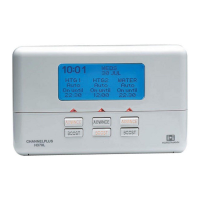
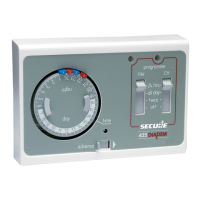
TThhee ssiimmppllee iinnssttrruuccttiioonnss bbeellooww aarree ddeessiiggnneedd ttoo hheellpp wwiitthh tthhee pprrooggrraammmmiinngg ooff tthhee uunniitt..
Electronic equipment can in some circumstances be affected by electrical interference. If the
programmer’s display becomes frozen or scrambled; or if you wish to revert back to the default time set-
tings please use the following procedure.
SETTING THE TIME OF DAY
Should you encounter any problems, please refer to the
QQuueessttiioonn aanndd AAnnsswweerr
section located on page 4.
RESETTING THE PROGRAMMER
Press SELECT once.
Programme goes from
AUTO to ALLDAY
Press SELECT again.
Programme goes from
ALLDAY to 24 HRS
Press SELECT again.
Programme goes from
24 HRS to OFF
Press SELECT again.
Programme goes from
OFF to AUTO
Channel will operate
from first ON until last
OFF period
Channel will be
continuously ON
Channel will be
continuously OFF
Programmer will return
to normal ON and OFF
times
BOOST FUNCTION - 1hour temporary override
Press BOOST button:
Your Hot water will be
Boosted for 1 hour
At any time during a BOOST
period press BOOST again to
return to normal programming
ADVANCE FUNCTION
-
Brings forward next ON or OFF operation
Press ADVANCE button
to move to the next
Heating ON/OFF time
To cancel the advance press the ADVANCE
button again. This will return the unit to
its normal programme
INFORMATION AND ADVICE
Programming ON/OFF times
If a Heating or Hot water period is not required it can be cancelled by setting the ON and OFF
settings to the same time. Example ON 10:00am OFF 10:00am
FULLY PUMPED OR GRAVITY SYSTEM
The installer will have set the programmer to suit the installed system. If this is a Fully pumped
system this will allow independent control of the Central heating and Hot water, however on a Gravity
system the Central heating and Hot water are linked so that it is not possible to use the Central
heating independently. This will allow only one common time setting for both Hot Water and Central
Heating.
PPaaggee 22
PPaaggee 33
Press the SET button until the
SET indicator is next to the
CLOCK position.
Use
PLUS and MINUS
buttons to adjust time
Press SET button
until the SET
indicator is next to
theCentral Heating
or Hot Water
position
Repeat this
process for 2nd
and 3rd settings
Press
ENTER
Press
ENTER
SETTING THE ON AND OFF TIMES
The SET indicator must remain in the RUN position for the following instructions.
The following actions work independently on either Hot Water or Central Heating.
SPECIAL FEATURES
Use PLUS and
MINUS
buttons to adjust
the 1st ON time.
Use the PLUS
and MINUS but-
tons to adjust the
1st OFF time.
Press the SET button until
the SET indicator is next to the
RUN position.
Press
ENTER
Press SET button
until the SET
indicator is returned
to RUN position
6:35
SET
CH
AUTO
ALL DAY
24 HRS
OFF
AUTO
ALL DAY
24 HRS
OFF
AUTO
ALL DAY
24 HRS
OFF
AUTO
ALL DAY
24 HRS
OFF
HW CH
HW CH
HW CH
HW CH
PM
12:00
PM
RUN
CLOCK
HW PROG
CH PROG
6:30
AM
RUN
CLOCK
HW PROG
CH PROG
RUN
CLOCK
HW PROG
CH PROG
1
ON
6:35
PM
6:35
PM
6:35
PM
6:35
PM
AUTO
ALL DAY
24 HRS
OFF
6:35
PM
RUN
CLOCK
HW PROG
CH PROG
BOOST
AUTO
ALL DAY
24 HRS
OFF
6:35
PM
RUN
CLOCK
HW PROG
CH PROG
ADVANCE
HW CH
HW CH
Press the SET and CH buttons together
then release the buttons and the programmer
will return to preset factory settings.
1st ON 1st OFF 2nd ON 2nd OFF 3rd ON 3rd OFF
6:30
AAMM
8:30
AAMM
12:00
PPMM
12:00
PPMM
4:30
PPMM
10:30
PPMM
DDEEFFAAUULLTT TTIIMMEE SSEETTTTIINNGGSS
The default factory settings are shown above, however if you wish to change these proceed as
instructed below.



 To Previous Page
 Loading...