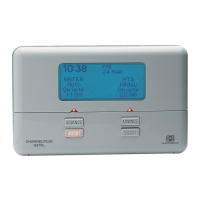
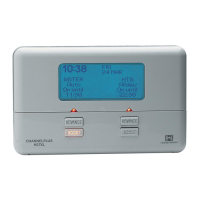
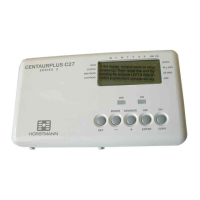
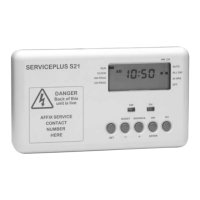
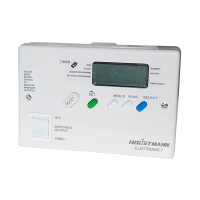
TThhee ssiimmppllee iinnssttrruuccttiioonnss bbeellooww aarree ddeessiiggnneedd ttoo hheellpp wwiitthh tthhee pprrooggrraammmmiinngg ooff tthhee uunniitt.. AAllll tthhee ffoolllloowwiinngg
iinnssttrruuccttiioonnss rreeqquuiirree tthhee ffrroonntt ffllaapp ttoo bbee lloowweerreedd.. PPlleeaassee rreeppllaaccee tthhee ffllaapp wwhheenn
nnoorrmmaall ooppeerraattiioonn iiss rreeqquuiirreedd..
Electronic equipment can in some circumstances be affected by electrical interference. If the
programmer’s display becomes frozen or scrambled; or if you wish to revert back to the default time
settings please use the following procedure.
FFRROONNTT CCOOVVEERR
SSEETTTTIINNGG TTHHEE TTIIMMEE OOFF DDAAYY
SSEETTTTIINNGG TTHHEE OONN AANNDD OOFFFF TTIIMMEESS
The normal working position for the SET switch is in the PROG.RUN position. In order to remind the user
of this, the flap is unable to be closed with the switch in any other position.
Move the SET
switch to the CLOCK
position.
Use PLUS and
MINUS buttons to
adjust time
Return SET switch to
PROG.RUN position
Move SET switch
to either WATER or
HEATING position.
Use the PLUS
and MINUS
buttons to adjust
the 1st ON time.
Use the PLUS and
MINUS buttons to
adjust the 1st OFF
time.
Repeat this
process for 2nd and
3rd settings.
Return SET switch
to PROG.RUN
position.
Press
ENTER
Press
ENTER
RREESSEETTTTIINNGG TTHHEE PPRROOGGRRAAMMMMEERR
The SET slide switch must be in the PROG.RUN position for the following instructions.
The following actions work independently on either Hot Water or Central Heating.
Press SELECT once.
Programme goes from
AUTO to ALL DAY
Press SELECT again.
Programme goes from
ALL DAY to ON
Press SELECT again.
Programme goes from
ON to OFF
Press SELECT again.
Programme goes from
OFF to AUTO
Channel will operate
from first ON until last
OFF period
Channel will be
continuously ON
Channel will be
continuously OFF
Programmer will return
to normal ON and OFF
times
BBOOOOSSTT FFUUNNCCTTIIOONN
--
11 oorr 22 hhoouurr tteemmppoorraarryy oovveerrrriiddee
Press BOOST button
once for 1 hour of
Hot Water or
Central Heating
Press BOOST button
twice for 2 hours of
Hot Water or
Central Heating
At any time during a BOOST
period press BOOST again to
return to normal programming
AADDVVAANNCCEE FFUUNNCCTTIIOONN
--
BBrriinnggss ffoorrwwaarrdd nneexxtt oonn oorr ooffff ooppeerraattiioonn
Press ADVANCE button once
to move to the next
ON/OFF time
To cancel the advance press the ADVANCE
button again. This will return the unit to
its normal programme
HHOOLLIIDDAAYY FFUUNNCCTTIIOONN
--
AAlllloowwss ssyysstteemm ttoo bbee pprrooggrraammmmeedd ffoorr uupp ttoo 3322 ddaayyss
Move SET switch to the
HOLIDAY position
Use the PLUS button to enter the
required number of nights
(MAX OF 32 NIGHTS)
Return SET switch to the
PROG.RUN position
Whilst the HOLIDAY FUNCTION is in operation the system will remain OFF, the display will show the
number of nights remaining. The HOLIDAY setting is an instant function and cannot be set in advance.
The HOLIDAY FUNCTION can be cancelled at any time by pressing any of the SELECT buttons. Normal
programme functions will resume at the first ON period after the pre-set number of nights has expired.
IINNFFOORRMMAATTIIOONN AANNDD AADDVVIICCEE
Programming ON/OFF times
If a Heating or Hot water period is not required it can be cancelled by setting the ON and OFF
settings to the same time. Example ON 10:00am OFF 10:00am
Your programmer will prevent you from accidentally overlapping ON and OFF times.
Example: If the 2nd ON time is set at 12:00pm and then you try and set the 1st OFF at 12:30 pm the
OFF setting will ‘bounce’ by a 10 minute period until the 2nd ON time has been adjusted.
12:OOPM
SETTING
1:45PM
SET
SETTING 1ST
ON OFF
6:30AM 8:30AM
08
SETTING
10:30AM
BOOST 1 2
AUTO AUTO
ON UNTIL ON UNTIL
10:00AM
10:00AM
10:00AM
AUTO AUTO
ON UNTIL ON UNTIL
10:00AM
AUTO
ON UNTIL
10:30AM
AUTO
ON UNTIL
10:30AM
AUTO
ON UNTIL
10:30AM
ALL DAY
ON UNTIL
8:30
PM
ON
OFF
ADVANCE
SELECT
Lower the front flap of the unit. On the Heating channel press the
ADVANCE and SELECT buttons together then release the buttons and
the programmer will return to the preset factory settings.
PPaaggee 22
BOOST
SSPPEECCIIAALL FFEEAATTUURREESS
PPaaggee 33
Should you encounter any problems, please refer to the
QQuueessttiioonn aanndd AAnnsswweerr
section located on page 4
1st ON 1st OFF 2nd ON 2nd OFF 3rd ON 3rd OFF
6:30
AAMM
8:30
AAMM
12:00
PPMM
12:00
PPMM
4:30
PPMM
10:30
PPMM
DDEEFFAAUULLTT TTIIMMEE SSEETTTTIINNGGSS
The default factory settings are shown above, however if you wish to change these proceed as
instructed below.
RESET
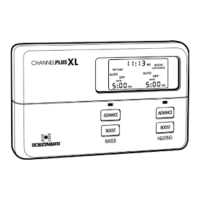
On the ChannelPlus display - Boost 1 is Hot water extension 1 or 2 hour and Boost 2 is Heating extension 1 or 2 hours


 To Previous Page
 Loading...