EasyManua.ls Logo

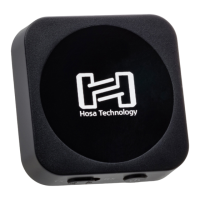
Hosa Technology HosaDrive - User Manual

Default Icon
2 pages
Print Icon
To Next Page IconTo Next Page
Loading...
Hosa%Drive%Bluetooth%Audio%Receiver%User%Manual%
%
!"#$%#&'()*+,(%'-)&$%+./0$'%+&1%+-2#0%#&3-'%#&'0%+%4.-('00'"%)(,(#5()6%70-)%8#)(.($$%
2(5#,($%,+&%&08%9(%-$(2%*)((.1%*)0/%'"(%,+)%'0%(5(&%+%)(,0)2#&:%$'-2#06%!0%:('%10-)%
2(5#,($%"00;(2%-3%8#)(.($$.1<%3.(+$(%*0..08%'"($(%#&$')-,'#0&$%,+ )(*-..1=%
%
Connection%Procedure%
>6 ?0&&(,'%'"(%4.-('00'"%)(,(#5()%'0%'"(%+- 2#0%#&3-'%0*%'"(%.#$'(&#&:%2(5#,(%0*%
10-)%,"0#,(%
+6 @%A6B%//%!CD%E+-FG%,+9.(%#$%#&,.-2(2%+&2%,+&%9(%-$(2%*0)%,+)%$'()(0$<%
"(+23"0&($<%+&2%0'"()%2(5#,($%'"+'%-$(%+%A6B%//%!CD%,0&&(,'#0&%*0)%+%
$'()(0%#&3-'%
96 !"(%H0$+%I)#5(%.#&(%+.$0%,0&$#$'$%0*%+%A6B%//%!CD%'0%2-+.%C?@%$'()(0%
9)(+;0-'%'"+'%,+&%9(%3-),"+$(2%*0)%"0/(%$'()(0%$1$'(/$%8#'"%C?@%
#&3-'$%
,6 70-%,+&%+.$0%3-),"+$(%+%A6B%//%!CD%'0%2-+.%JKC%$'()(0%9)(+;0-'%
,+9.(%#*%10-%8#$"%'0%,0&&(,'%'"#$%)(,(#5()%'0%#&2#5#2-+.%,"+&&(.$%0*%+&%
+-2#0%80);$'+'#0&%
%
Pairing%Procedure%
>6 H0.2%,(&'()%9-''0&%-&'#.%9.-(%KLI%9(:#&$%'0%*.#,;()%
M6 L&'()%4.-('00'"%$(''#&:$%0&%'"(%2(5#,(%10-%8#$"%'0%3+#)%+&2%$,+&%*0)%&(8%
2(5#,($%
A6 D(.(,'%HND@%+$%'"(%2(5#,(%10-%8#$"%'0%3+#)%+&2%(&'()%EOOOOG%#*%+%3+$$80)2%#$%
)(P-($'(2%
Q6 R*%3+#)#&:%#$%$-,,($$*-.<%'"(%9.-(%KLI%8#..%$.08.1%3-.$(%
%
Operation%
!"(%9-''0&$%0&%4.-('00'"%)(,(#5()%+..08%10-%'0%,0&')0.%3.+19+,;%0*%'"(%$0-),(%
2(5#,(6%
@6 ?(&'()%9-''0&%3.+1$%+&2%3+-$($%,-))(&'%')+,;%
46 K(*'%ESE%9-''0&%$'+)'$%,-))(&'%')+,;%*)0/%'"(%9(:#&&#&:%
?6 C#:"'%ETG%9-''0&%$;#3$%'0%&(F'%')+,;%#&%3.+1.#$'%
%
H0.2%,(&'()%9-''0&%-&'#.%KLI%*.#,;()$%9.-(%'0%'-)&%0&%2(5#,(6%!"(%$+/(%03()+'#0&%
308()$%208&%'"(%2(5#,(6%
%
% %
Question and Answer IconNeed help?

Do you have a question about the Hosa Technology HosaDrive and is the answer not in the manual?

Summary

Connecting the Bluetooth Receiver

3.5 mm Aux Cable Connection

Connects to devices with a 3.5 mm TRS stereo input, such as car stereos or headphones.

RCA Stereo Connection

Utilizes a 3.5 mm TRS to dual RCA stereo breakout for home stereo systems.

XLR Stereo Connection

Uses a 3.5 mm TRS to dual XLR stereo breakout for audio workstations.

Pairing the Bluetooth Receiver

Initiate Pairing Mode

Hold the center button until the blue LED begins to flicker, indicating pairing mode.

Select HOSA Device

On your device, scan for new Bluetooth devices and select HOSA, entering '0000' if prompted.

Confirm Successful Pairing

A slowly pulsing blue LED signifies a successful pairing with the device.

Operating the Bluetooth Receiver

Playback Controls

Center button plays/pauses. Left button restarts the track. Right button skips to the next track.

Powering On;Off

Hold the center button until the LED flickers blue to turn the device on or off.

Important Information

Initial Setup and Care

Charge before first use or after extended storage. Keep away from heat and moisture.

Troubleshooting and Support

Contact Hosa technical support for receiver failures; do not attempt to open.

Hosa Technology HosaDrive Specifications

General IconGeneral
BrandHosa Technology
ModelHosaDrive
CategoryReceiver
LanguageEnglish

Related product manuals