- Mode Selection Button
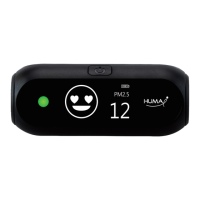
The status LED lets you know the status of CO2, VOC, PM2.5
and PM10.
② Status Light
iAQI mode => Integrated Display Mode (PM2.5 / VOC / CO
2
)
=> WHO Mode => PM Mode (PM2.5 / PM10) => VOC Mode
=> CO
2
Mode => Temperature/Humidity Mode
Each time you press the mode select button, the display mode
changes cyclically in the following order.
① Power and mode selection button
- Power Button
If you press the button for 1 second, it will be in power-on state.
It automatically switches to power-off state when not in use for
10 minutes to protect battery life.
The status LED will blink 1 minute before automatic power-off.
At this time, if you press the button lightly, it will be switched on
again for 10 minutes, and the mode will not change.


 To Next Page