This document is a user manual for the Hotpoint FMSF 702 washing machine, available in both English and Italian. It provides comprehensive instructions for installation, use, maintenance, and troubleshooting.
Function Description
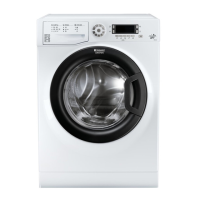
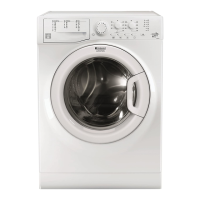
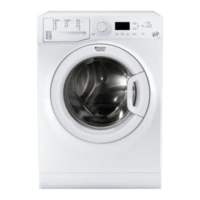
The Hotpoint FMSF 702 is a washing machine designed for domestic use, offering various wash cycles and options to cater to different fabric types and soil levels. Its primary function is to clean laundry efficiently while providing features for user convenience and safety. The machine includes a detergent dispenser drawer with compartments for pre-wash, main wash, and additives, as well as a dedicated compartment for bleach. It features a control panel with a display that shows cycle duration, temperature, spin speed, and other relevant information. The machine also incorporates a load balancing system to ensure stable operation during spin cycles.
Important Technical Specifications
The technical specifications for the FMSF 702 model are detailed in the manual:
- Dimensions: Width 59.5 cm, Height 85 cm, Depth 43.5 cm.
- Capacity: 1 to 7 kg of laundry.
- Electrical Connections: Requires a dedicated electrical outlet. The total power supply cable should not be extended.
- Water Connections: Maximum pressure 1 MPa (10 bar), minimum pressure 0.05 MPa (0.5 bar). Drum capacity is 48 litres.
- Spin Speed: Up to 1000 rotations per minute.
- Energy Efficiency Class: A+++ (according to Commission Delegated Regulation (EU) No 1061/2010).
- Energy Consumption: 176 kWh/year (standard 60°C cotton programme at full load).
- Water Consumption: 10670 litres/year.
- Noise Level: 58 dB during wash, 72 dB during spin.
Usage Features
The washing machine offers a wide range of wash cycles and options:
Wash Cycles:
- Clean Plus (1): For very dirty, resistant coloured garments (40°C, 1000 rpm).
- Anti Stain Quick (2): For daily stains on mixed fabrics (40°C, 1000 rpm).
- Whites (3): For white cotton garments (60°C, 1000 rpm).
- Cotton 60°C (4): For heavily soiled whites and resistant colours (60°C, 1000 rpm).
- Synthetics (5): For heavily soiled resistant colours (60°C, 1000 rpm).
- Synthetics (6): For lightly soiled resistant colours (40°C, 1000 rpm).
- Anti Allergy Plus (7): For removing allergens from cotton and resistant fabrics (60°C, 1000 rpm).
- Baby (8): For baby clothes, designed to remove dirt and detergent residue (40°C, 1000 rpm).
- Eco Cotton 60°C (9): For heavily soiled whites and resistant colours (60°C, 1000 rpm).
- Eco Cotton 40°C (10): For heavily soiled whites and resistant colours (40°C, 1000 rpm).
- Wool (11): For wool, cashmere, etc. (40°C, 800 rpm, 0 spin). Woolmark Apparel Care certified.
- Delicates (12): For very delicate garments (30°C, 0 spin).
- Cotton 20°C (13): For dirty cotton loads (20°C, 1000 rpm).
- Synthetics (14): For synthetic garments (Cold Water, 1000 rpm).
- Fast 30' (15): Quick wash for lightly soiled items (Cold Water, 800 rpm).
Wash Options:
- Prewash: For heavily soiled garments, using a larger quantity of water and increased drum rotation. Can be used with or without bleach.
- Delayed Start: Allows setting a delay for the cycle to begin at a later time.
- Temperature and Spin Speed Modification: Users can adjust the default temperature and spin speed for each cycle.
- Rinse: Additional rinse cycle.
- Spin and Pump Out: Drains water and spins the laundry.
- Pump Out Only: Drains water without spinning.
Control Panel:
The control panel includes:
- ON/OFF button: To switch the machine on/off.
- TEMPERATURE button: To reduce or completely exclude the temperature.
- CHILD LOCK button: To activate/deactivate the control panel lock.
- CLEANING ACTION button: To select the desired wash intensity.
- DISPLAY: Shows cycle duration, temperature, spin speed, and other information.
- START/PAUSE button: To start, pause, or cancel a wash cycle.
- OPTION button: To select additional wash options.
- SPIN button: To reduce or completely exclude the spin cycle.
- WASH CYCLE SELECTOR knob: To choose the desired wash cycle.
- DELAY TIMER button: To set a delayed start for the selected wash cycle.
Running a Wash Cycle:
- Switch the machine ON.
- Load the laundry, observing the maximum load capacity.
- Measure and pour detergent into the dispenser drawer.
- Close the door.
- Select the wash cycle using the WASH CYCLE SELECTOR knob.
- Customise the wash cycle using the relevant buttons (temperature, spin speed, delayed start, wash intensity).
- Press START/PAUSE to begin the cycle.
- At the end of the cycle, "END" will appear on the display, and the door can be opened after the DOOR LOCKED symbol switches off (approx. 3 minutes).
Maintenance Features
Regular maintenance ensures the longevity and optimal performance of the washing machine.
Cutting off Water and Electricity Supplies:
- Turn off the water tap after every wash cycle.
- Unplug the washing machine when cleaning it and during all maintenance work.
Cleaning the Washing Machine:
- Exterior: Clean the outer parts and rubber components with a soft cloth dampened in lukewarm soapy water. Do not use solvents or abrasives.
- Detergent Dispenser Drawer: Pull out and clean the drawer regularly under running water.
- Pump: The machine is fitted with a self-cleaning pump that does not require any maintenance. Small items (such as coins or buttons) may fall into the pre-chamber which protects the pump. To access the pre-chamber:
- Using a screwdriver, remove the cover panel on the lower front part of the washing machine.
- Unscrew the lid by rotating it anti-clockwise.
- Clean the inside thoroughly.
- Screw the lid back on.
- Reposition the panel.
- Water Inlet Hose: Check the inlet hose at least once a year for cracks. Replace if necessary.
Troubleshooting:
The manual provides a comprehensive troubleshooting guide for common issues such as:
- Machine not switching on.
- Wash cycle not starting.
- Machine filling with water but not washing.
- Machine continuously taking in and draining water.
- Machine not draining or spinning.
- Machine vibrating a lot during the spin cycle.
- Machine leaking.
- Error codes on the display (e.g., F-01, F-..).
- Excessive foam.
For any issues not covered in the manual or persistent problems, users are advised to contact the Technical Assistance Service.

 Need help?
 General


 To Next Page