EasyManua.ls Logo

Hotpoint Ariston HA70BE 31 X - User Manual

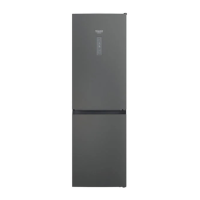
Hotpoint Ariston HA70BE 31 X
44 pages
Print Icon
To Next Page IconTo Next Page
Loading...
EN
Quick guide
1. ON/STANDBY Indicator and Button
2. Fridge Temperature Indicator
3. Fridge Temperature/
Fast Cool Button
4. Freezer Temperature Indicator
5. Freezer Temperature/
Fast Freeze Button
6. Party Mode Indicator
7. Stop Alarm Button
(see the below Alarm Table)
8. Black Out Alarm Long Black-Out
Alarm Indicator
(see the Instructions for Use)
PRODUCT DESCRIPTION
APPLIANCE
CONTROL PANEL
1. Fruit and vegetable bin*
2. Food Care Zone 0°C/
Safe Defrost*
3. Bottle shelf*
4. Freezer and storage compartment
5. Dairy Shelf*
6. Movable shelves*
7. Temperature ındicator*
8. Bottle rack*
9. Levelling feet
* Varies by number and/or position,
available only on certain models.
1
2
6
5
3
8
4
7
9
1
2 3
5
4
6
7
8
THANK YOU FOR BUYING A
HOTPOINT-ARISTON PRODUCT
In order to receive a more complete assistance, please
register your product on www . hotpoint . eu/ register
Before using the appliance carefully read the Safety
Instruction.
ACCESSORIES
BOTTLE RACK
Question and Answer IconNeed help?

Do you have a question about the Hotpoint Ariston HA70BE 31 X and is the answer not in the manual?

Overview

This document describes a Hotpoint-Ariston refrigerator-freezer appliance, providing details on its functions, usage, and maintenance.

Product Description

The appliance features a top refrigerator compartment and a bottom freezer compartment. Key components include:

  • Refrigerator Compartment:
    • Fruit and vegetable bin (1)
    • Food Care Zone 0 °C / Safe Defrost (2)
    • Bottle shelf (3)
    • Dairy Shelf (5)
    • Movable shelves (6)
    • Temperature indicator (7)
    • Bottle rack (8)
  • Freezer Compartment:
    • Freezer and storage compartment (4)
  • General:
    • Levelling feet (9)

Control Panel

The control panel, located on the front of the appliance, allows users to manage various settings:

  1. ON/STANDBY Indicator and Button: To switch the appliance to standby mode or reactivate it.
  2. Fridge Temperature Indicator: Displays the current temperature setting for the refrigerator.
  3. Fridge Temperature / Fast Cool Button: Adjusts the refrigerator temperature and activates the Fast Cool function.
  4. Freezer Temperature Indicator: Displays the current temperature setting for the freezer.
  5. Freezer Temperature / Fast Freeze Button: Adjusts the freezer temperature and activates the Fast Freeze function.
  6. Party Mode Indicator: Indicates when the Party Mode function is active.
  7. Stop Alarm Button: Used to silence active alarms.
  8. Black Out Alarm / Long Black-Out Alarm Indicator: Alerts the user to power outages and prolonged power failures.

First Time Use

After plugging in the appliance, it starts operating automatically. It is recommended to wait 4-6 hours before placing food into the refrigerator and freezer compartments to allow the appliance to reach optimal operating temperatures. When connected to power, the display lights up, and all icons appear for approximately 1 second, showing default factory settings.

Daily Use Functions

  • ON/STANDBY: Press and hold the ON/STANDBY button for 3 seconds to put the appliance in standby mode. All icons except the ON/STANDBY indicator will turn off. Press briefly to reactivate.
  • Fridge Temperature Setting: The fridge temperature can be adjusted between +2°C and +8°C by pressing the Fridge Temperature button. The selected temperature is indicated by the Fridge Temperature LEDs.
  • Fast Cool: This function increases cooling in the refrigerator compartment, recommended when placing large quantities of food. Activate by pressing and holding the Fridge Temperature button for 3 seconds. The Fast Cool indication will be displayed by the Fridge Temperature LEDs. It automatically disables after 6 hours or can be manually disabled by pressing the Fridge Temperature button again.
  • Refrigerator Light: The refrigerator compartment uses LED lighting for better illumination and low energy consumption. If the LED light system malfunctions, contact service for replacement.
  • Freezer Temperature Setting: The appliance is factory-set to -18°C. The freezer temperature can be adjusted between -16°C and -24°C by pressing the Freezer Temperature button. The selected temperature is indicated by the Freezer Temperature LEDs.
  • Fast Freeze: This function is recommended when freezing large quantities of food. Activate by pressing and holding the Freezer button for 3 seconds, 24 hours before placing fresh food to be frozen. The Fast Freeze indication will be displayed by the Freezer Temperature LEDs. After 24 hours, place food in the upper basket of the freezer compartment. It automatically disables after 48 hours or can be manually disabled by pressing the Freezer Temperature button.
  • Party Mode: This function chills drinks in the freezer compartment. Activate/deactivate by pressing the Party Mode button. After 30 minutes, an acoustic alarm will sound to remind you to remove the drink. Silence the alarm by pressing the Stop Alarm button or deactivating Party Mode. Important: Do not leave bottles in the freezer for longer than the function's active period (30 minutes).
  • Black Out Alarm: In case of a power interruption, the product automatically monitors the freezer temperature. If the freezer temperature rises above freezing level after power is restored, the Black Out icon will light up, the Alarm Icon will blink, and an acoustic alarm will sound. Press the Reset button once to reset the alarm.
  • Smart Display: This optional energy-saving function can be activated by simultaneously pressing the Fridge Temperature and Freezer Temperature buttons for 3 seconds until an audible signal sounds. Repeat the procedure to deactivate. This function does not disconnect the appliance from the power supply but reduces external display power consumption.
  • Temperature Indicator: This indicator shows "OK" if the cavity temperature is cold enough for storage. Check that "OK" appears clearly on the indicator light. If "OK" does not appear, the temperature is too high; set a lower temperature and wait approximately 10 hours for stabilization. Recheck the indicator; if necessary, readjust. If large quantities of food have been added or the door has been opened frequently, it is normal for "OK" not to show. Wait at least 10 hours before adjusting to a higher setting.

Storage Features

  • Cool Zone: Recommended for beverages, milk, dairy products, deli meats, yogurt, eggs, butter, sauces, pickles, and desserts.
  • Fruit & Vegetable Drawer: Designed to keep fruits and vegetables fresh and crisp. Open the humidity regulator (position B) for less humid environments (e.g., fruits) or close it (position A) for more humid environments (e.g., vegetables).
  • Food Care Zone 0 °C / Safe Defrost: This compartment is ideal for delicate foods like meat and fish, keeping them fresh for up to a week. It also allows for healthy low-temperature defrosting, preventing microorganism proliferation and preserving taste. Not suitable for fruits, vegetables, or green salad, but can be used for fresh pasta or cooked leftovers.
  • Fast Freezing Zone Drawer: The coldest zone, recommended for freezing fresh and cooked food.
  • Normal Freezer Drawers: Recommended for storing frozen food and ice cream.
  • Shelves: Movable and height-adjustable for easy storage of large containers.
  • Refrigerator Compartment Usage: Use recyclable plastic, metal, aluminum, and glass containers, or cling film. Always use closed containers for liquids and foods that may emit or absorb odors/flavors. If storing small quantities, use shelves above the crisper as it's the coolest area. Separate or wrap foods that emit large amounts of ethylene gas (e.g., tomatoes) from those sensitive to it (e.g., kiwi, cabbage) to prevent reduced storage life. Use the bottle holder to prevent bottles from falling. Avoid overcrowding to ensure proper air circulation.
  • Freezer Compartment Usage: Ideal for storing frozen food, making ice cubes, and freezing fresh food. The maximum fresh food freezing capacity per 24 hours is indicated on the rating plate. If storing small quantities, use the coldest central areas of the freezer compartment.

Maintenance Features

The appliance is designed to operate with minimal intervention. Regular cleaning and proper food storage practices are recommended.

Functional Sounds

The appliance may produce various sounds during operation:

  • Hissing: When switched on for the first time or after a long pause.
  • Gurgling: When refrigerant fluid enters the pipes.
  • Brrr: From the compressor running.
  • Buzzing: When the water valve or fan starts working.
  • Cracking: When the compressor starts.
  • Click: From the thermostat adjusting compressor frequency.

Alarm Table

  • Door Open Alarm: Acoustic alarm and Alarm Indicator blink if the door is open for more than 2 minutes. Close the door or press Stop Alarm to mute.
  • Temperature Alarm: Temperature display (°C) blinks and Alarm Indicator remains on if the inside temperature is inadequate. Press Stop Alarm; the acoustic alarm stops, and indicators remain on until temperature < -10°C is reached.
  • Party Mode Alarm: Party Mode Indicator blinks and acoustic alarm sounds after 30 minutes. Press Stop Alarm and remove the bottle from the freezer.
  • Long Black-Out Alarm: Black Out Alarm icon remains on, Alarm Indicator blinks, and Temperature display (°C) blinks due to prolonged power failure causing internal temperature to rise above 0°C. Press Stop Alarm; the acoustic alarm stops, and indicators remain on until temperature < -10°C is reached.

Hotpoint Ariston HA70BE 31 X Specifications

General IconGeneral
BrandHotpoint Ariston
ModelHA70BE 31 X
CategoryRefrigerator
LanguageEnglish

Related product manuals