GB
39
PLEASE PHONE US TO REGISTER YOUR APPLIANCE AND ACTIVATE YOUR PARTS GUARANTEE ON 08448 24 24 24
Disposal of your product
To minimise the risk of injury to children please dispose
of your product carefully and safely. Remove all doors
and lids. Remove the mains cable (where fitted) by
cutting off flush with the appliance and always ensure
that no plug is left in a condition where it could be
connected to the electricity supply.
To help the environment, Local Authority instructions
should be followed for the disposal of your product.
Disposal of old electrical appliances
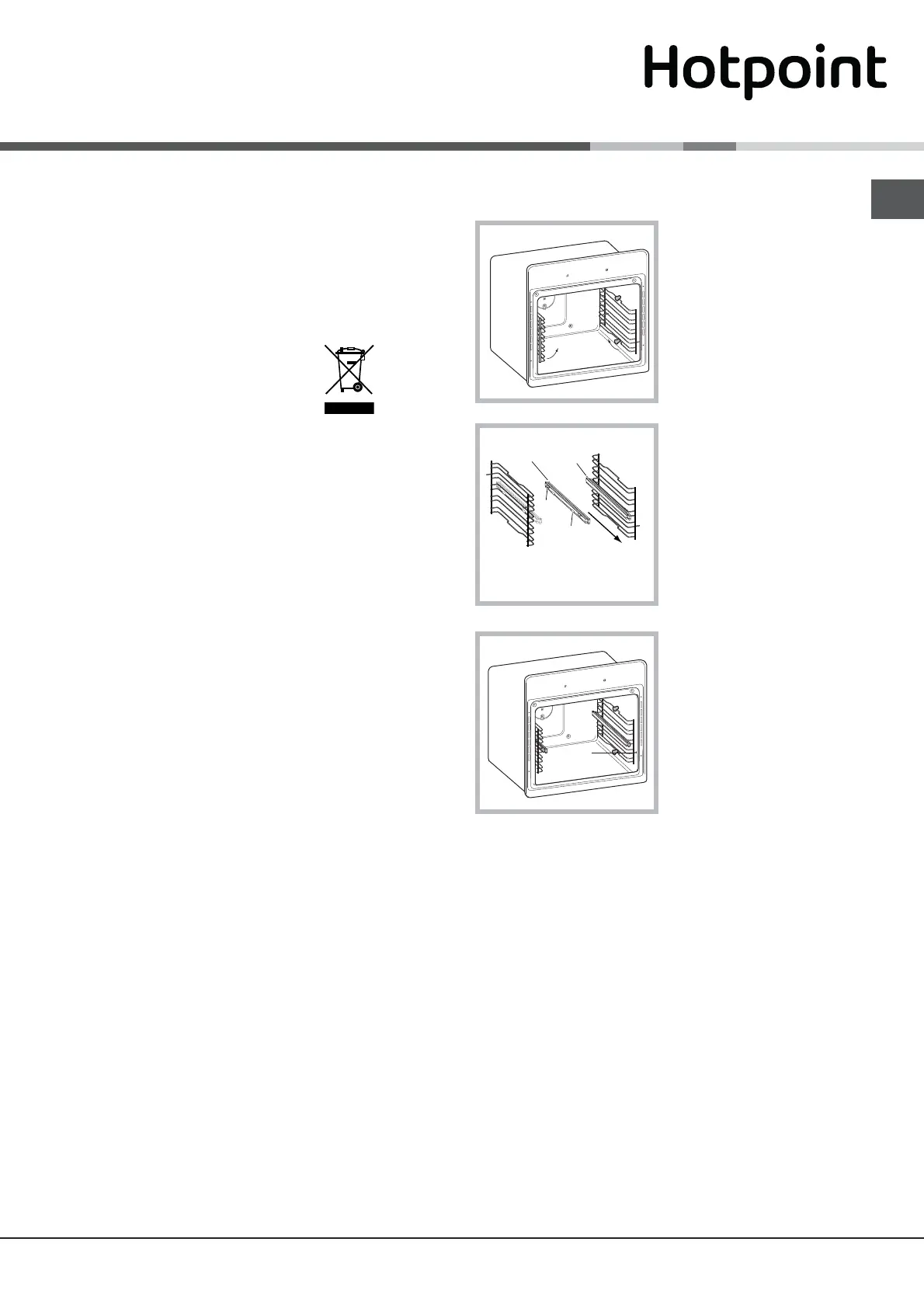
Assembling the sliding rack kit *
To assemble the sliding racks:
1. Remove the two
frames, lifting them away
from the spacers A (see
gure).
2. Choose which shelf
to use with the sliding
rack. Paying attention
to the direction in which
the sliding rack is to be
extracted, position joint
B and then joint C on the
frame.
3. Secure the two frames
with the guide rails
using the holes provided
on the oven walls (see
diagram). The holes
for the left frame are
situated at the top, while
the holes for the right
frame are at the bottom.
4. Finally, fit the frames on the spacers A.
! Do not place the sliding racks in position 5.
B
C
Left
guide rail
Right guide
rail
Directi
on
of
ex
tract
ion
*
Only available in certain models.
Telescopic runners and Meat pan*
The main oven on this cooker comes equipped with
telescopic runners, meat pan and a food support.
The meat pan is suitable for cooking joints of meat
and poultry using the intelligent cooking system
(Fan, Traditional, Roast Meat and Roast Chicken).
Use the information given in the 'Cook Charts' for the
shelf positioning of the pan and runners.
To reposition the telescopic runners unclip the
runners from position, move them to the position you
require and re-clip them to secure.



 To Next Page