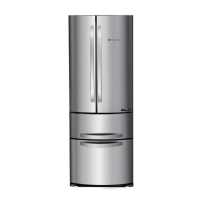
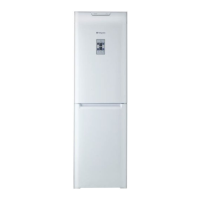
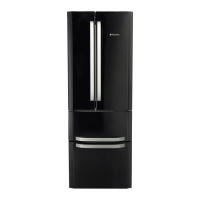
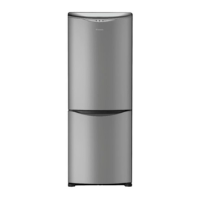
This document outlines the operating instructions for a Hotpoint refrigerator/freezer combination, specifically models FF46TP and FF48TX. It covers installation, appliance description, accessories, start-up and use, maintenance, precautions, troubleshooting, and warranty information.
Function Description:
The Hotpoint refrigerator/freezer combination is designed for domestic use to store and freeze food products. It features separate compartments for refrigeration and freezing, each with independent temperature controls. The appliance incorporates a "No Frost" system, which continuously circulates cold air to collect humidity and prevent ice and frost formation, maintaining an optimal humidity level and preserving food quality without the need for manual defrosting.
A key feature is the "Ever Fresh" system, which utilizes vacuum-packing technology to extend the shelf life of food. This system includes a dedicated shelf with an integrated pump and specialized containers that remove air to create a vacuum, preserving the food's original appearance, taste, and nutritional characteristics for longer periods.
The control panel allows users to manage various functions and settings. The "ON/OFF" button controls the power to both compartments. Temperature adjustments for both the refrigerator and freezer are made using dedicated "+" and "-" buttons, with the selected temperatures displayed on the respective screens.
Several special functions enhance the appliance's usability:
- I CARE: This function optimizes temperatures for energy saving, indicated by the "AUTO" and "I Care" LEDs.
- ALARMS: Manages all alarm signals related to product operation.
- Child Lock: Locks the control panel buttons to prevent accidental activation, enabled by pressing the "ALARM" button for 2 seconds.
- SUPER COOL: Activates rapid cooling for the refrigerator compartment, useful when adding a large quantity of new food.
- SUPER FREEZE: Activates rapid freezing for the freezer compartment, recommended when first starting the appliance or adding fresh food for freezing.
- EVER FRESH: Activates the vacuum-packing system for the Ever Fresh containers.
- HOLIDAY: Adjusts temperatures automatically for optimal settings during extended periods away, typically setting the refrigerator to +12°C and the freezer to -18°C.
- ICE PARTY: Reduces the freezer temperature temporarily to cool a bottle quickly.
The appliance also includes an "ODOR FILTER" (on some models) with active carbon to ensure better air quality inside the refrigerator.
Usage Features:
Installation and Start-up:
After transportation, the appliance should be placed upright for at least 3 hours before connecting to the electricity mains. The interior should be cleaned with warm water and bicarbonate of soda before storing food. The motor protection control system initiates the compressor approximately 8 minutes after switch-on.
Upon initial start-up, the freezer compartment defaults to -18°C, and activating "SUPER FREEZE" is recommended for accelerated cooling. The refrigerator compartment defaults to +5°C, and "SUPER COOL" can be activated for rapid cooling.
Temperature Setting:
Temperatures for both compartments can be adjusted using the "+" and "-" buttons. The refrigerator temperature can be set between +2°C and +8°C, while the freezer temperature can be set between -18°C and -26°C. The "I Care" function automatically adjusts temperatures based on internal and external conditions, but specific "I Care" temperatures can be set manually. The "HOLIDAY" function sets predefined temperatures for energy saving during long absences.
Ever Fresh System Usage:
- Fill the Ever Fresh container, ensuring space for the lid.
- Close the lid, secure the handles, and turn the knob to the "CLOSE" position, then counter-clockwise to "VACUUM."
- Place the container on the central position of the Ever Fresh shelf and press the shelf button to lock it.
- Activate the "Ever Fresh" function via the external display button. A slight noise indicates the system is operating.
- Once the Ever Fresh icon on the display switches off, the operation is complete, and the container is airtight.
- To unlock and remove the container, press the shelf button.
- To open the container, turn the knob counter-clockwise to "OPEN" to allow air in.
It's crucial to use only the provided containers and not to overfill them with liquids to avoid damaging the pump. Cooked foods should be cooled before vacuum-packing.
Refrigerator Compartment Usage:
- Adjust temperature via the display.
- Use "SUPER COOL" for rapid cooling of new food items.
- Only place cold or lukewarm foods inside.
- Avoid storing liquids in open containers to prevent increased humidity and condensation.
Freezer Compartment Usage:
- Adjust temperature via the display.
- To freeze fresh food, place it in the FREEZER and STORAGE compartment without contact with already frozen food. Activate "SUPER FREEZE" for rapid freezing. The function deactivates automatically after 24 hours or when optimal temperature is reached.
- Do not refreeze defrosted food; it must be cooked and eaten within 24 hours.
- Avoid placing glass bottles with liquids in the freezer as they may break.
- Do not obstruct ventilation holes with food or containers to ensure proper air circulation.
- In case of a power cut or malfunction, avoid opening the freezer door to maintain temperature for 9-14 hours.
Accessories:
- Shelves: Removable and height-adjustable for flexible storage.
- Ever Fresh Shelf: Dedicated to vacuum-packing containers.
- Can Rack Shelf: Stores cans horizontally.
- Ice Care Tray: Located at the top of freezer drawers for cleaner ice production. Fill with water through the opening, turn 90° to fill molds, and then remove ice by knocking the tray.
- Odour Filter: Active carbon filter for improved air quality (on some models).
Maintenance Features:
Switching Off:
To switch off the appliance, hold the "ON/OFF" button for more than two seconds until "OFF" appears on the displays, then unplug the appliance.
Cleaning:
- External and Internal Parts: Clean with a sponge soaked in lukewarm water and bicarbonate of soda or neutral soap. Avoid solvents, abrasive products, bleach, or ammonia.
- Removable Accessories: Soak in warm soapy water, rinse, and dry thoroughly.
- Back of Appliance: Dust can be removed with a vacuum cleaner on medium power after switching off and unplugging the appliance.
Ever Fresh System Maintenance:
- Clean the opening of the vacuum system on the Ever Fresh shelf with a clean, dry cloth. Avoid water or other liquids.
- Wash and dry Ever Fresh containers before use.
- Ensure container edges are clean before closing to maintain proper sealing.
- If the knob on the container lid needs cleaning, turn it counter-clockwise to remove, wash with water and neutral detergent, dry thoroughly, and screw it back on.
- If removing the Ever Fresh shelf for cleaning, disconnect the tube at the back and reattach it properly to avoid blockages.
Avoiding Mould and Unpleasant Odours:
- The appliance is made with hygienic, odour-free materials.
- Wrap food well and close containers properly to maintain hygiene and prevent stains.
- If switching off for an extended period, clean the inside and leave the doors open.
Replacing the Light Bulb:
- Disconnect the appliance from the electricity mains.
- Access the light bulb (as shown in the diagram) and replace it with a similar bulb, not exceeding 10W.
Changing the Odour Filter:
- The filter should be replaced approximately every 6-8 months, depending on food types.
- Follow the instructions and diagrams (A and B) provided in the manual to replace the filter.

 Need help?
 General

 To Next Page