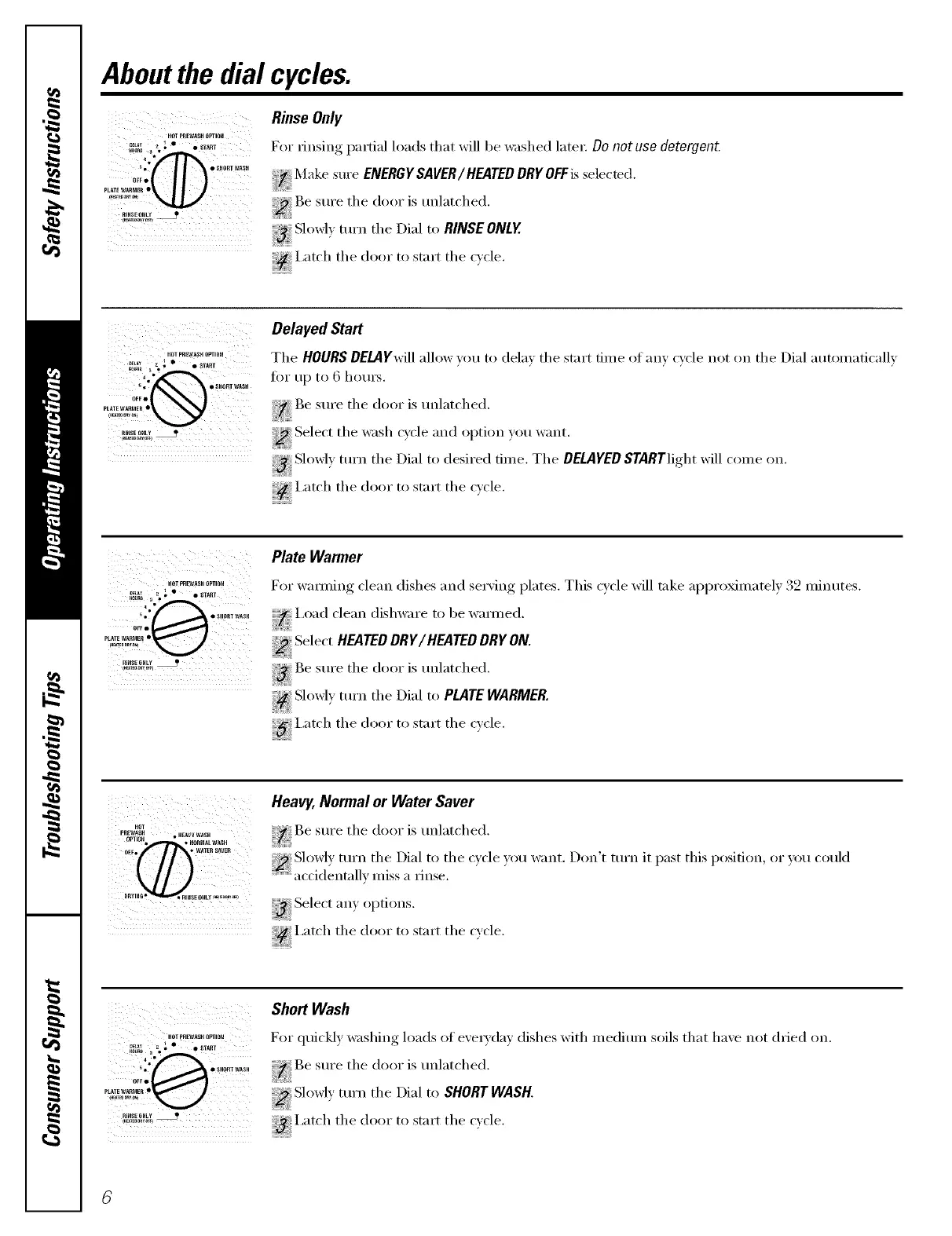
Aboutthe dial cycles.
HOTpREWASHOPTION
......"'01
i _° •_HOBTWA_H
OFt•
PLATEWARr_E_•
PINSEONLY_
ii__III iiiiiiiiiiiiiiiiiiiiii
Rinse Only
For rinsing partial loads that will be washed late_: 13onot use detergent.
Make sure ENERGYSAVER/HEATED DRYOFFisselected.
iiiiiii_ii_iii
Be sure tile door is unlatched.
i_iiiiiiiiiii_
Slowl_ turn tile Dial to RINSE ONLY.
i,atch tile door to start tile cwle.
KOTPPEWA_HOPTmN
5. Q SlIt_RI NASlt
OFF•
PLATE WP,ItI_IER •
RIHSE ONLY
Delayed Start
The HOURS DELAY.will allow you to dela_ the start time of any cxcle not on the Dial automatically
tot up to 6 hou_.
Be sure the door is unlatched.
Select the wash cycle and option you want.
Slowly tuna the Dial to desired time. The DELAYED STARTlight will come on.
!,€ I arch the door to start the c_cle.
HOTO_E_S_ OPTIOH
* __ • SHOPIWASH
OF_•
PLATEWARMER•
RIHSE OHLY
Plate Warmer
For wamfing clean dishes and serving plates. This cycle will take approximately 32 minutes.
I,oad clean dishware to be wanned.
Select HEATEDDRY/HEATED DRY.ON.
_3 Be sure the door is unlatched.
Slowly turn tile Dial to PLATE WARMER,
_' i,atch the door to start the c_cle.
H01
PPEW_H ° HE_Y WASH
OPTIOtl, • NORMAL_ASH
0_Fo • WATER SAUEB
Heavy, Normal or Water Saver
the ,,nl ,tched.
Slowly mrn the Dial to the cycle you want. Don't turn it past this position, or }ou couk]
accidentally miss a rinse.
Select am options.
i,atch tile door to start tile cycle.
PI_SEONLY
Short Wash
For (luic!dv, washing, loads of exerx (lax dishes with medium soils that haxe not (h_ied on.
Be sure the door is unlatched.
Slowly turll tile Dial to SHORT WASH.
iatch tile door to start tile cycle.



 To Next Page