6
GB
Operation
Controls
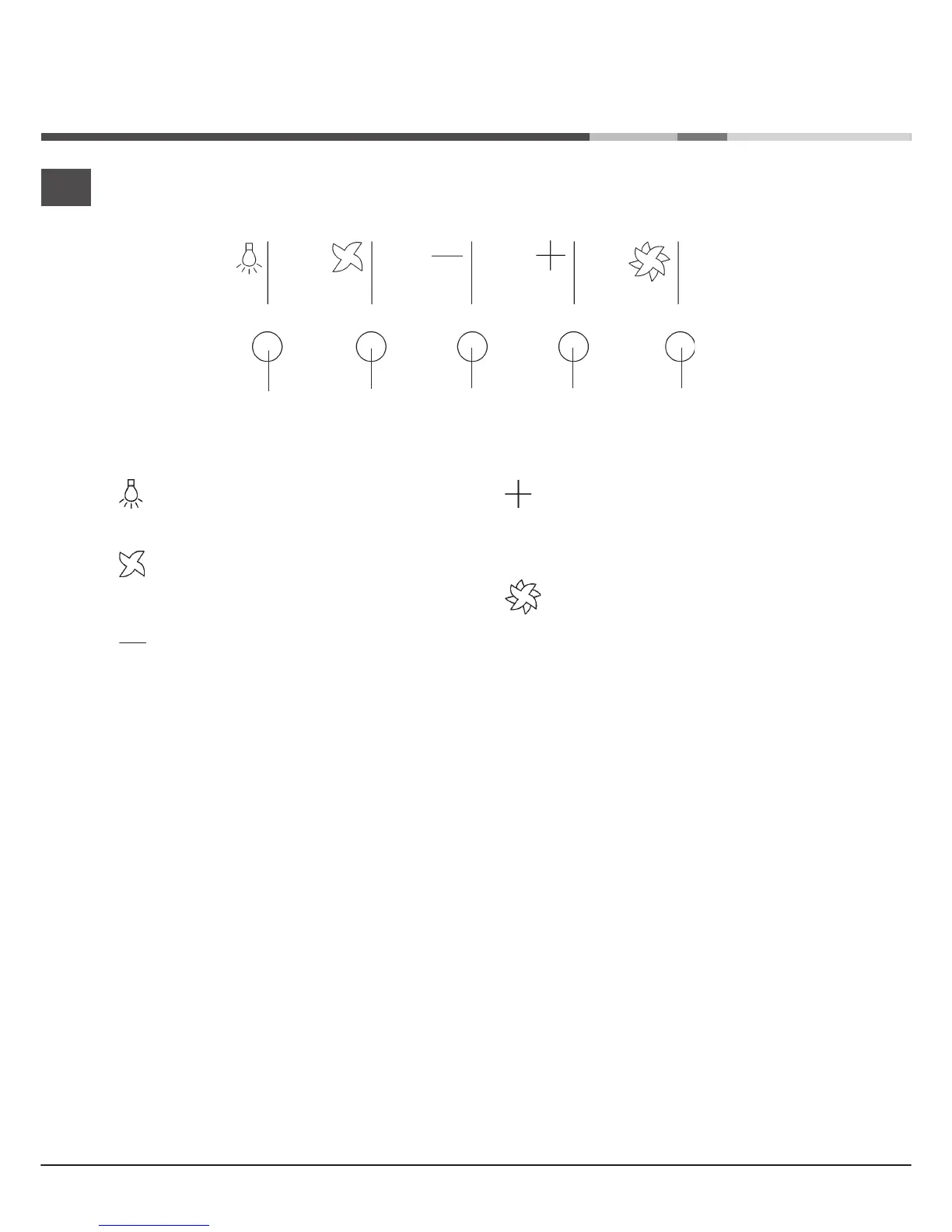
Speed increase button
Repeatedly pressing the button will increase the motor
speed until reaching the maximum speed
(12th speed).
Boost speed button
Activates the motor at boost speed (13th speed) for 10
minutes, after which the motor goes back to running at
the speed set previously.
Light button
Turns the lights on/off.
Motor button
Activates/deactivates the motor.
The motor is activated at the last speed set.
Speed decrease button
Repeatedly pressing the button will reduce the motor
speed until reaching the minimum speed.
LIGHTING
MOTOR
DECREASE
INCREASE
BOOST SPEED




 To Next Page