EasyManua.ls Logo

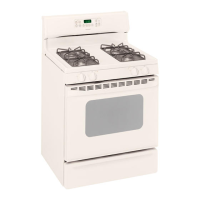
Hotpoint RGB745 - User Manual

Hotpoint RGB745
56 pages
Print Icon
To Next Page IconTo Next Page
Loading...
wwwoGEAppfiances.com
°_
U3
Safety Instruotions ....... 9-7
Operating Imlru_Cions
'Aluminum Foil ........... 13
(;lock and Timer ....... ] 5, ]6
()\'e n ................ ]0-3 ]
Baking and Roasting ...... ] 3
Broiling, Broiling Guide . .. ] 4
Oven Control ........ ] 0, ] ]
Power Outag_ ........ ] 9, ] 6
Preheating .............. ] 3
Sabbath Feature ...... ] 9, 90
Self-Cleaning ......... 99, 93
Special Features ......... 18
Thermostat Adjusunent ...91
Timed Baking
and Roasting ............ 17
Smthce Cooking ......... 8, 9
Care and Cleaning
Broiler Pan and Grid ...... 98
Bni_ner Assembly ....... 24-26
Burner Grates ............ 97
Control Panel and I_obs ...30
Cooktop Surlaace .......... 27
Door Removal ............ 28
Kick Panel ............... 29
Lift-up Cooktop ........... 29
Oven Bouom ............. 28
Oven Light Replacement ...31
()\'e n Vents .............. 30
Self-Cleaning .......... 22, 23
Shelx>s .................. 31
Stainless Smel Smthces ..... 27
Smrag_ Drawer . .......... 29
Inslallation
Instructions ........... 32-43
Air Adjustment ........... 49
Ai_ti-Tip Device ........ 35, 43
Checking Btm_er Ignition...41
Connecting the Rang>
to Gas ............... 36-39
Dimensions and Clearances .34
Electrical Connections . .40, 41
Lex_ling the Rang_ ........ 42
Location ................. 35
LP ...................... 43
Troubleshooting
Tips ................. 44-47
Accessories .............. 53
Consumer Support
Consumer
Support .......... Back Coxer
Product Registration .... 49, 50
_'arrantv for Customers
in Canada ............... 55
¼'arrantv tbr Customers
in the U.S.A .............. 54
E(;R3000
EGR3001
J(;BP2 4
J(; BP2 6
jc; P2s
j<; Pso
JGBP40
R(;B 740
R(;B 745
R(;B746
R(;B790
Write the model and serial
numbers here:
Model #
Serial #
You can find them on a label on
the front of the range behind the
storage drawer or kick panel.
18305580P156 49_850C9 12-03JR

Table of Contents

Other manuals for Hotpoint RGB745

Question and Answer IconNeed help?

Do you have a question about the Hotpoint RGB745 and is the answer not in the manual?

Summary

Safety Instructions

Anti-Tip Device Safety

Critical safety instructions for installing and using the anti-tip device to prevent range tipping.

Gas Safety and Electrical Grounding

Guidelines for safe gas handling, shut-off valve location, and proper electrical grounding of the appliance.

Operating Instructions: Surface Burners

Operating Instructions: Oven Functions

Advanced Oven Features

Self-Cleaning Oven Operation

Comprehensive guide on preparing for and operating the self-cleaning cycle, including troubleshooting.

Installation Instructions

Installation Safety and Requirements

Critical safety warnings, grounding procedures, and wall covering considerations for installation.

Anti-Tip Device and Leveling

Critical steps for installing the anti-tip device and properly leveling the range.

Gas and Electrical Installation

Gas Supply and Connections

Detailed guide on connecting the range to the gas supply, including pressure requirements and leak checks.

Electrical Connections and Burner Ignition Checks

Instructions for electrical hookup, grounding, and verifying burner ignition after installation.

Troubleshooting Tips

Surface Burner and Oven Performance Issues

Solutions for common problems like burner ignition failure, uneven flames, and oven performance irregularities.

Error Codes and Self-Cleaning Problems

Guidance on interpreting error codes, troubleshooting self-cleaning issues, and resolving display malfunctions.

Summary

Safety Instructions

Anti-Tip Device Safety

Critical safety instructions for installing and using the anti-tip device to prevent range tipping.

Gas Safety and Electrical Grounding

Guidelines for safe gas handling, shut-off valve location, and proper electrical grounding of the appliance.

Operating Instructions: Surface Burners

Operating Instructions: Oven Functions

Advanced Oven Features

Self-Cleaning Oven Operation

Comprehensive guide on preparing for and operating the self-cleaning cycle, including troubleshooting.

Installation Instructions

Installation Safety and Requirements

Critical safety warnings, grounding procedures, and wall covering considerations for installation.

Anti-Tip Device and Leveling

Critical steps for installing the anti-tip device and properly leveling the range.

Gas and Electrical Installation

Gas Supply and Connections

Detailed guide on connecting the range to the gas supply, including pressure requirements and leak checks.

Electrical Connections and Burner Ignition Checks

Instructions for electrical hookup, grounding, and verifying burner ignition after installation.

Troubleshooting Tips

Surface Burner and Oven Performance Issues

Solutions for common problems like burner ignition failure, uneven flames, and oven performance irregularities.

Error Codes and Self-Cleaning Problems

Guidance on interpreting error codes, troubleshooting self-cleaning issues, and resolving display malfunctions.
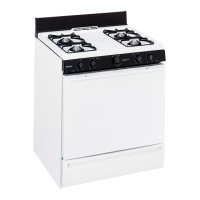
Hotpoint RGB745 Specifications

General IconGeneral
BrandHotpoint
ModelRGB745
CategoryRanges
LanguageEnglish

Related product manuals