EasyManua.ls Logo

Hotpoint WM12 - Page 8

Hotpoint WM12
20 pages
Print Icon
To Next Page IconTo Next Page
To Previous Page IconTo Previous Page
Loading...
Getting
to
know
your
Machine
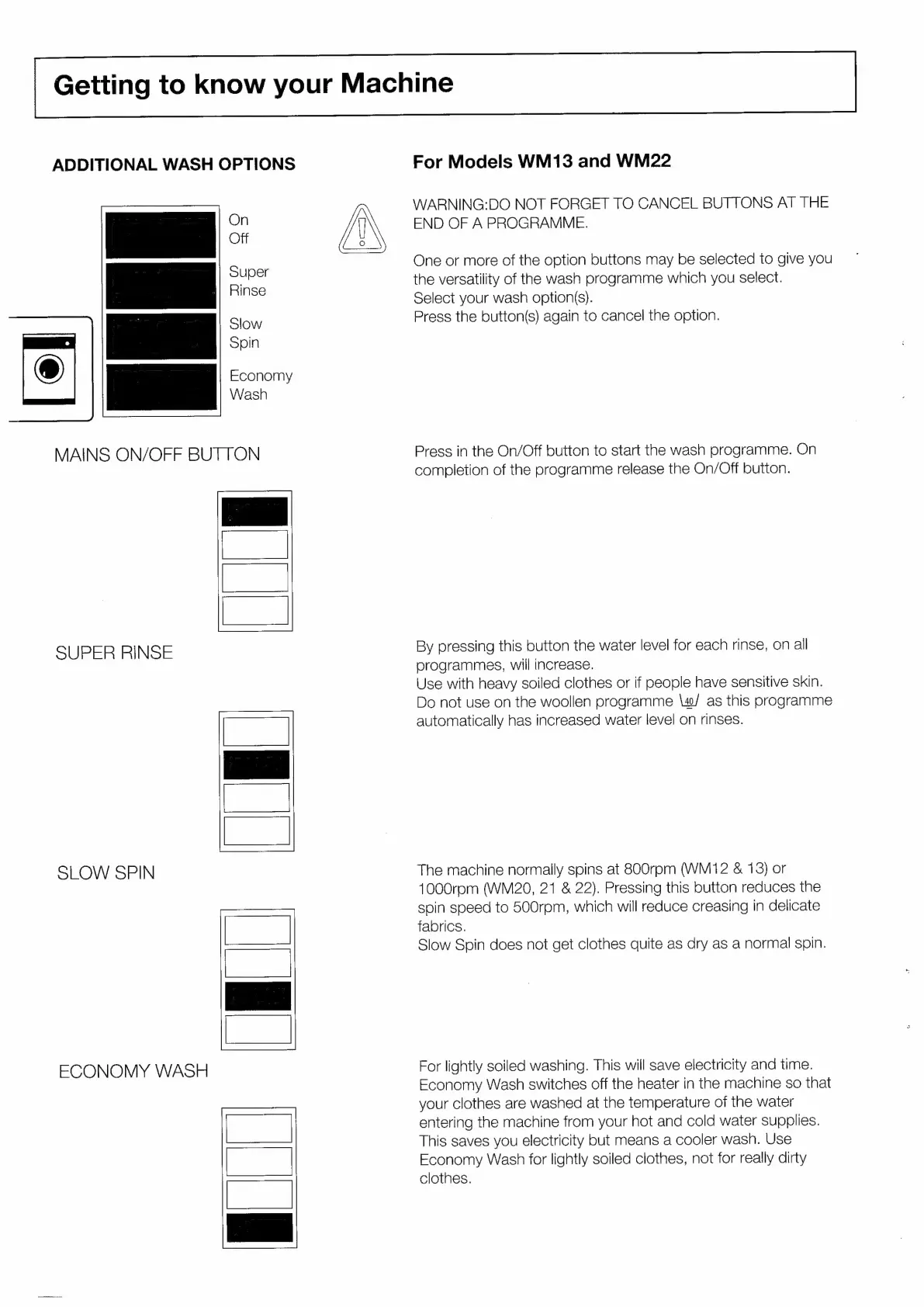
ADDITIONAL
WASH
OPTIONS
For
Models
WM13
and
WM22
WARNING:DO
NOT
FORGET
TO
CANCEL
BUTTONS
AT
THE
END
OF
A
PROGRAMME.
One
or
more
of
the
option
buttons
may
be
selected
to
give
you
the
versatility
of
the
wash
programme
which
you
select.
Select
your
wash
option(s).
Press
the
button(s)
again
to
cancel
the
option.
MAINS
ON/OFF
BUTTON
Press
in
the
On/Off
button
to
start
the
wash
programme.
On
completion
of
the
programme
release
the
On/Off
button.
tie
SUPER
RINSE
By
pressing
this
button
the
water
level
for
each
rinse,
on
all
programmes,
will
increase.
Use
with
heavy
soiled
clothes
or
if
people
have
sensitive
skin.
Do
not
use
on
the
woollen
programme
\w/
as
this
programme
automatically
has
increased
water
level
on
rinses.
SLOW
SPIN
The
machine
normally
spins
at
800rpm
(WM12
&
13)
or
1000rpm
(WM20,
21
&
22).
Pressing
this
button
reduces
the
spin
speed
to
500rom,
which
will
reduce
creasing
in
delicate
fabrics.
Slow
Spin
does
not
get
clothes
quite
as
dry
as
a
normal
spin.
For
lightly
soiled
washing.
This
will
save
electricity
and
time.
Economy
Wash
switches
off
the
heater
in
the
machine
so
that
your
clothes
are
washed
at
the
temperature
of
the
water
entering
the
machine
from
your
hot
and
cold
water
supplies.
This
saves
you
electricity
but
means
a
cooler
wash.
Use
Economy
Wash
for
lightly
soiled
clothes,
not
for
really
dirty
clothes.
ECONOMY
WASH
fu
UR
E