Long press: To record the sound from the CD disc to the TF card (This function works only when a CD
disc is playing and the player has recognized a TF card).
: Play Mode Switch
After powering on the device, press it to switch the play mode: CD → CD Optical Fiber Output → TF
Card (skipped directly if no TF card is available) → Bluetooth Receiving.
Long press: Bluetooth Transmitting (Effective in CD disc or TF card play).
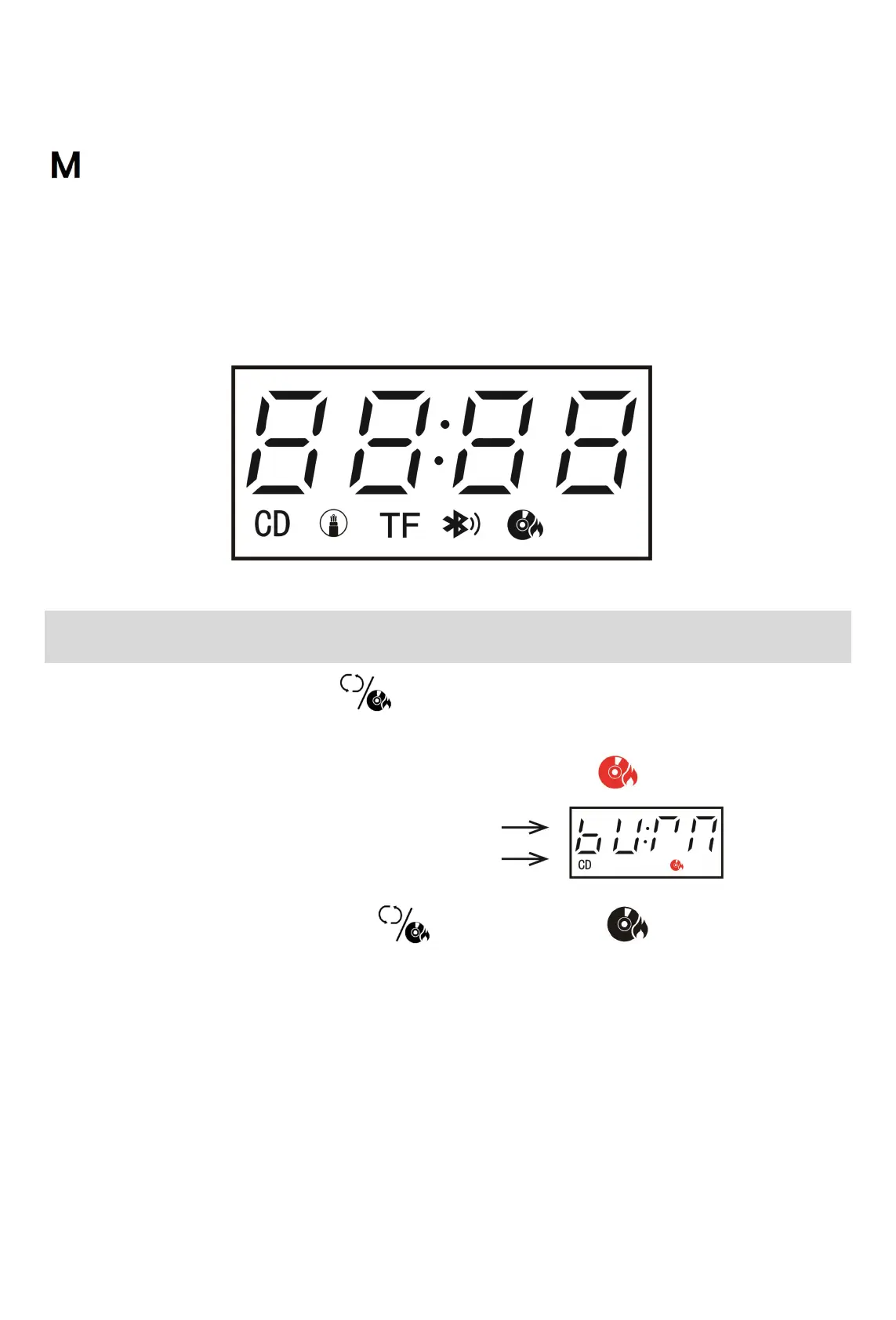
(In CD/CD Optical Fiber Output/TF Card/Bluetooth Transmitting modes, the corresponding icon at the
bottom of the display lights up. In Bluetooth Receiving mode, the text at the top will display: bLUE)
CD Recording Operation
1. While playing a CD, long-press the button to start recording, saving the music from the disc to
the TF card;
2. The LED screen will simultaneously display “burn” character and the icon;
3. To exit the CD recording, long-press the button again, and the icon on the screen will
disappear;
4. The music recorded can be switched to TF card play mode for listening.
Note: a. This function only works when a TF card is inserted;
b. This function only supports recording during playing.



 To Next Page