Bluetooth Transmitting Operation
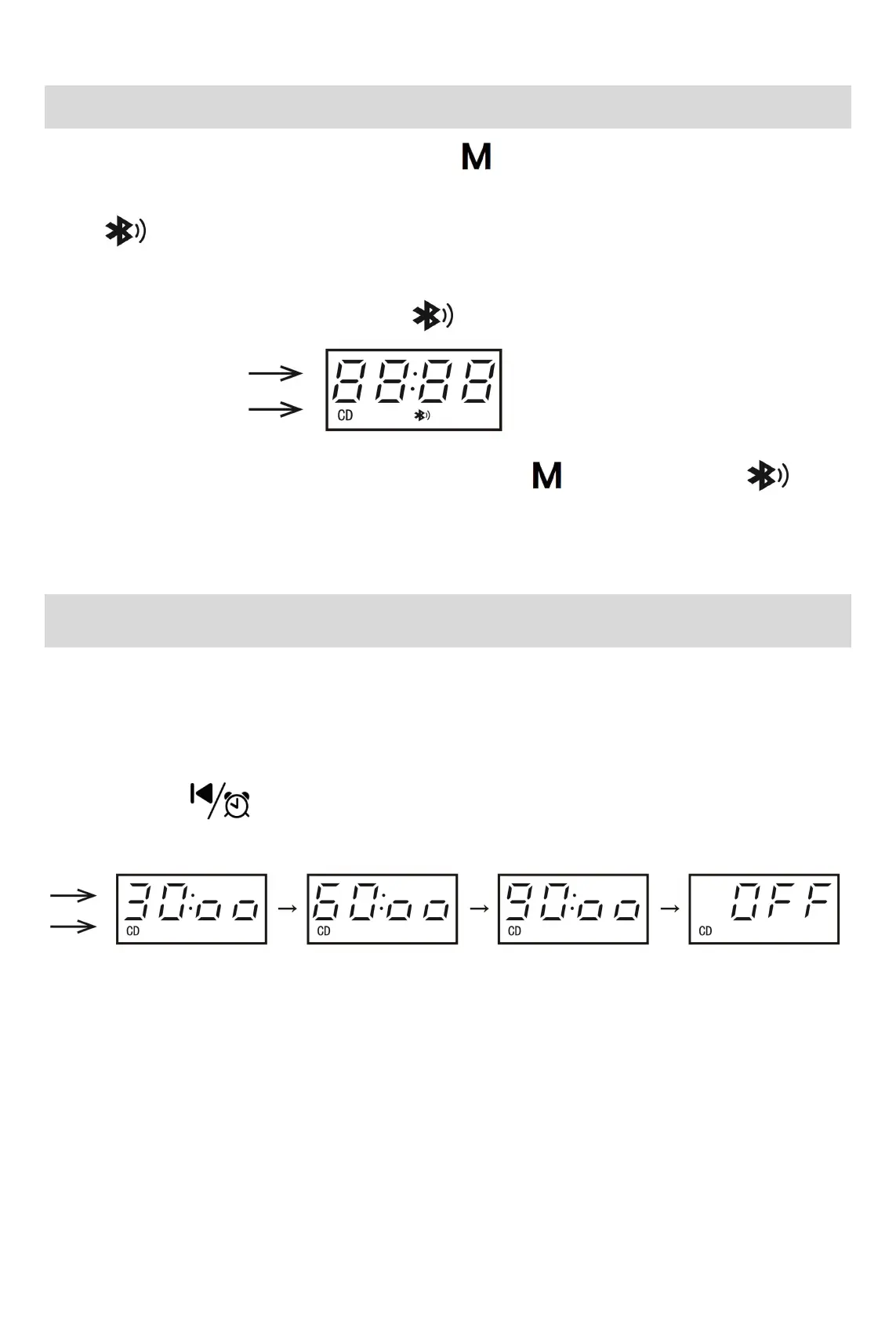
1. While playing a disc or the TF card, long-press the button to switch to Bluetooth Transmitting
mode;
2. The icon on the LED will flicker, indicating that the Bluetooth search mode is on;
3. Turn on the Bluetooth speaker or Bluetooth headphones, and put them into Bluetooth pairing mode;
4. After connection success, the Bluetooth icon will stop flickering. The connection process may
take 20 - 60 seconds.
5. To turn off the Bluetooth Transmitting mode, long-press the button again, and the icon
on the screen will disappear.
Auto Shutdown Explanation
1. After finishing playing the disc in sequential mode or manually pressing the stop button, the CD player
will automatically shut down if there is no button operation within 3 minutes;
2. In Bluetooth Receiving mode, if there's no connection for 10 minutes, the CD player will automatically
shut down;
3. Long-press the button to set a timer for automatic shutdown: 30:00 minutes → 60:00 minutes
→ 90:00 minutes → OFF to disable shutdown timer;



 To Next Page