speaker/earphone is not connected to other devices.
2. Pairing lead time would be around 15-50 seconds.
3. When playing in Bluetooth mode, please make sure the wired earphone is unplugged.
4. CD player only can be paired with one Bluetooth device at a time. If there is more than one Bluetooth device
around the CD player, it may randomly pair one of them.
5. The paired device is automatically connected when it restarts.
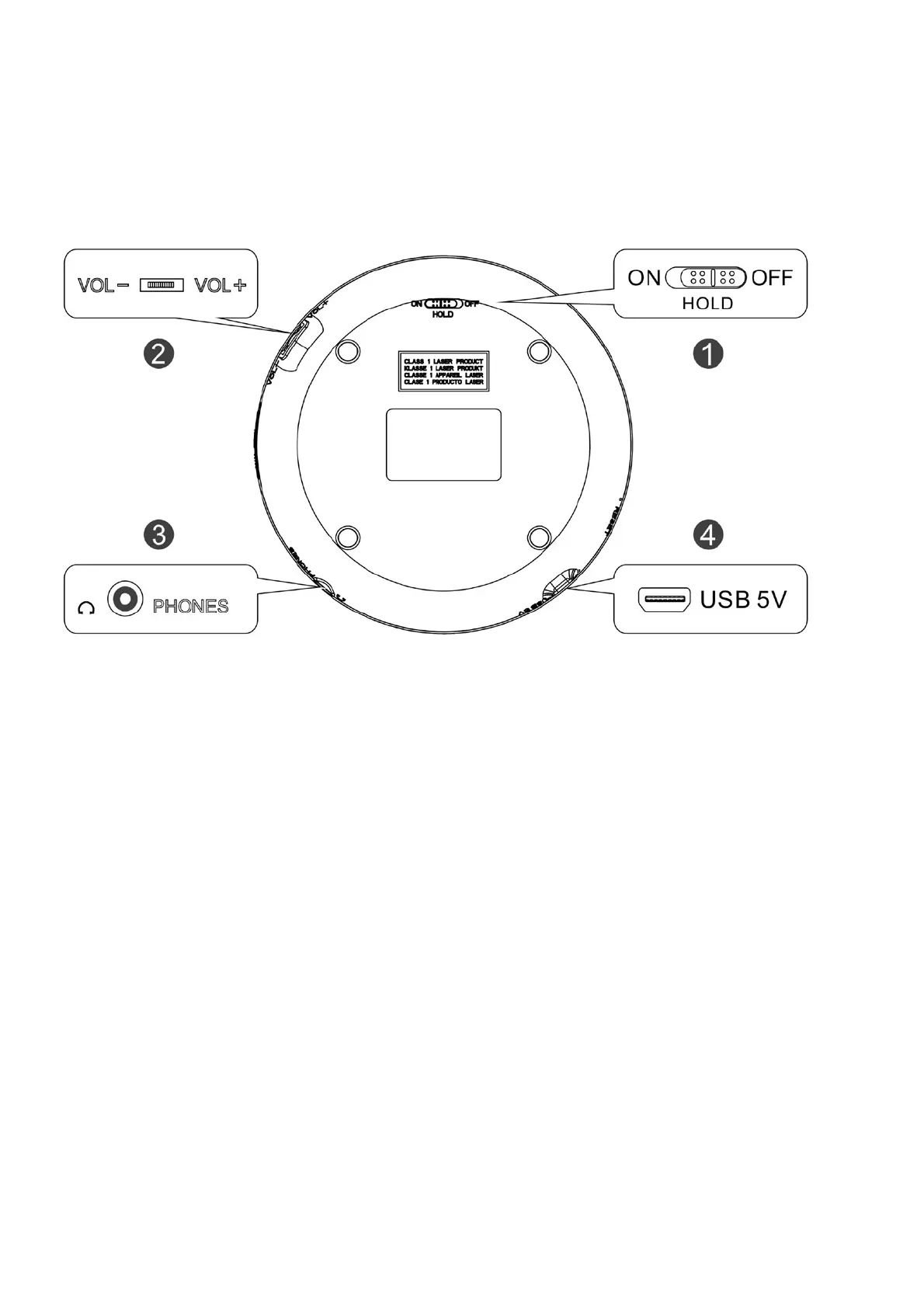
Back Function Introduction
HOLD (ON/ OFF): Lock button switch
– ON: All buttons will be locked
– OFF: Unlock
Note: Before power on, you need to put the button to the “OFF” position.
VOL -/VOL+: Adjust the volume
PHONES: Earphone jack
USB 5V: USB power supply
Charging Instructions:



 To Next Page