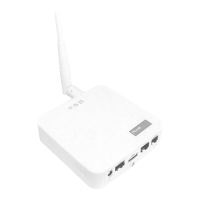
TempTronic RC
Operating Manual
Art. No. 4 206 403-en-00 / Page 6
Menu tree4
The following illustration of the menu tree shows a maximum conguration. The ele-
ments actually displayed will vary according to:
the congured unit type ●
the current operation level (password) ●
Main menu4.1
Settings 2
Operation level3
>Operating mode
Operation level1
Alarms
Password
Settings 1
Operational level2
Menu 'Operating mode'4.2
Main menu Submenu 1 Submenu 2
29-02-2008 09:10
Settings 2
>Operating mode
Operating mode
Alarms Unit 8 OFF
Password >Zone AUTO
Zone
Settings 1 Unit 1 AUTO DOOR
Unit 2 AUTO >AUTO
Unit 3 AUTO OFF
Unit 4 AUTO REC
Unit 5 AUTO RECN
Unit 6 AUTO REC1
Unit 7 AUTO SA2
SA1
>Unit 1 AUTO
Unit 1
OFF
>AUTO


 To Next Page