TempTronic RC
Operating Manual
Art. No. 4 206 403-en-00 / Page 5
Logging in3.4
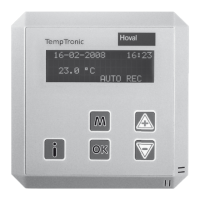
29-02-2008 09:10
22.8 °C
AUTO REC
To access the main menu, press .
29-02-2008 09:10
Alarms
>Password
Settings 1
Use to select 'Password' and press .
Password
change
>login
logout
Use to select 'login ' and press .
login
0.3.9.9
Set the 4 digits of the password (factory setting: 0.3.9.9)
in sequence using
and acknowledge with .
Password
change
>login
logout
Return to start up screen: Press twice. Depending
on the password entered, operation level 2 or 3 is active.
Notice
If 10 minutes elapse without a key being pressed, you will automatically be
logged out. Operation level 1 is activated.


 To Next Page