15
FAILURE TO FOLLOW ANY OF THE FOLLOWING SAFETY PRECAUTIONS
CAN AND MAY LEAD TO DAMAGE TO YOUR DEVICE, VOID YOUR
MANUFACTURER WARRANTY, LEAD TO PROPERTY DAMAGE, CAUSE
SERIOUS BODILY INJURY, AND CAN LEAD TO DEATH.
OPERATING YOUR DEVICE
Make sure the device is fully charged before the first initial use. Before
turning on your Cruze, ride it like a normal skateboard to get
comfortable with the board style.
When comfortable with the board, turn on your Cruze. For the
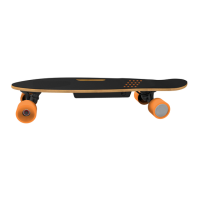
power-assisted motor to activate, you must start riding, then place
your back foot on the board sensor so it’s covering at least 5 orange
circles. The motor will maintain your current speed until you lift your
foot off the sensor. To go faster, you will need to push the ground
manually.
Cruze is equipped with a built-in 150 Watt Brushless Motor which
allows you remain in cruise control (up to 11.18 mph).
RIDING MODES
When the Cruze is powered on, it will be in Cruising Mode by default.
Press the Mode Button to alternate between modes.
A. Cruising Mode - While Cruising you will need to stop manually using
your feet.
B. Braking Mode – While cruising, lift foot off sensor for 1.5 seconds and
the Cruze motor will apply brakes to slow you down gradually.
Look at the Mode indicator light, if it's on then it's in Cruising Mode. If
flashing quickly then it's in Braking Mode.
WEIGHT AND SPEED LIMITATIONS
Speed and weight limits are set for your own safety. Please do not
exceed the limits listed here in the manual.
• Maximum Weight: 198 lbs
• Minimum Weight: 44 lbs
• Maximum Speed: Up to 11.18 mph
CHARGING YOUR CRUZE
BATTERY CARE / MAINTENANCE
OPERATING RANGE
In ideal conditions, the Cruze can travel up to 5 miles on a fully
charged battery. The following are some of the major factors that will
affect the operating range of your device.
• Terrain: Riding distance is highest when riding on a smooth, flat
surface. Riding uphill and/or on rough terrain will reduce distance
significantly.
• Weight: A lighter user will have further range than a heavier user.
• Ambient temperature: Please ride and store the device under
recommended temperatures, which will increase driving distance,
battery life, and overall performance of your device.
• Speed and Riding Style: Maintaining a moderate and consistent
speed while riding produces maximum distance. Traveling at high
speeds for extended periods, frequent starts and stops, idling and
frequent acceleration or deceleration will decrease overall distance.
While riding your Cruze, if there is a system error or illegal operation
performed, the device will prompt the user in a variety of ways.
You will notice the Running Indicator Light will turn RED and you will
hear a beep sound alerting you to take precaution and cease
operation, which may make the device stop suddenly.
The following are common occurrences where you will hear the Safety
Alerts. These notices should not be ignored, but appropriate action
should be taken to correct any illegal operation, failure or errors.
• Unsafe riding surfaces (uneven, too steep, etc.)
• Battery voltage is too low.
• The device is still charging.
• Overheating, or motor temperature is too high.
• If any or both tires are blocked, the device will stop after 2 seconds.
• When the battery level has depleted below protection mode, the
device engine will power off and stop after 15 seconds.
CHARGING THE DEVICE
• Ensure that the charging port is clean and dry.
• Make sure that there is no dust, debris or dirt inside the port.
• Plug the charger into a grounded wall outlet.
• Connect the cable with the power supply (100V ~ 240V; 50, 60 Hz).
• Ensure the light on the charger is lit GREEN.
• Align and connect the 3-pin charging cable into the charging port
of the Cruze. DO NOT FORCE THE CHARGER INTO THE CHARGE PORT,
AS THIS MAY CAUSE THE PRONGS TO BREAK OFF OR CAUSE
PERMANENT DAMAGE TO THE CHARGE PORT.
• The charging indicator light should change to RED, indicating that
your device is now being charged.
• When the RED indicator light on your charger turns to GREEN, then
your device is fully charged.
• A full charge may take up to 2.5 hours.
• After fully charging your Cruze, unplug the charger from your
device and from the power outlet.
BATTERY SPECIFICATIONS
Battery Type: Rechargeable lithium-ion battery
Charge Time: Up to 2.5 hours
Voltage: 25.9 V
Initial Capacity: 2.15 AH
Working Temperature: 32°F - 113°F
Charging Temperature: 50°F - 77°F
Storage Time: 1 year
Storage Temperature: -4°F - 122°F
Storage Humidity: 5% - 95%
BATTERY MAINTENANCE
The lithium-ion battery is built into the device. Do not disassemble the
device to remove the battery or attempt to separate it from the
device.
• The Cruze can be stored at full power for approximately 3 months.
If not In use, it is recommended that you recharge the battery once
a month to maintain battery life.
• Use only the charger and charging cable supplied by Hover-1. Use
of any other charger or cable may lead to damage to the product,
overheating and risk of fire. Use of any other charger or cable voids
the manufacturer warranty.
• Do not connect or attach the device or the battery to a power
supply plug or directly to a car’s cigarette lighter.
• Do not place the device or batteries near a fire, or into direct sunlight.
Heating the device and/or the battery can cause additional heating,
breaking, or ignition of the battery inside the device.
• Do not continue charging the battery if it does not recharge within
the specified charging time. Doing so may cause the battery to
overheat, rupture, or ignite.
To preserve natural resources, please recycle or dispose of batteries
properly. This product contains lithium-ion batteries. Local, state, or
federal laws may prohibit disposal of lithium-ion batteries in ordinary
trash. Consult your local waste authority for information regarding
available recycling and/or disposal options.
• Do not attempt to modify, change, or replace your battery.
• Do not use your device if the battery begins to emit odor,
overheats, or begins to leak.
• Do not touch any leaking materials or breathe fumes emitted.
• Do not allow children or animals to touch the battery.
• The battery contains dangerous substances, do not open the
battery, or insert anything into the battery.
• Please only use the charger provided by Hover-1.
• Do not attempt to charge the device if the battery has discharge
or emits any substances. In that case, immediately distance yourself
from the battery in case of fire or explosion.
• Lithium-ion batteries are considered to be hazardous materials.
Please follow all local, state and federal laws in regards to recycling,
handling and disposing of Lithium-ion batteries.
This device complies with part 15 of the FCC Rules. Operation is
subject to the following two conditions: (1) This device may not
cause harmful interference, and (2) this device must accept any
interference received, including interference that may cause
undesired operation.
Please note that changes or modifications not expressly
approved by the party responsible for compliance could void the
user’s authority to operate the equipment.
FCC INSTRUCTIONS FOR A CLASS B DIGITAL DEVICE OR
PERIPHERAL
Note: This equipment has been tested and found to comply with
the limits for a Class B digital device, pursuant to part 15 of the
FCC Rules. These limits are designed to provide reasonable
protection against harmful interference in a residential
installation. This equipment generates, uses and can radiate radio
frequency energy and, if not installed and used in accordance
with the instructions, may cause harmful interference to radio
communications. However, there is no guarantee that
interference will not occur in a particular installation. If this
equipment does cause harmful interference to radio or television
reception, which can be determined by turning the equipment
off and on, the user is encouraged to try to correct the
interference by one or more of the following measures:
• Reorient or relocate the receiving antenna.
• Increase the separation between the equipment and receiver.
• Connect the equipment into an outlet on a circuit different from
that to which the receiver is connected.
• Consult the dealer or an experienced radio/TV technician for help.
• Do not expose the device to liquid, moisture, or humidity to avoid
damage to the product's internal circuitry.
• Do not use abrasive cleaning solvents to clean the device.
• Do not expose the device to extremely high or low temperatures as
this will shorten the life of the electronic device, destroy the battery,
and/or distort certain plastic parts.
• Do not dispose of the device in fire as it may explode or combust.
• Do not expose the device to contact with sharp objects as this will
cause scratches and damage.
• Do not let the device fall from high places, as doing so may
damage the internal circuitry.
• Do not attempt to disassemble the device.


 To Next Page
 Loading...