EasyManua.ls Logo

Hozelock AC Pro - User Manual

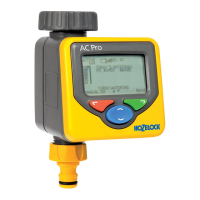
Hozelock AC Pro
84 pages
Print Icon
To Next Page IconTo Next Page
Loading...
Hozelock Ltd.
Midpoint Park,
Birmingham B76 1AB. England
Tel: +44 (0) 121 313 1122
info@hozelock.com
www.hozelock.com
33786-002

Questions and Answers

  • F
    fernandezjaredAug 2, 2025
    What to do if my Hozelock AC Pro has no water?
    • E
      emily21Aug 3, 2025
      If there's no water when you expect it, first ensure the tap is turned on and that the mains water supply is connected and active. Also, check the hosepipe for any twists or blockages and clear them. Finally, make sure that a program is set or that manual watering is activated.
  • J
    james73Aug 13, 2025
    What to do if there is no water coming from my Hozelock Lawn and Garden Equipment?
    • E
      Elizabeth JacobsAug 13, 2025
      If you're experiencing a 'No water' issue with your Hozelock Lawn and Garden Equipment, start by checking that the tap is turned on and that the mains water supply is connected and active. Additionally, inspect the hosepipe for any twists or blockages and clear them.
  • J
    John NavarroAug 22, 2025
    Why is the screen blank on my Hozelock Lawn and Garden Equipment?
    • K
      Kevin BlairAug 22, 2025
      If the screen is blank, it might be in power-save mode. Press and hold any key to continue. If that doesn't work, check the batteries, ensuring they are the correct type, properly fitted, and not flat. Refer to the “installing the batteries” section of the instructions for guidance. Also, ensure the display is shaded from direct sunlight.

Summary

General Information

Setup and Initial Operation

Installing the Batteries

Instructions for inserting batteries into the device.

Connecting to the Tap

Guide to attaching the timer to a water tap using adapters.

Setting Language and Time

Steps to configure device language and current time settings.

Manual Operation

How to operate the watering function manually, overriding programs.

Programming the Timer

Ultra Easy - One Touch Programming

Quickest method for setting automatic watering for 5 minutes daily.

Very Easy - Watering Pre-sets

Utilise 13 pre-programmed watering schedules for various needs.

Easy - Watering Wizard

Step-by-step guide to customising watering start time, duration, and days.

Watering Mode and Additional Features

Watering Mode

Adjust watering duration (Normal, Turbo, Miser) without changing programs.

Settings

Configure language, time, Miser/Turbo percentages, and confirmations.

Pause Watering

Temporarily stop all current and future programmed watering.

Cancel All Programs

Stop current watering and clear all programmed schedules.

Problem Solving and Contact

Trouble Shooting Guide

Common issues like blank screen, no water, or blocked hosepipe with solutions.

Contact Details

Hozelock customer service contact information for further assistance.

Hozelock AC Pro Specifications

General IconGeneral
TypeAutomatic Watering Controller
Number of watering cycles per day4
Rain delayYes
DisplayLCD
Battery backupNo
Valve controlSolenoid
Power SourceMains
Power supply230V

Related product manuals