EasyManua.ls Logo

HP 3336A - Page 23

HP 3336A
147 pages
Print Icon
To Next Page IconTo Next Page
To Previous Page IconTo Previous Page
Loading...
Operation
©
©
©
[o:
o
“ev
&
=
3S3BA
SYNTHESTZER/LEVE
HEWLETT
»
PACKARD
STATUS
REMGTE
=
SA3
TALK
vocal]
AQ
N
OC)
ses
SWEEP
To
¢—
ENTRY
EXT
HOO
an
TAN
BE
-_
aoa
Nie
fhe
7
(a3)
GO|
q
q
Boone
M_ORF
Co]
J
eo
®
G)
STATUS
Annunciator
J
SHA
2€An9
6
POWER
Switch.
Applies
power
to
the
instrument
in
ON
position.
In
STBY
(standby),
applies
power
to
the
High
Stability
Frequency
Option
(option
004),
maintaining
the
instrument
in
a
ready
state.
(Paragraph
3-6)
BLUE
Shift
Key.
Causes
some
keys
to
change
to
secon-
dary
functions
printed
in
blue.
The
front
panel
‘‘shifts’’
back
to
primary
functions
after
the
next
key
is
pressed.
SWEEP
Group.
Contains
entry
keys
for
entering
sweep
parameters,
plus
sweep
start/stop
keys.
When
preced-
ed
by
the
BLUE
Shift
Key,
the
entry
keys
become
sweep
modification
keys,
the
TIME
key
selects
Linear/Log
sweep,
and
the
SINGLE
sweep
start/stop
key
selects
Fast/Slow
internal
leveling.
(Sweep,
Paragraph
3-60/Internal
leveling,
Paragraph
3-49)
LOCAL
Key.
Switches
the
instrument
from
remote
to
local
(front
panel)
control
unless
a
Local
Lockout
state-
ment
was
executed.
When
preceded
by
the
BLUE
Shift
Key,
displays
the
HP-IB
address
in
decimal
code.
(Paragraph
3-112)
strument’s
HP-IB
status:
REMOTE;
Service
Request
(SRQ);
Addressed
to
TALK;
Addressed
to
LISTEN.
(Remote
Programming,
Paragraph
3-103)
ENTRY
Group.
Prefix
keys
for
the
major
operating
parameters.
When
one
of
these
keys
is
pressed,
the
selected
parameter
is
displayed and
can
be
changed
us-
ing
the
Modify
Controls
or
the
Number/Units
Keyboard.
(Paragraph
3-31)
When
preceded
by
the
BLUE
Shift
Key,
the
PHASE
key
assigns
zero
degrees
phase
to
the
present
output.
(Paragraph
3-57)
ALPHANUMERIC
Display.
Displays
the
values
of
the
operating
parameters,
programming
error
codes,
HP-IB
address,
and
‘‘OSC
FAIL”’
if
the
internal
oscillator
is
not
operating
properly.
(Error
Codes,
Paragraph
3-36)
Group.
Indicates
the
in-.
® ©
©®
®
©
Model
3336A/B/C
9,
76-Tele
WAR
OUTPUT
3336-3-1
DATA
Group.
Contains
a
Number/Units
keyboard
to
exactly
set
the
value
of
a
selected
parameter.
(Paragraph
3-33)
Also
included
are
keys
to
STORE
and
later
RECALL
the
operating
state
of
the
instrument.
(Paragraph
3-94)
When
preceded
by
the
BLUE
Shift
Key,
the
MHz
units
key
selects
the
Amplitude
Blanking
operation
mode,
and
the
kHz/SEC
key
returns
the
instru-
ment
to
normal
operation
mode.
(Paragraph
3-54)
The
STORE,
RECALL,
CLEAR,
and
keys
become
the
Amplitude
or
Phase
modulation
ON/OFF
controls.
(Paragraph
3-85/90)
MODIFY
Group.
Consists
of
a
Modify
ON/OFF
Key,
two
Horizontal
Arrow
keys
to
move
the
digit
to
be
modified
left
or
right,
and
a
Tuning
Knob
to
increase
or
decrease
the
selected
(flashing)
digit.
(Paragraph
3-35)
UNITS
Annunciators.
Indicates
the
units
of
measure-
ment
of
the
displayed
value.
The
ENTRY
Annunciator
lights
when
an
entry
is
in
progress.
OUTPUT
Group.
Main
Signal
Outputs
and
Output
Select
Keys
to
activate
an
output
port.
Output
Select
Keys
automatically
deactivate
all
other
output
ports
in
this
group.
MODULATION
STATUS
Annunciators.
Appropriate
an-
nunciator
lights
when
Amplitude
or
Phase
Modulation
is
enabled.
(Paragraph
3-85/90)
EXT
REF
Annunciator.
Lit
when
an
external
frequency
reference
is
connected
to
the
EXT
REF
Input.
Flashes
if
the
instrument
does
not
lock
to
the
external
reference.
(Paragraph
3-23)
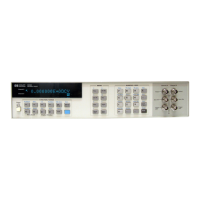
Figure
3-1.
Panel
Features.

Related product manuals