EasyManua.ls Logo

HP 339A - Page 38

HP 339A
125 pages
Print Icon
To Next Page IconTo Next Page
To Previous Page IconTo Previous Page
Loading...
Section IV
Model
339A
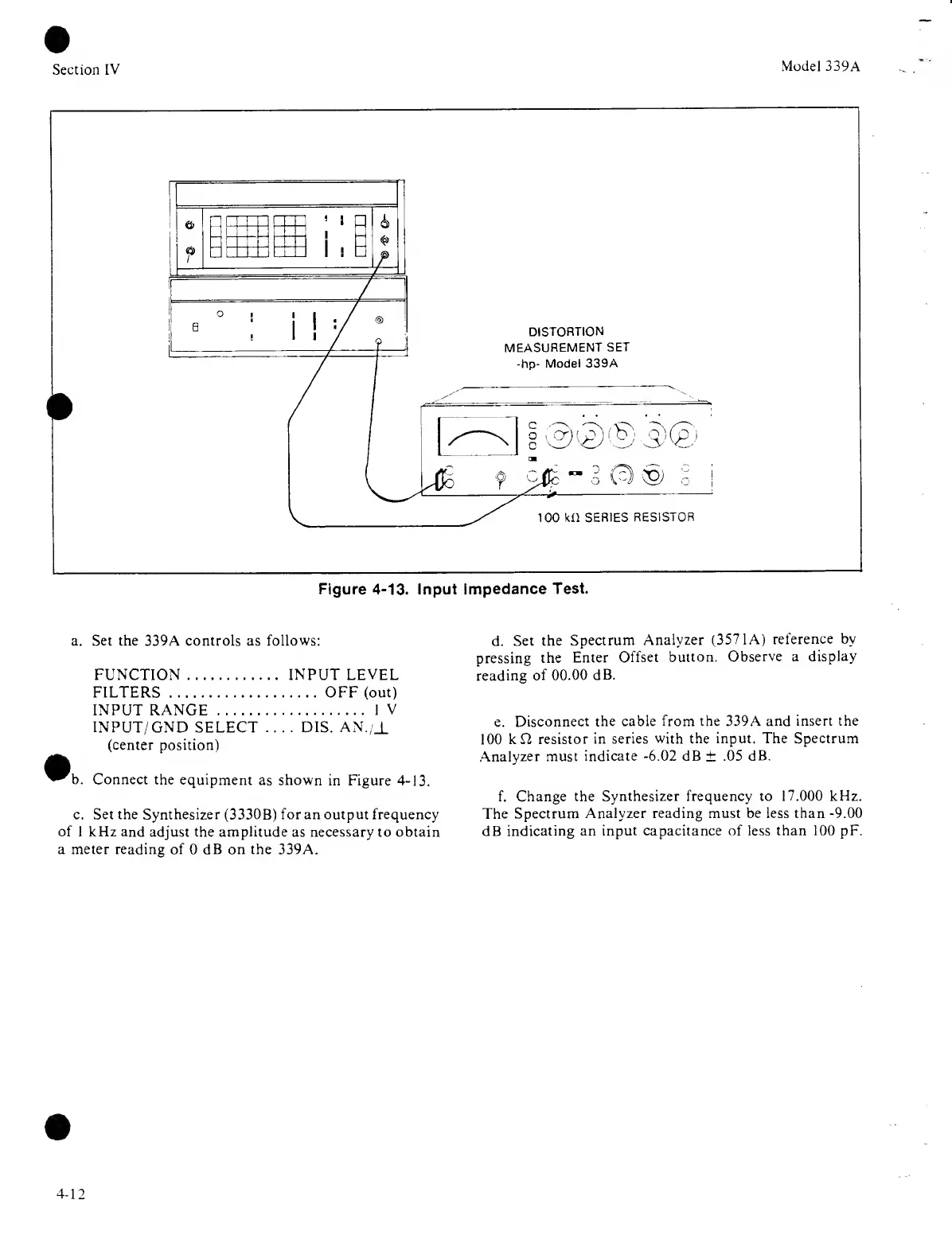
Figure 4-13.
Input
Impedance
Test.
a. Set the 339A controls as follows:
FUNCTION INPUT
LEVEL
FILTERS OFF
(out)
INPUT RANGE
IV
INPUT/
GND SELECT
.... DIS.
AN./J.
(center position)
Connect
the equipment
as shown
in Figure
4-13.
c. Set the Synthesizer
(3330B)
for an output frequency
of 1 kHz and
adjust the
amplitude
as necessary to obtain
a meter reading of
0
dB on the 339A.
d.
Set the
Spectrum
Analyzer (3571 A)
reference by
pressing
the
Enter
Offset
button.
Observe a
display
reading
of 00.00
dB.
e.
Disconnect
the cable
from
the 339A
and insert the
1 00
k C2
resistor in series
with the input. The Spectrum
Analyzer must
indicate
-6.02
dB
±
.05
dB.
f. Change
the Synthesizer frequency to
17.000
kHz.
The Spectrum
Analyzer reading must be less than
-9.00
dB
indicating an
input capacitance of less than
100
pF.
4-12

Related product manuals