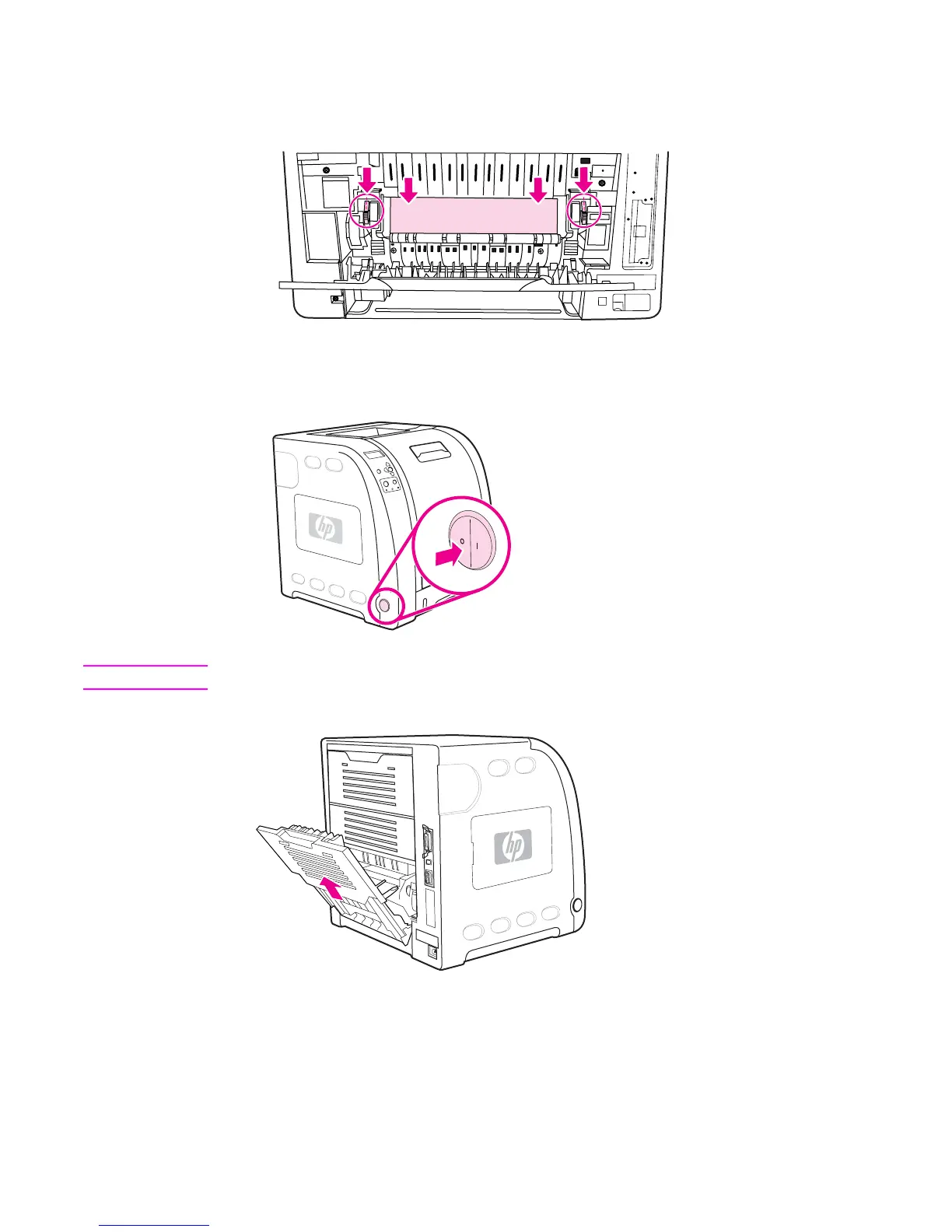
2. If the paper is visible, press down on the green levers and remove the paper. Return the
green levers to the up position after removing the paper, and close the lower rear door
(rear output bin).
3. If the paper is not visible, turn the printer off.
WARNING!
The fuser will be hot. Wait 10 minutes before proceeding.
4. Slide out the lower rear door (rear output bin) tray extender.
ENWW Clearing paper jams 163



 To Next Page