1/3
Cp—G Nom
BIN LOW
:
4.8nF
HIGH COUNT
CLEAR
1 —1%
+1% 0 LIMIT
2 —2%
+2% 0
3 —5% +5%
0 CHANGE
4 —10%
+10%
0 PARMTR
5 —20% +20% 0
8 —50%
+50% 0 REVERS
7
0 PARMTR
8
0
9
0 LIMIT
2nd
MODE
Rej cnt
G REF=OpS
OUT:
0
exit
C m: 4.70000nF G
m: 0.20000AS LIMIT
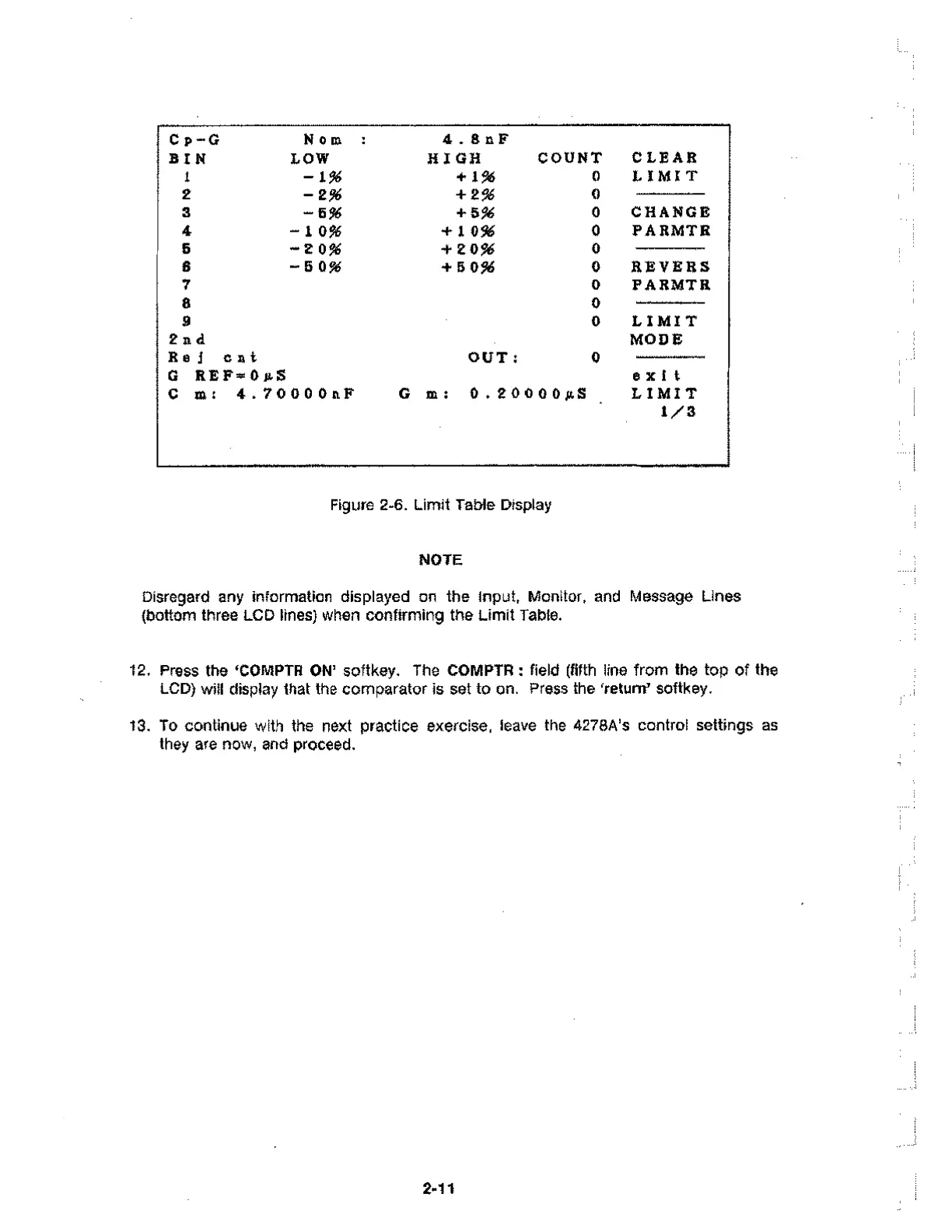
Figure 2-6. Limit Table Display
NOTE
Disregard any information displayed on the Input, Monitor, and Message Lines
(bottom three LCD lines) when confirming the Limit Table.
12. Press the `COMPTR ON' softkey. The COMPTR : field (fifth line from the top of the
LCD) will display that the comparator is set to on. Press the 'return' softkey.
13. To continue with the next practice exercise, leave the 4278A's control settings as
they are now, and proceed.
2.11



 To Next Page