Printer Function
Perform the following steps to print out the display page using the
PRINT DISP mo de.
1. Connect a printer to the HP 4284A using an HP-IB cable.
2. Set the printer to the Listen Only mo de.
3. Set the Talk Only mo de to ON from the
SYSTEM CONFIG
page.
4. Press
4
MEAS SETUP
5
to display the
MEAS SETUP
page.
5. Move the cursor to the
SYS MENU
eld.
6. Press
NNNNNNNNNNNNNNNNNNNNNNNNNN
more 1/2
.
7.
Press
NNNNNNNNNNNNNNNNNNNNNNNNNNNNNNNN
PRINT DISP
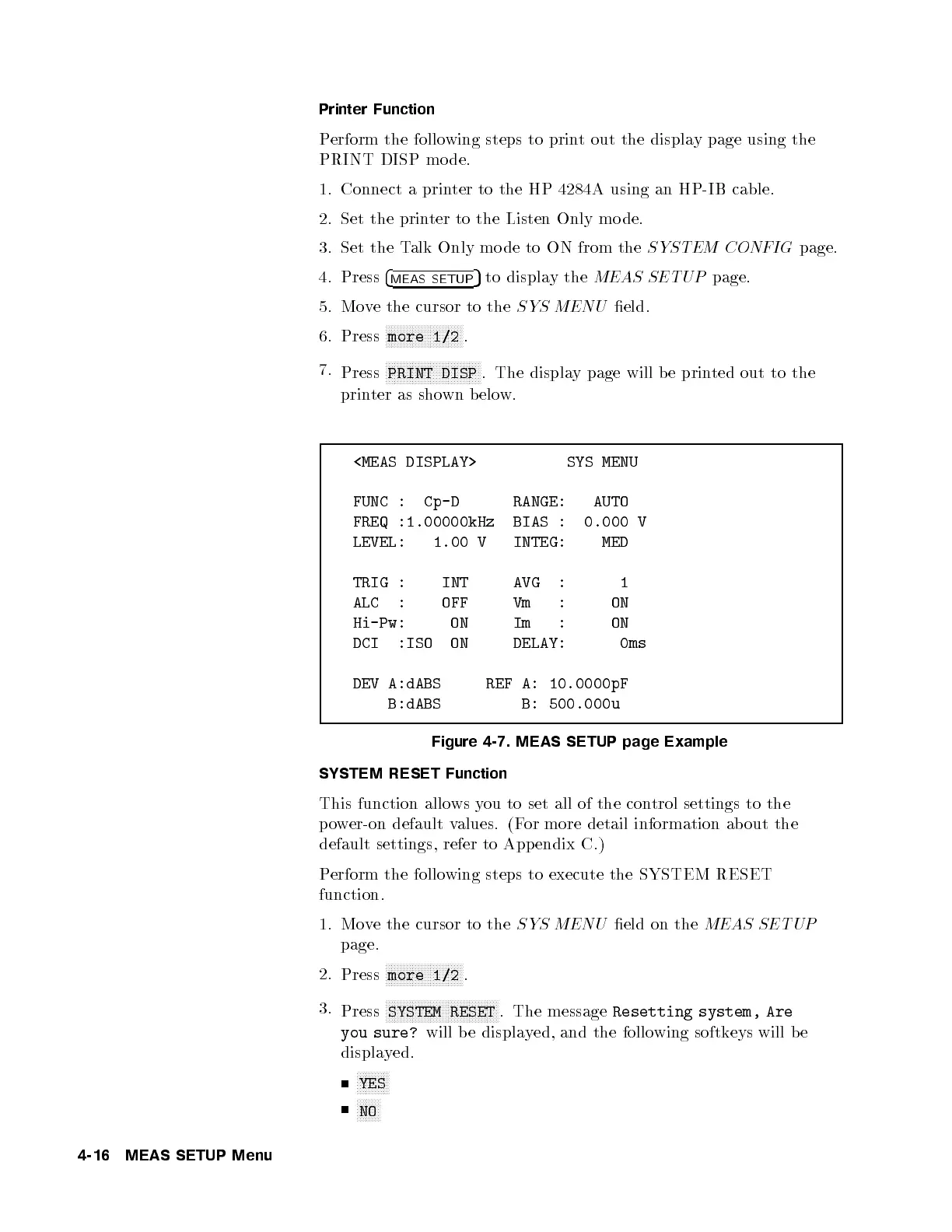
. The display page will be printed out to the
printer as shown b elow.
<MEAS DISPLAY> SYS MENU
FUNC : Cp-D RANGE: AUTO
FREQ :1.00000kHz BIAS : 0.000 V
LEVEL: 1.00 V INTEG: MED
TRIG : INT AVG : 1
ALC : OFF Vm : ON
Hi-Pw: ON Im : ON
DCI :ISO ON DELAY: 0ms
DEV A:dABS REF A: 10.0000pF
B:dABS B: 500.000u
Figure 4-7. MEAS SETUP page Example
SYSTEM RESET Function
This function allows you to set all of the control settings to the
power-on default values. (For more detail information ab out the
default settings, refer to App endix C.)
Perform the following steps to execute the SYSTEM RESET
function.
1. Move the cursor to the
SYS MENU
eld on the
MEAS SETUP
page.
2.
Press
NNNNNNNNNNNNNNNNNNNNNNNNNN
more 1/2
.
3.
Press
NNNNNNNNNNNNNNNNNNNNNNNNNNNNNNNNNNNNNN
SYSTEM RESET
. The message
Resetting system, Are
you sure?
will be displayed, and the following softkeys will b e
displayed.
NNNNNNNNNNN
YES
NNNNNNNN
NO
4-16 MEAS SETUP Menu



 To Next Page