OPEN Correction
Description
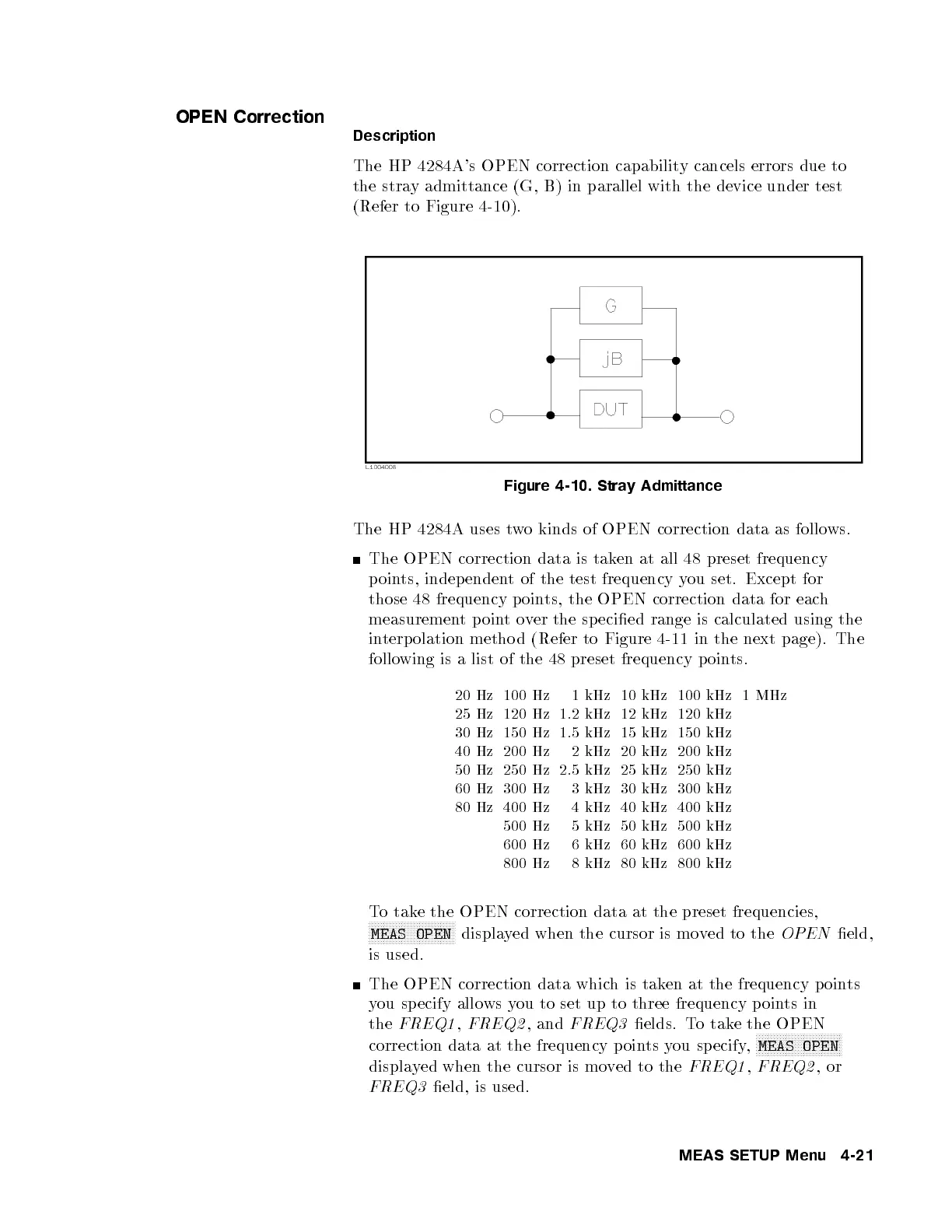
The HP 4284A's OPEN correction capability cancels errors due to
the stray admittance (G, B) in parallel with the device under test
(Refer to Figure 4-10).
Figure 4-10. Stray Admittance
The HP 4284A uses two kinds of OPEN correction data as follows.
The OPEN correction data is taken at all 48 preset frequency
points, indep endent of the test frequency you set. Except for
those 48 frequency p oints, the OPEN correction data for each
measurement p ointover the sp ecied range is calculated using the
interpolation metho d (Refer to Figure 4-11 in the next page). The
following is a list of the 48 preset frequency poin
ts.
20 Hz 100 Hz 1 kHz 10 kHz 100 kHz 1 MHz
25 Hz 120 Hz 1.2 kHz 12 kHz 120 kHz
30 Hz 150 Hz 1.5 kHz 15 kHz 150 kHz
40 Hz 200 Hz 2 kHz 20 kHz 200 kHz
50 Hz 250 Hz 2.5 kHz 25 kHz 250 kHz
60 Hz 300 Hz 3 kHz 30 kHz 300 kHz
80 Hz 400 Hz 4 kHz 40 kHz 400 kHz
500 Hz 5 kHz 50 kHz 500 kHz
600 Hz 6 kHz 60 kHz 600 kHz
800 Hz 8 kHz 80 kHz 800 kHz
To take the OPEN correction data at the preset frequencies,
NNNNNNNNNNNNNNNNNNNNNNNNNNNNN
MEAS OPEN
displayed when the cursor is moved to the
OPEN
eld,
is used.
The OPEN correction data which is taken at the frequency p oints
you specify allo ws you to set up to three frequency p oints in
the
FREQ1
,
FREQ2
, and
FREQ3
elds. To take the OPEN
correction data at the frequency p oints you sp ecify,
NNNNNNNNNNNNNNNNNNNNNNNNNNNNN
MEAS OPEN
displayed when the cursor is moved to the
FREQ1
,
FREQ2
,or
FREQ3
eld, is used.
MEAS SETUP Menu 4-21



 To Next Page