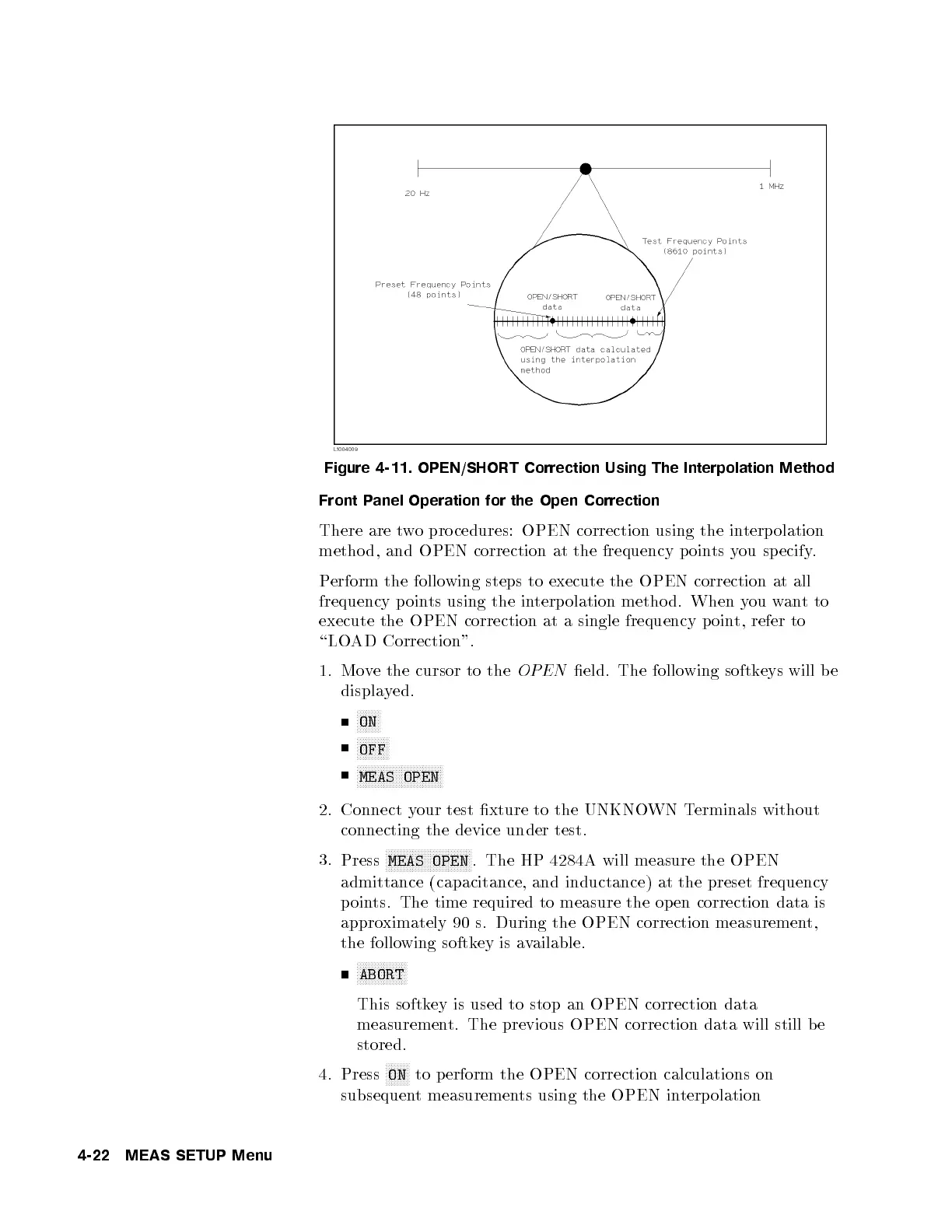
Figure 4-11. OPEN/SHORT Correction Using The Interpolation Method
Front Panel Operation for the Open Correction
There are two pro cedures: OPEN correction using the interpolation
metho d, and OPEN correction at the frequency poin
ts you sp ecify.
Perform the following steps to execute the OPEN correction at all
frequency points using the interpolation metho d. When you wantto
execute the OPEN correction at a single frequency p oin
t, refer to
\LOAD Correction".
1. Move the cursor to the
OPEN
eld. The following softkeys will b e
displayed.
NNNNNNNN
ON
NNNNNNNNNNN
OFF
NNNNNNNNNNNNNNNNNNNNNNNNNNNNN
MEAS OPEN
2. Connect your test xture to the UNKNOWN Terminals without
connecting the device under test.
3.
Press
NNNNNNNNNNNNNNNNNNNNNNNNNNNNN
MEAS OPEN
. The HP 4284A will measure the OPEN
admittance (capacitance, and inductance) at the preset frequency
points. The time required to measure the op en correction data is
approximately 90 s. During the OPEN correction measurement,
the following softkey is available.
NNNNNNNNNNNNNNNNN
ABORT
This softkey is used to stop an OPEN correction data
measurement. The previous OPEN correction data will still b e
stored.
4. Press
NNNNNNNN
ON
to p erform the OPEN correction calculations on
subsequent measurements using the OPEN interp olation
4-22 MEAS SETUP Menu



 To Next Page