be set in the
FUNC
eld. The standard's value can b e measured
using
NNNNNNNNNNNNNNNNNNNNNNNNNNNNN
MEAS LOAD
, which is displayed when the cursor is moved to the
FREQ1
,
FREQ2
,or
FREQ3
elds.
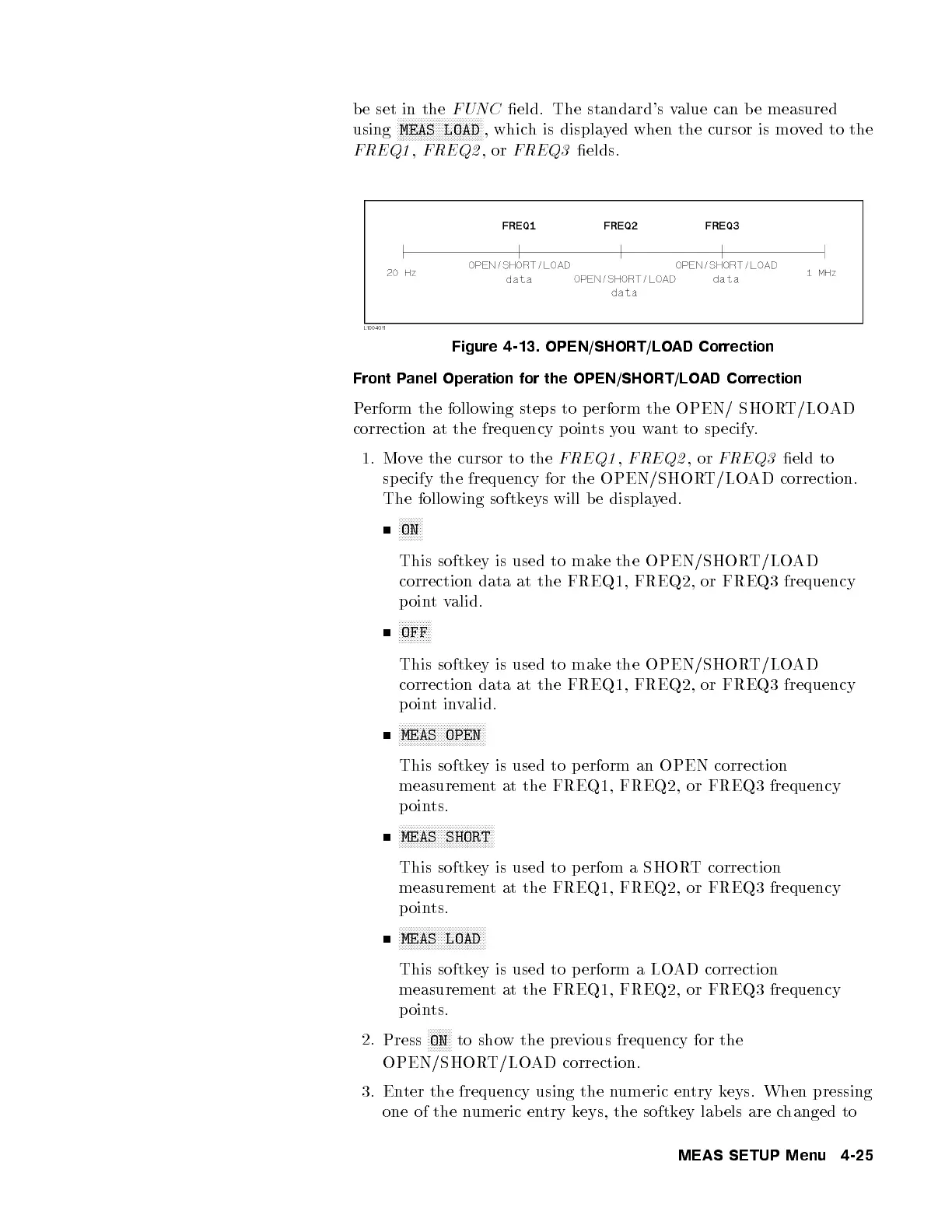
Figure 4-13. OPEN/SHORT/LOAD Correction
Front Panel Operation for the OPEN/SHORT/LOAD Correction
Perform the following steps to p erform the OPEN/ SHORT/LOAD
correction at the frequency p oints you want to sp ecify.
1. Move the cursor to the
FREQ1
,
FREQ2
,or
FREQ3
eld to
specify the frequency for the OPEN/SHORT/LOAD correction.
The following softkeys will b e displayed.
NNNNNNNN
ON
This softkey is used to make the OPEN/SHORT/LOAD
correction data at the FREQ1, FREQ2, or FREQ3 frequency
pointvalid.
NNNNNNNNNNN
OFF
This softkey is used to make the OPEN/SHORT/LOAD
correction data at the FREQ1, FREQ2, or FREQ3 frequency
pointinvalid.
NNNNNNNNNNNNNNNNNNNNNNNNNNNNN
MEAS OPEN
This softkey is used to perform an OPEN correction
measurement at the FREQ1, FREQ2, or FREQ3 frequency
points.
NNNNNNNNNNNNNNNNNNNNNNNNNNNNNNNN
MEAS SHORT
This softkey is used to perfom a SHOR
T correction
measurement at the FREQ1, FREQ2, or FREQ3 frequency
points.
NNNNNNNNNNNNNNNNNNNNNNNNNNNNN
MEAS LOAD
This softkey is used to perform a LOAD correction
measurement at the FREQ1, FREQ2, or FREQ3 frequency
points.
2.
Press
NNNNNNNN
ON
to show the previous frequency for the
OPEN/SHORT/LOAD correction.
3. Enter the frequency using the numeric entry keys. When pressing
one of the numeric entry keys, the softkey lab els are c
hanged to
MEAS SETUP Menu 4-25



 To Next Page