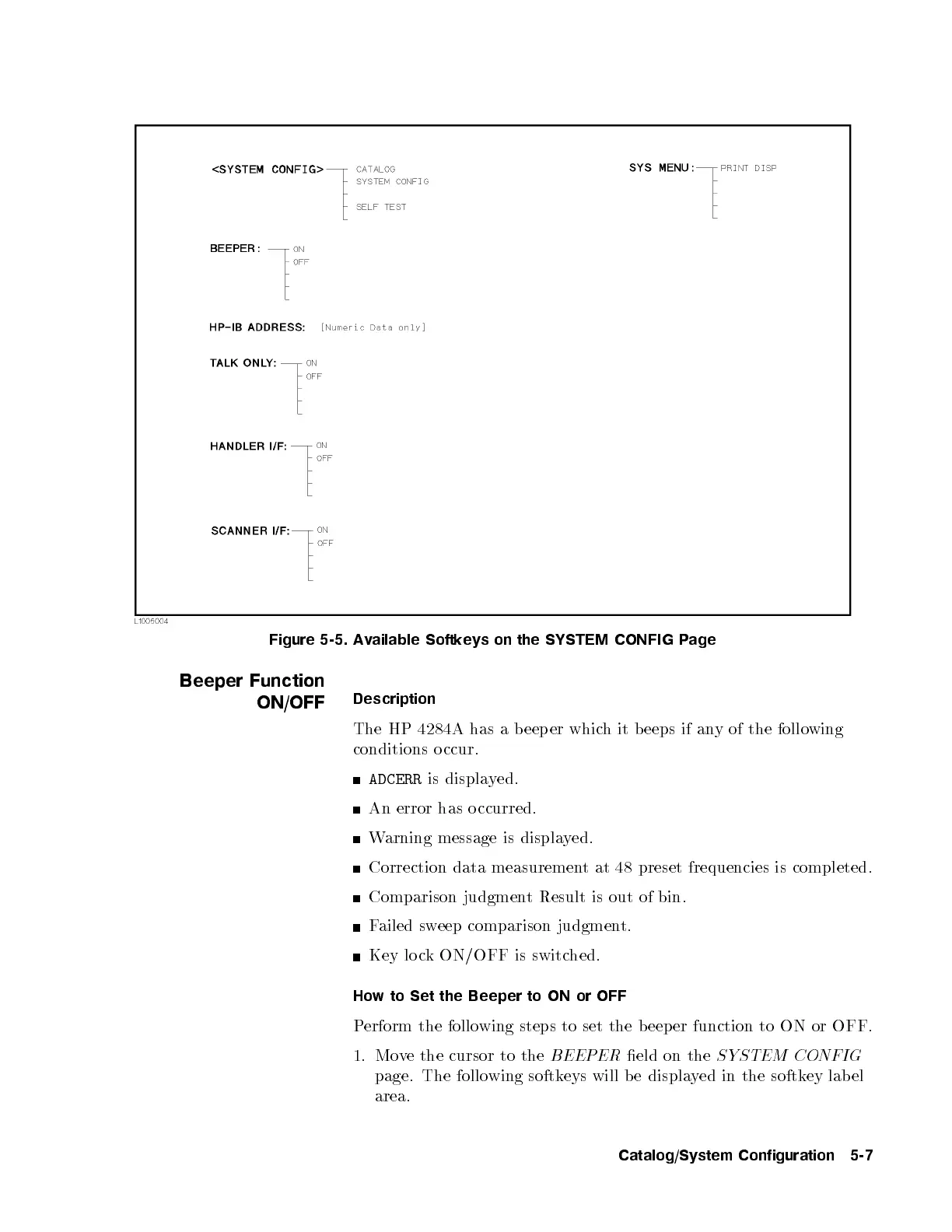
Figure 5-5. Available Softkeys on the SYSTEM CONFIG Page
Beeper Function
ON/OFF
Description
The HP 4284A has a b eep er whic
h it b eeps if any of the following
conditions o ccur.
ADCERR
is displayed.
An error has o ccurred.
Warning message is displayed.
Correction data measurement at 48 preset frequencies is completed.
Comparison judgment Result is out of bin.
Failed sweep comparison judgment.
Key lo ck ON/OFF is switched.
How to Set the Beeper to ON or OFF
Perform the following steps to set the b eeper function to ON or OFF.
1. Move the cursor to the
BEEPER
eld on the
SYSTEM CONFIG
page. The follo wing softkeys will be displa
yed in the softkey lab el
area.
Catalog/System Configuration 5-7



 To Next Page