<
BIN No.
>
,or
<
IN/OUT
>
data format and meaning are the
same as the ASCII data format described in \ASCI I Format".
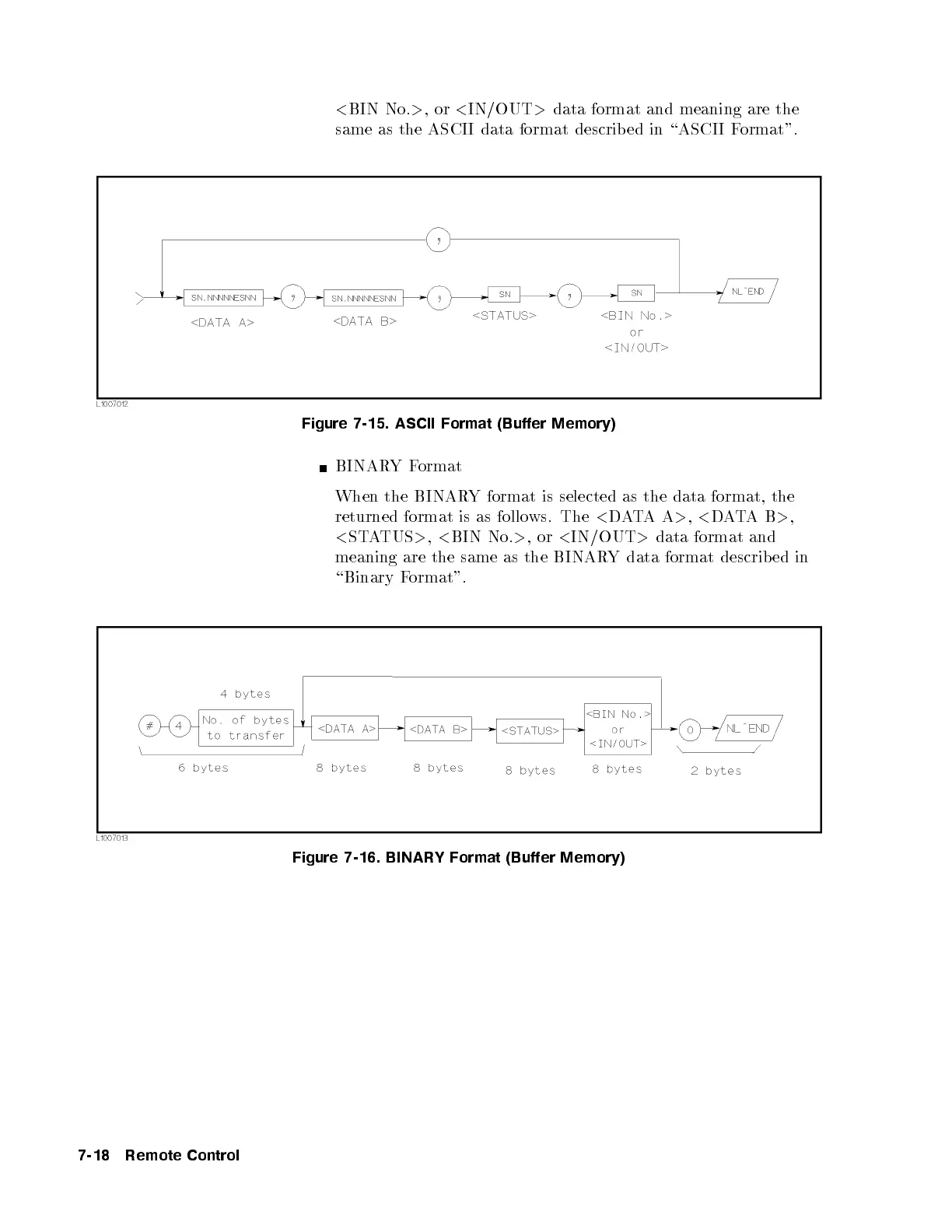
Figure 7-15. ASCII Format (Buffer Memory)
BINARYFormat
When the BINARY format is selected as the data format, the
returned format is as follows. The
<
DATAA
>
,
<
DATAB
>
,
<
STATUS
>
,
<
BIN No.
>
,or
<
IN/OUT
>
data format and
meaning are the same as the BINARY data format described in
\Binary Format".
Figure 7-16. BINARY Format (Buffer Memory)
7-18 Remote Control



 To Next Page