Bias Current
Interface Function
Test (Option 002
only)
This test veries the bias currentinterface functions.
Equipment:
Bias Interface Simulator HP PN 42841-65001
Bias Interface Cable HP PN 42841-61640
DC Power Supply HP 6214C
Procedure:
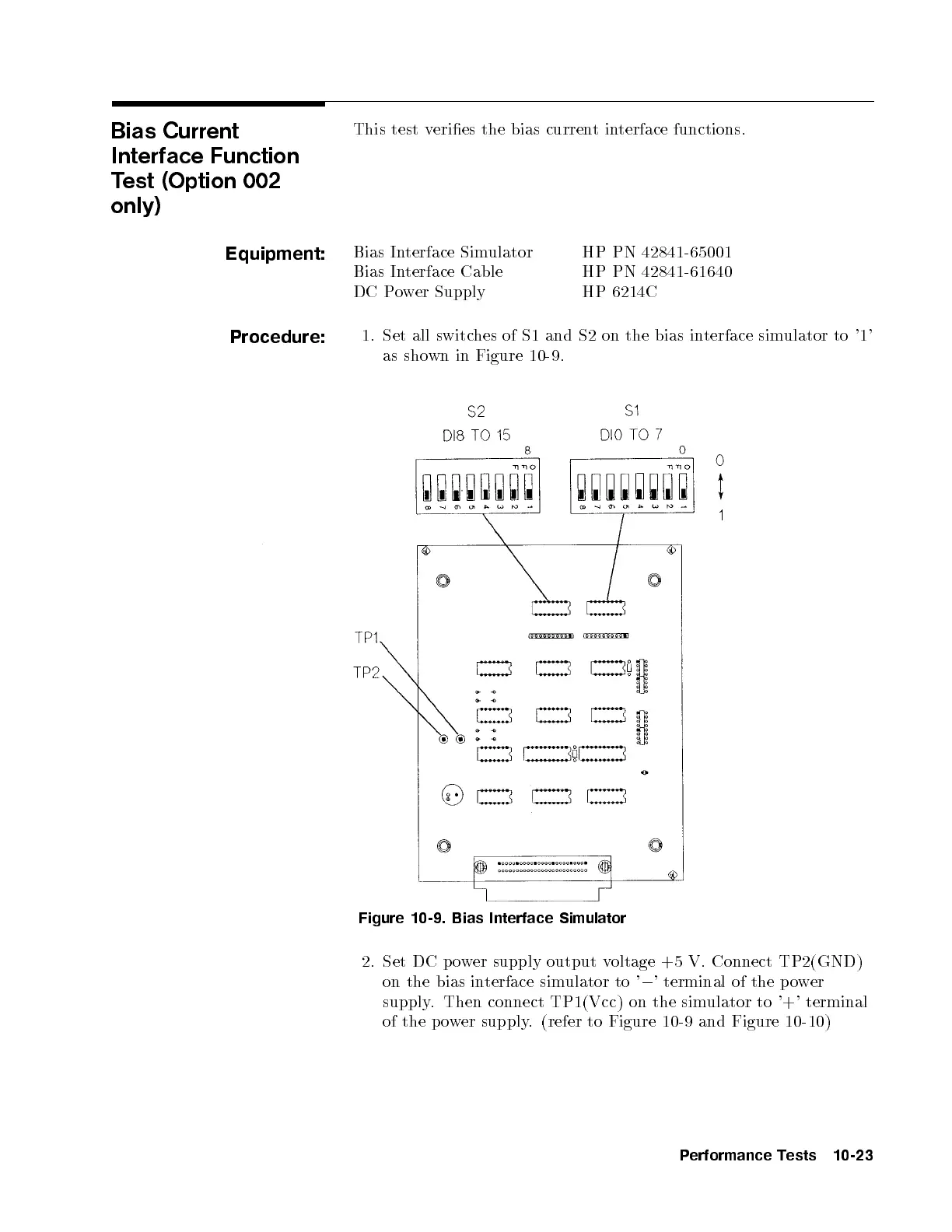
1. Set all switches of S1 and S2 on the bias interface simulator to '1'
as shown in Figure 10-9 .
Figure 10-9. Bias Interface Simulator
2. Set DC p ower supply output voltage +5 V. Connect TP2(GND)
on the bias interface simulator to '
0
' terminal of the p ower
supply. Then connect TP1(Vcc) on the simulator to '+' terminal
of the power supply. (refer to Figure 10-9 and Figure 10-10)
Performance Tests 10-23


 To Next Page