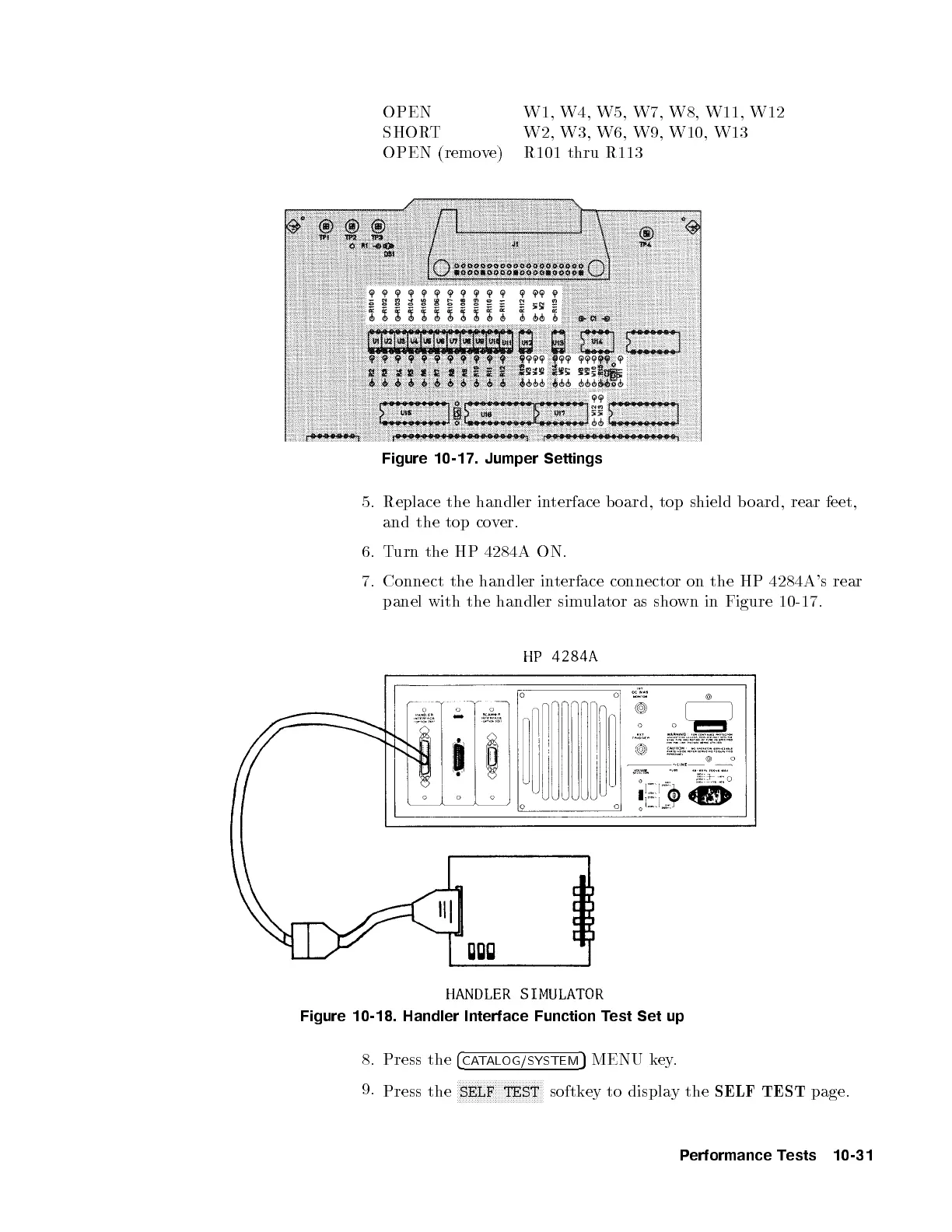
OPEN W1, W4, W5, W7, W8, W11, W12
SHORT W2, W3, W6, W9, W10, W13
OPEN (remove) R101 thru R113
Figure 10-17. Jumper Settings
5. Replace the handler interface b oard, top shield b oard, rear feet,
and the top cover.
6. Turn the HP 4284A ON.
7. Connect the handler interface connector on the HP 4284A's rear
panel with the handler simulator as shown in Figure 10-17.
Figure 10-18. Handler Interface Function Test Set up
8. Press the
4
CATALOG/SYSTEM
5
MENU key.
9.
Press the
NNNNNNNNNNNNNNNNNNNNNNNNNNNNN
SELF TEST
softkey to display the
SELF TEST
page.
Performance Tests 10-31


 To Next Page