ATour of the Front
Panel
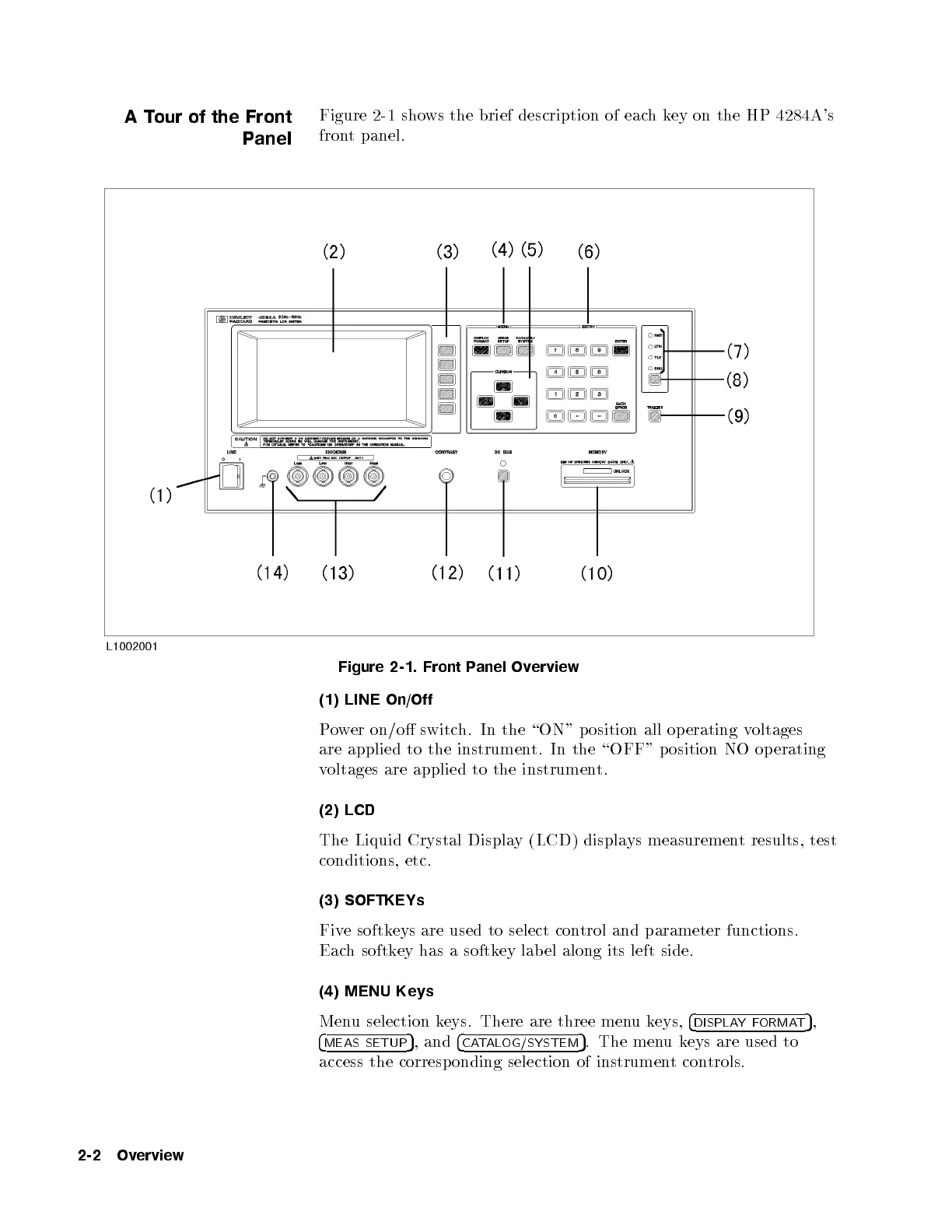
Figure 2-1 shows the brief description of eachkey on the HP 4284A's
front panel.
Figure 2-1. Front Panel Overview
(1) LINE On/Off
Power on/o switch. In the \ON" p osition all op erating v
oltages
are applied to the instrument. In the \OFF" position NO op erating
voltages are applied to the instrument.
(2) LCD
The Liquid Crystal Display (LCD) displays measurement results, test
conditions, etc.
(3) SOFTKEYs
Five softkeys are used to select control and parameter functions.
Each softkey has a softkey lab el along its left side.
(4) MENU Keys
Menu selection keys. There are three menukeys,
4
DISPLAYFORMAT
5
,
4
MEAS SETUP
5
, and
4
CATALOG/SYSTEM
5
. The menukeys are used to
access the corresp onding selection of instrument controls.
2-2 Overview



 To Next Page