E
Write Protection
Introduction
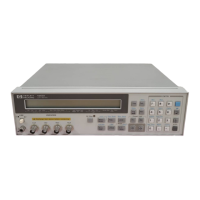
The HP 4284A is equipp ed with an internally mounted write-protect
switch. This switch has two write protection features. One feature
disables the STORE function for write protecting all of the stored
data in the memory card and EEPROM internal memory, and the
other feature prevents changing any of the previous correction
settings on the
CORRECTION
page. This feature is useful when
you want to retain sp ecic HP 4284A control settings for everyday
use, for example, on a pro duction line where it is not necessary
to store any information on a memory card, thereby making it
imp ossible to accidentally erase or overwrite the stored data in the
memory card or the EEPROM internal memory, and also making it
imp ossible to accidentally erase or overwrite the correction settings.
Write Protection
Procedure
The pro cedure for setting the write protection switc
hto ON is as
follows.
1. Turn the HP 4284A o and remove the power cord. Allow 1
minutes for the internal capacitors to discharge.
Warning
Dangerous voltage may be present in the HP 4284A ev
en through
the power switch is off. Be sure to w
ait 1 minutes for the internal
capacitors to discharge.
2. Remove the two feet at the back of the top cover.
3. Fully lo osen the screw that secures the top cover.
4. Pull the top cover towards the rear of the HP 4284A and lift up
to remove.
5. Lo osen the ve screws that secure the top shield plate (Larger
one).
6. Slide the top shield forward then lift it o.
7. Remove the A7 board. Figure E-1 shows the A7 board's lo cation.
Write Protection E-1


 To Next Page