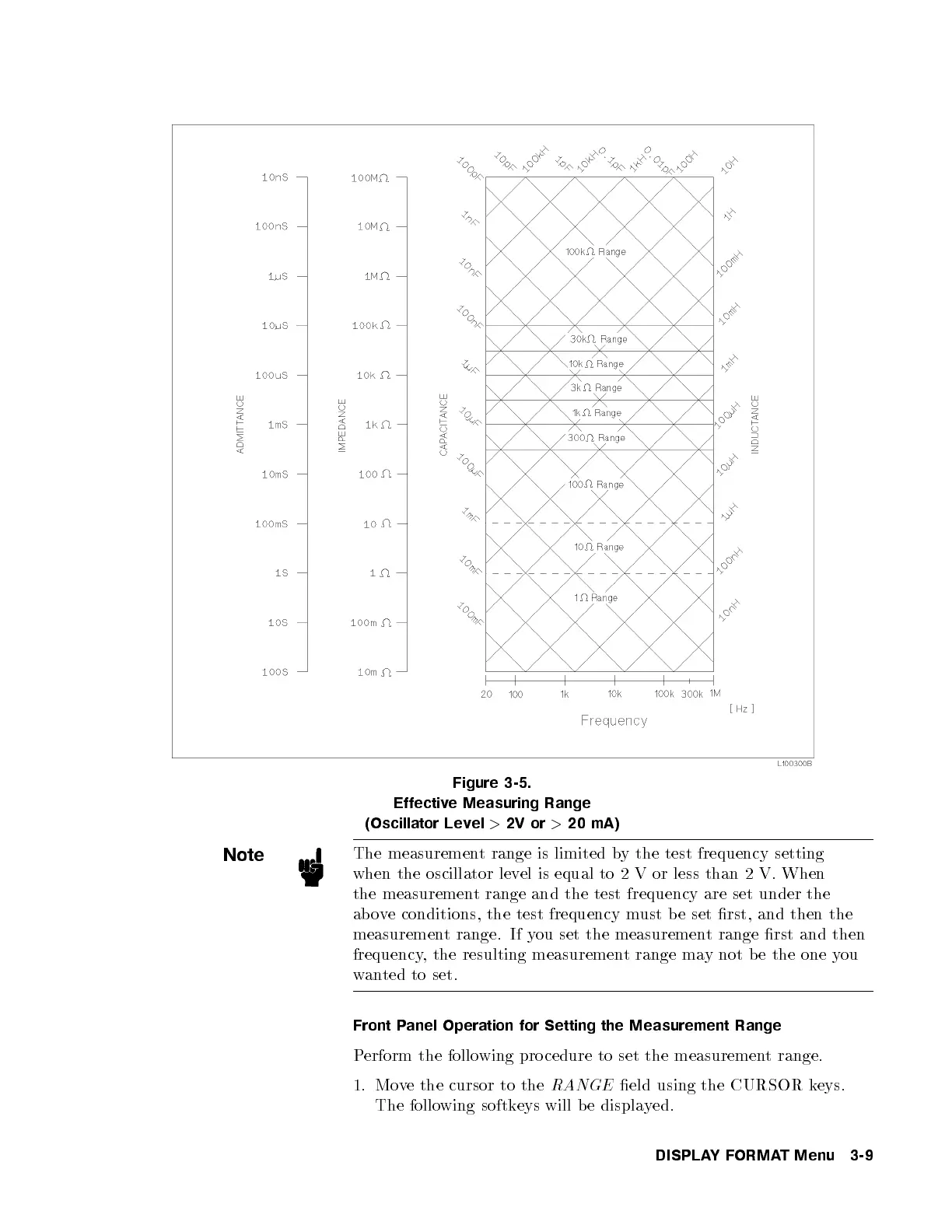
Figure 3-5.
Effective Measuring Range
(Oscillator Level
>
2V or
>
20 mA)
Note
The measurement range is limited by the test frequency setting
when the oscillator level is equal to 2 V or less than 2 V. When
the measurement range and the test frequency are set under the
above conditions, the test frequency must b e set rst, and then the
measurement range. If you set the measurement range rst and then
frequency, the resulting measurement range may not b e the one you
wanted to set.
Front Panel Operation for Setting the Measurement Range
Perform the following pro cedure to set the measurement range.
1. Move the cursor to the
RANGE
eld using the CURSOR keys.
The following softkeys will b e displayed.
DISPLAYFORMAT Menu 3-9



 To Next Page