4. Enter the record number using the numeric entry keys and
4
ENTER
5
.
Printer Function
Perform the following steps to print out the display page or to list
sweep measurement results using the PRINT DISP mo de or PRINT
DATA mo de.
1. Connect the HP 4284A to the printer using an HP-IB cable.
2. Set the printer to the listen only mo de.
3. Set the talk only mo de to ON from the SYSTEM CONFIG page.
4.
Press
4
DISPLAYFORMAT
5
, and press
NNNNNNNNNNNNNNNNNNNNNNNNNNNNNNNN
LIST SWEEP
to display the
LIST SWEEP DISPLAY
page.
5. Move the cursor to the
SYS MENU
eld.
6. Press
NNNNNNNNNNNNNNNNNNNNNNNNNN
more 1/2
.
7.
Press
NNNNNNNNNNNNNNNNNNNNNNNNNNNNNNNN
PRINT DISP
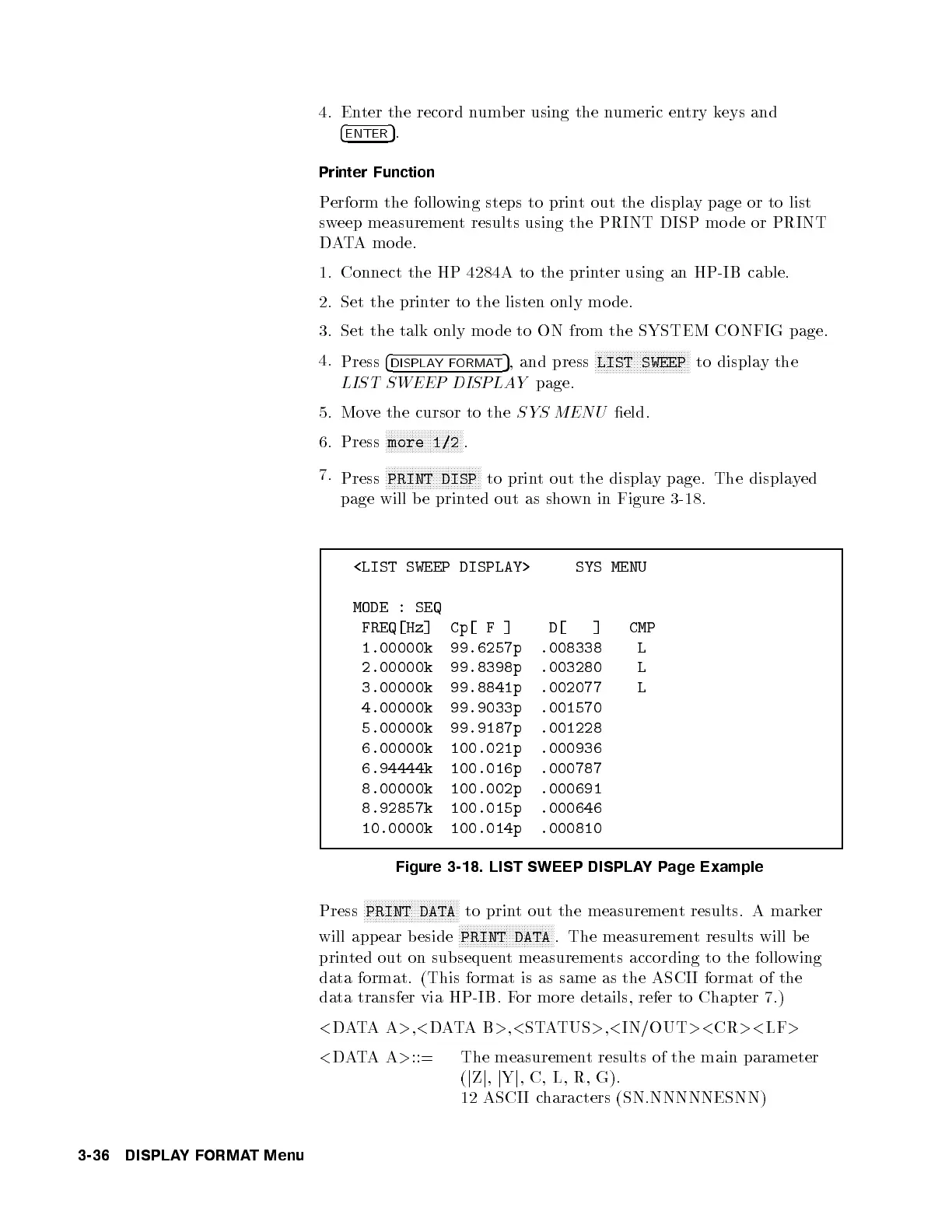
to print out the display page. The displayed
page will be printed out as shown in Figure 3-18.
<LIST SWEEP DISPLAY> SYS MENU
MODE : SEQ
FREQ[Hz] Cp[ F ] D[ ] CMP
1.00000k 99.6257p .008338 L
2.00000k 99.8398p .003280 L
3.00000k 99.8841p .002077 L
4.00000k 99.9033p .001570
5.00000k 99.9187p .001228
6.00000k 100.021p .000936
6.94444k 100.016p .000787
8.00000k 100.002p .000691
8.92857k 100.015p .000646
10.0000k 100.014p .000810
Figure 3-18. LIST SWEEP DISPLAYPage Example
Press
NNNNNNNNNNNNNNNNNNNNNNNNNNNNNNNN
PRINT DATA
to print out the measurement results. A marker
will appear b eside
NNNNNNNNNNNNNNNNNNNNNNNNNNNNNNNN
PRINT DATA
. The measurement results will b e
printed out on subsequent measurements according to the following
data format. (This format is as same as the ASCI I format of the
data transfer via HP-IB. For more details, refer to Chapter 7.)
<
DATAA
>
,
<
DATAB
>
,
<
STATUS
>
,
<
IN/OUT
><
CR
><
LF
>
<
DATAA
>
::= The measurement results of the main parameter
(
j
Z
j
,
j
Y
j
, C, L, R, G).
12 ASCII characters (SN.NNNNNESNN)
3-36 DISPLAYFORMAT Menu



 To Next Page