Operation
Table
3-2.
Measurement
Sequence
MEASUREMENT
SEQUENCE
Event
1 {controller
talk and Power Meter listen}
{Program Codes}
L
See
controller manual.
Power Meter Listen address
factory set
to
"-"
(see
Tables 2-1 and 2-2).
e.g.,
CMD
"?U-"
,"9D+V"
wrt
"pm
rd",
"90+
V"
[ Program codes
to
configure one
or
more
of
the
following (see Table 3-3):
1.
Range
2. Remote mode (Watt, dBm, dB [Ref]
3.
Cal
Factor
4. Measurement Rate (and trigger)
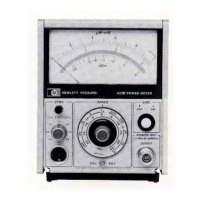
Model 436A
Event
2
Response time for
meter's
digital (operating program) circuitry (see Table 3-5 and Figures 3-5 and 3-6).
Event
3
Event
4
Meter takes measurement; data available.
Additional delay
to
allow analog circuits
to
settle; necessary only
if
on
Range 1 (most sensitive)
or
if
settling time measurement rates are
not
being used (see Figure 3-4). Here are some suggestions:*
1.
Load reading
into
controller (event five) and check data string for range (look
at
character
number
1
or
check measured value).
2.
If
Power Meter is
on
Range
1,
wait
10
seconds and take another reading.
3.
If
settling time measurement rates are being used and meter is
not
on
Range 1, use the first reading.
4.
If
settling time measurement rates are
not
being used, determine the range and branch
to
an
appro-
priate delay: Range 2, one second; Ranges 3-5,
0.1
second.
Event
5
{universal unlisten, controller listen
and
Power Meter talk} , {variable name}
[
See
controller manual. Power
Meter
Talk address factory set
to
"M"
(see Tables 2-1 and 2-2).
*There
are
other
ways
to
ensure
that
readings
are
not
affected
by
analog
circuit
settling
time.
Also,
these
recommended
delays
are
worst
case. A
thorough
understanding
of
the
material
in
this
section
will
allow
you
to
optimize
measurement
time
for
your
particular
application.
For
example,
if
the
power
level
is
not
changing,
the
controller
can
average
at
least
two
consecutive
readings
to
see
if
the
result
is
still
settling.
{controller talk and power meter listen},
Line 1
"9D+T"
~
I
I
L
Measurement Rate: Trigger with settling time.
L
Cal Factor Disable
(100%)
dBm Mode
Auto Range
Line 2 {universal unlisten, controller listen and power meter talk}
,
{variable name}
Line 3
L
Power meter
outputs
measured value to controller.
{
Controller
checks value
in
variable
for
Range
2
threshold (e.g.,
<-20
dBm for
Model
8482A}
Power Sensor).
If
value
is
below threshold, program branches to line 4.
If
value
is
above
thres-
hold, program branches
to
line
5.
Line 4
{wait
10
seconds,
then
go
to
line
1 } .
Line 5
{continue}.
3-16
•


 To Next Page
 Loading...