EasyManua.ls Logo

HP 48SX - System Operations

HP 48SX
76 pages
Print Icon
To Next Page IconTo Next Page
To Previous Page IconTo Previous Page
Loading...
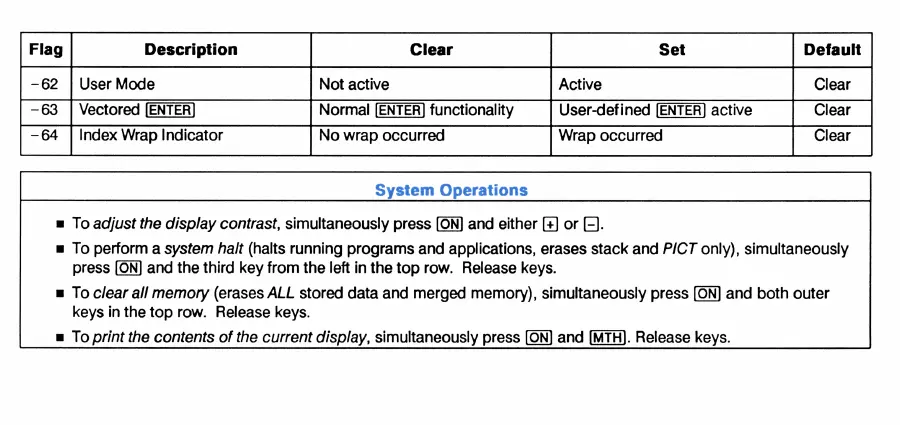
Flag
Description
Clear
Set
Default
-62
User
Mode
Not
active
Active
Clear
-63
Vectored
Normal
functionality
User-defined
active
Clear
-64
Index
Wrap
Indicator
No
wrap
occurred
Wrap
occurred
Clear
System
Operations
m
To
adjust
the
display
contrast,
simultaneously
press
and
either
or
[=].
m
To
perform
a
system
halt
(halts
running
programs
and
applications,
erases
stack
and
P/CT
only),
simultaneously
press
and
the
third
key
from
the
left
in
the
top
row.
Release
keys.
m
To
clear
all
memory
(erases
ALL
stored
data
and
merged
memory),
simultaneously
press
and
both
outer
keys
in
the
top
row.
Release
keys.
m
To
print
the
contents
of
the
current
display,
simultaneously
press
and
[MTH].
Release
keys.

Related product manuals