Chapter 6 HP Digital Copy 333
HP Digital Copy Installation
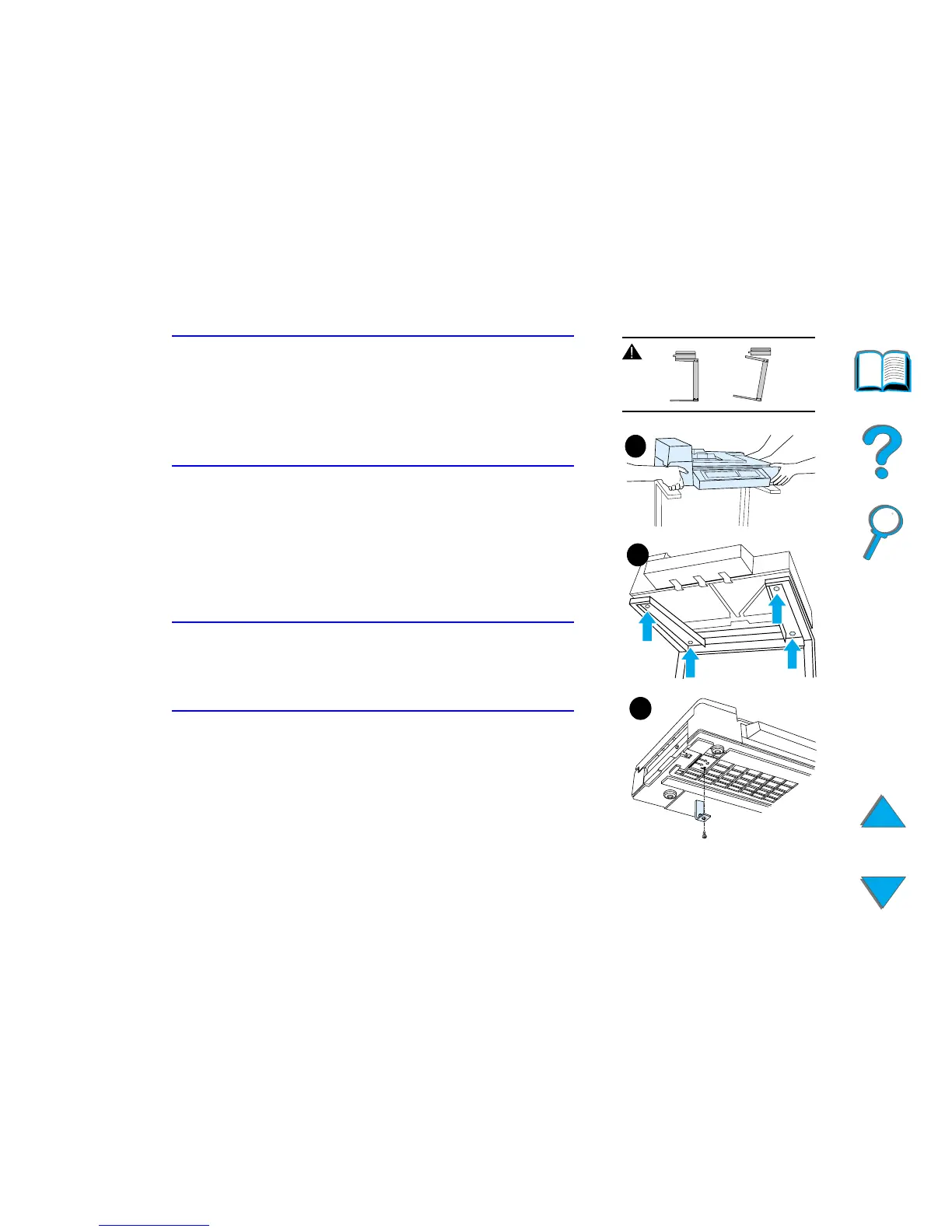
WARNING!
Use caution when completing the following steps.
Once you place the HP Digital Copy on the stand,
bumping or moving may cause it to tip. The printer
must be moved into position immediately after
installation of the HP Digital Copy is complete.
2 With one other person, lift the HP Digital Copy
and align it with the screws on the HP Digital
Copy Stand.
3 With a flathead screwdriver, screw the HP Digital
Copy onto the stand.
CAUTION
Operating the HP Digital Copy with the shipping
lock in place might damage the device.
It is important that you perform steps 4 and 5.
4 Unscrew and remove the shipping lock.
Continued on next page.
3
2
4



 To Next Page