Chapter 6 HP Digital Copy 334
HP Digital Copy Installation
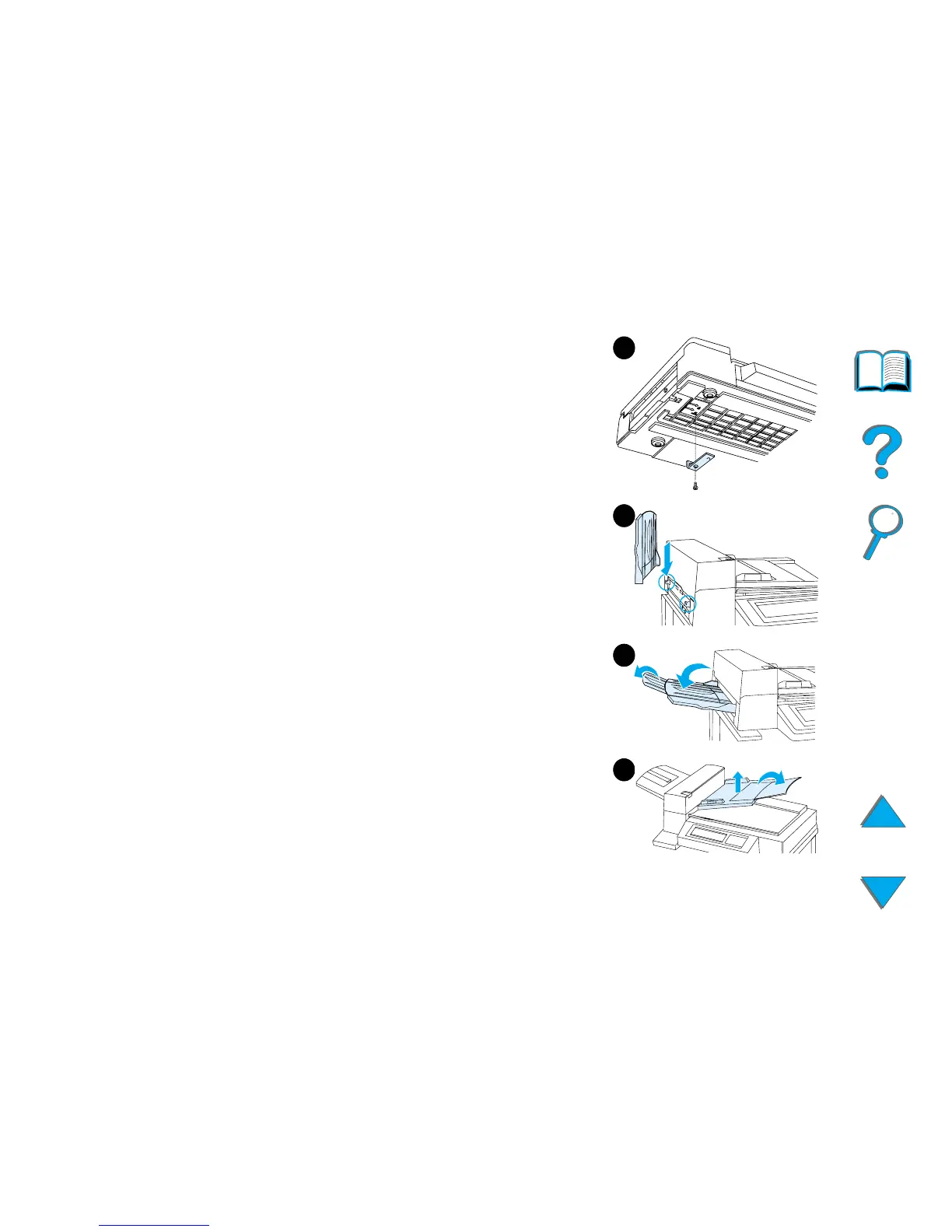
5 Rotate the shipping lock and reinsert it into the
HP Digital Copy in the unlocked position (this
shipping lock is necessary for future moves).
6 To install the output bin, hold the bin vertically
(as shown) and push down to attach the bin to
the metal guides.
7 Pull the output bin down. For longer paper, flip
the bin extension out as shown.
8 Lift the input tray up to lock it into place. For
longer paper, flip the tray extension out as
shown.
7
8
6
5



 To Next Page