Safety Considerations
Before operation, review the instrument and manual, including the red safety
page, for safety markings and instructions. You must follow these to ensure safe
operation and to maintain the instrument in safe condition.
Initial Inspection
Inspect the shipping container for damage. If there is damage to the container
or cushioning, keep it until you have checked the contents of the shipment for
completeness and verified the module both mechanically and electrically.
The Performance Tests give procedures for checking the operation of the
module. If the contents are incomplete, mechanical damage or defect is
apparent, or
if
a module does not pass the operator's checks, notify the nearest
Hewlett-Packard office.
Warning
To
avoid hazardous electrical shock, do not perform
electrical tests when there are signs of shipping damage to
any
portion of the outer enclosure (covers, panels, etc.).
Power Requirements
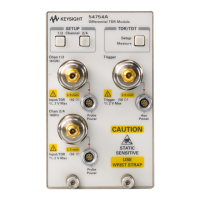
The
HP
81533B
operates when installed into the HP
8153A
Optical Multimeter
mainframe.
Operating Environment
The HP
8153A
safety information summarizes the HP
81533B
operating
environment ranges. In order for the HP
81533B
to meet specifications, the
operating environment must be within the limits specified in this section.
Inputloutput Signals
Artisan Technology Group - Quality Instrumentation ... Guaranteed | (888) 88-SOURCE | www.artisantg.com



 To Next Page