D
Accuracy and Linearity Test
Specications HP 81536A
Uncertainty :
6
2.8%
y
(1000-1650nm)
Linearity :
6
0.015dB
6
30pW
y
includes aging.
Test Setup
1. Make sure that cable connector, detectors and adapters are clean.
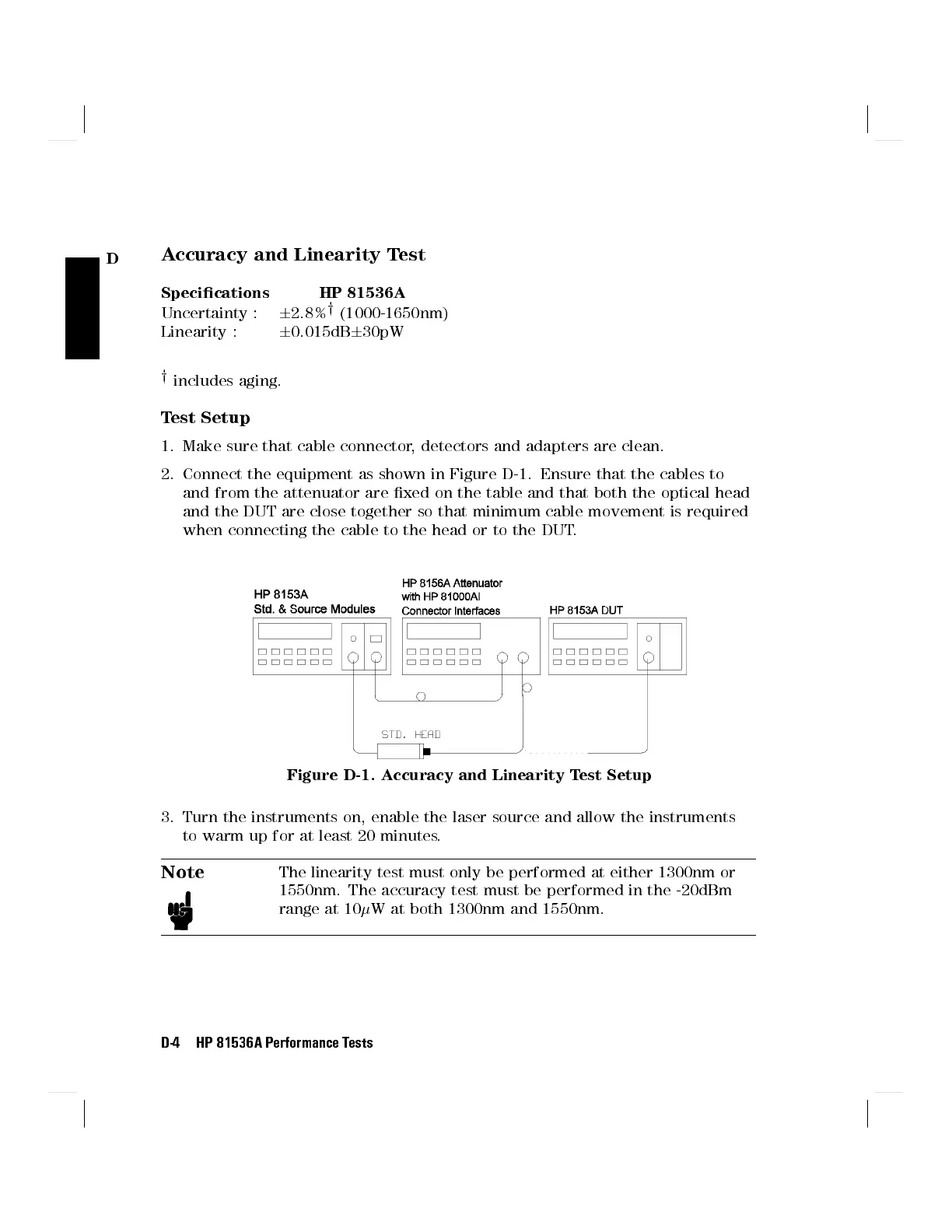
2. Connect the equipment as shown in Figure D-1. Ensure that the cables to
and from the attenuator are xed on the table and that both the optical head
and the DUT are close together so that minimum cable movement is required
when connecting the cable to the head or to the DUT.
Figure D-1. Accuracy and Linearity Test Setup
3. Turn the instruments on, enable the laser source and allow the instruments
to warm up for at least 20 minutes.
Note
The linearity test must only be performed at either 1300nm or
1550nm. The accuracy test must be performed in the -20dBm
range at 10
W at both 1300nm and 1550nm.
D-4 HP 81536A Performance Tests



 To Next Page