Model 8642A/B
Operation
Relative Amplitude (cont'd)
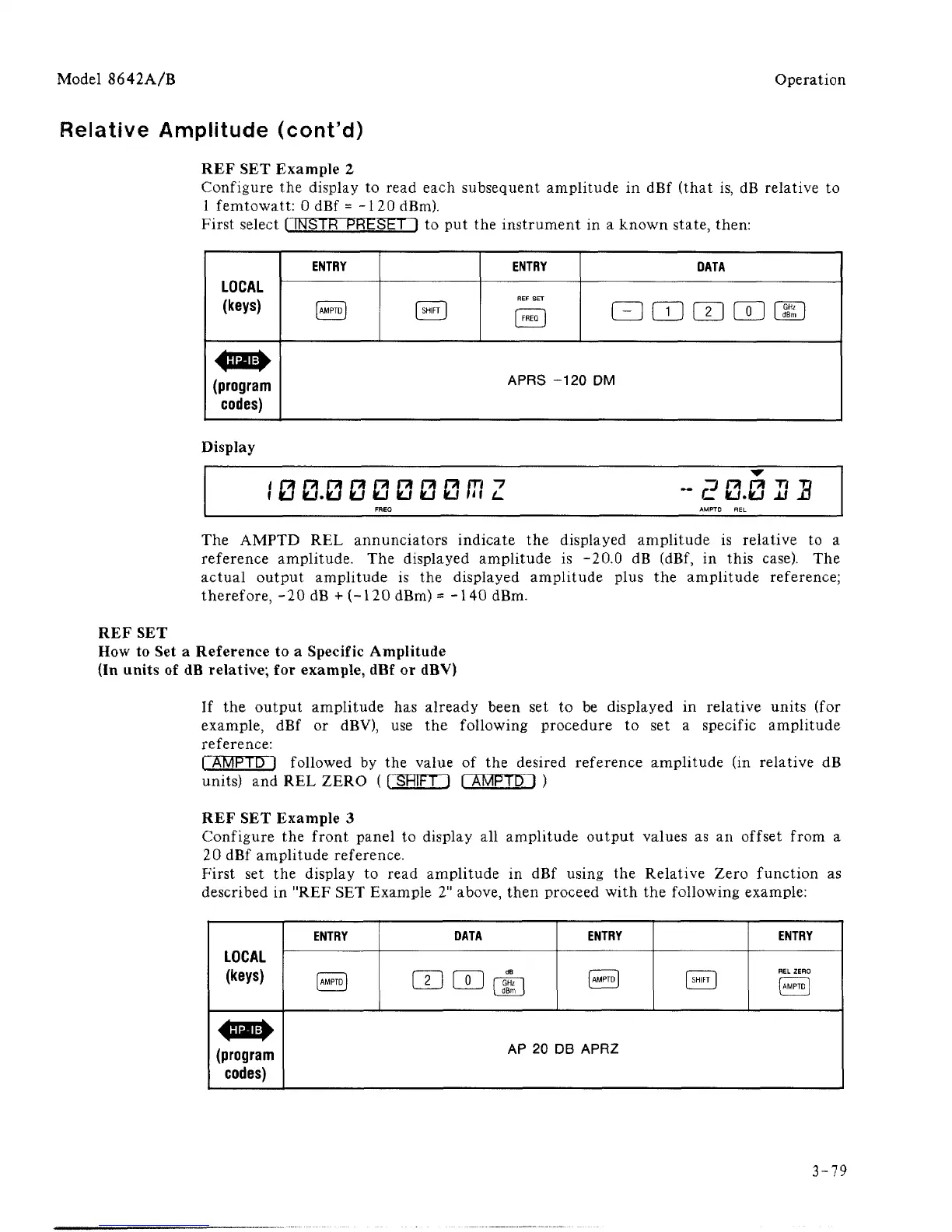
REF SET Example 2
Configure the display to read each subsequent amplitude in dBf (that is, dB relative to
1 femtowatt: 0 dBf = -1 20 dBm).
First select I INSTR PRESET! to put the instrument in a known state, then:
LOCAL
(keys)
2 o
ENTRY
IAMPTDI
[ SHIFT
I
ENTRY
REF
SET
[
FREClj
DATA
QcnmcEiciD
APRS -120 DM
Display
,'
0 0.0 0 0 0 0 0
IT/
Z
-E 0.0
U
3
FREQ AMPTD REL
The AMPTD REL annunciators indicate the displayed amplitude is relative to a
reference amplitude. The displayed amplitude is -20.0 dB (dBf, in this case). The
actual output amplitude is the displayed amplitude plus the amplitude reference;
therefore, -20 dB + (-120 dBm) = - 140 dBm.
REF SET
How to Set a Reference to a Specific Amplitude
(In units of dB relative; for example, dBf or dBV)
If the output amplitude has already been set to be displayed in relative units (for
example, dBf or dBV), use the following procedure to set a specific amplitude
reference:
rAMPTD I followed by the value of the desired reference amplitude (in relative dB
units) and REL ZERO (
1
SHIFT 1 I AMPTDl )
REF SET Example 3
Configure the front panel to display all amplitude output values as an offset from a
20 dBf amplitude reference.
First set the display to read amplitude in dBf using the Relative Zero function as
described in "REF SET Example 2" above, then proceed with the following example:
LOCAL
(keys)
(program
codes)
ENTRY
UMPTDJ
DATA
CELXIrJ]
ENTRY
IAMPTDI
I SHIFT
1
ENTRY
REL ZERO
[AMPTD]
AP 20 DB APRZ
3-79



 To Next Page