Operation
Model 8642A/B
Relative
Amplitude (cont'd)
Display
0
pinipipini[7ipim
KJ.KJ
KJ KJ KJ KJ KJ NI
KJ.KJ
JJ JJ
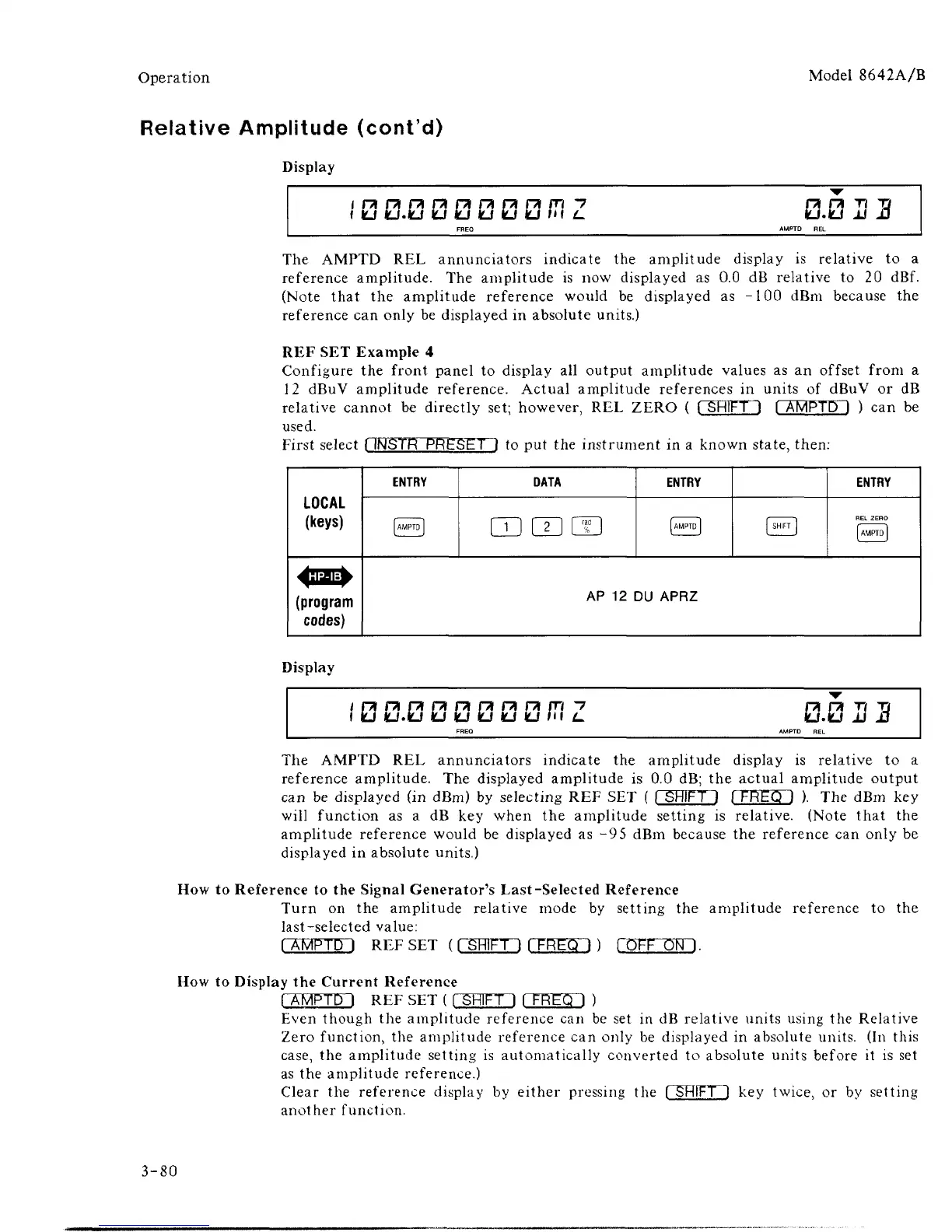
The AMPTD REL annunciators indicate the amplitude display is relative to a
reference amplitude. The amplitude is now displayed as 0.0 dB relative to 20 dBf.
(Note that the amplitude reference would be displayed as -100 dBm because the
reference can only be displayed in absolute units.)
REF SET Example 4
Configure the front panel to display all output amplitude values as an offset from a
12 dBuV amplitude reference. Actual amplitude references in units of dBuV or dB
relative cannot be directly set; however, REL ZERO ( ( SHIFT 1 [ AMPTD \ ) can be
used.
First select [ INSTR PRESET ) to put the instrument in a known state, then:
LOCAL
(keys)
(program
codes)
ENTRY
AMPTD
]
DATA
CDS
rad
]
ENTRY
AMPTD
]
[ SHIFT
]
ENTRY
REL
ZERO
AMPTD
AP
12 DU
APRZ
Display
i KJ KJ.KJ KJ KJ KJ KJ KJ in L.
FREQ
n n T? 7j
KJ.KJ JJ JJ
AMPTD
REL
The AMPTD REL annunciators indicate the amplitude display is relative to a
reference amplitude. The displayed amplitude is 0.0 dB; the actual amplitude output
can be displayed (in dBm) by selecting REF SET ( [ SHIFT) I FREQ 1 ). The dBm key
will function as a dB key when the amplitude setting is relative. (Note that the
amplitude reference would be displayed as -9
5
dBm because the reference can only be
displayed in absolute units.)
How to Reference to the Signal Generator's Last-Selected Reference
Turn on the amplitude relative mode by setting the amplitude reference to the
last-selected value:
(
AMPTD
1
REF SET
(
C5HED CEEED ) fOFF ONI.
How to Display the Current Reference
fAMPTD I REF SET ( ("SHIFT! fTREff") )
Even though the amplitude reference can be set in dB relative units using the Relative
Zero function, the amplitude reference can only be displayed in absolute units. (In this
case,
the amplitude setting is automatically converted to absolute units before it is set
as the amplitude reference.)
Clear the reference display by either pressing the ("SHIFT] key twice, or by setting
another function.
3-80



 To Next Page