Operation Model 8642A/B
Knob (cont'd)
2.
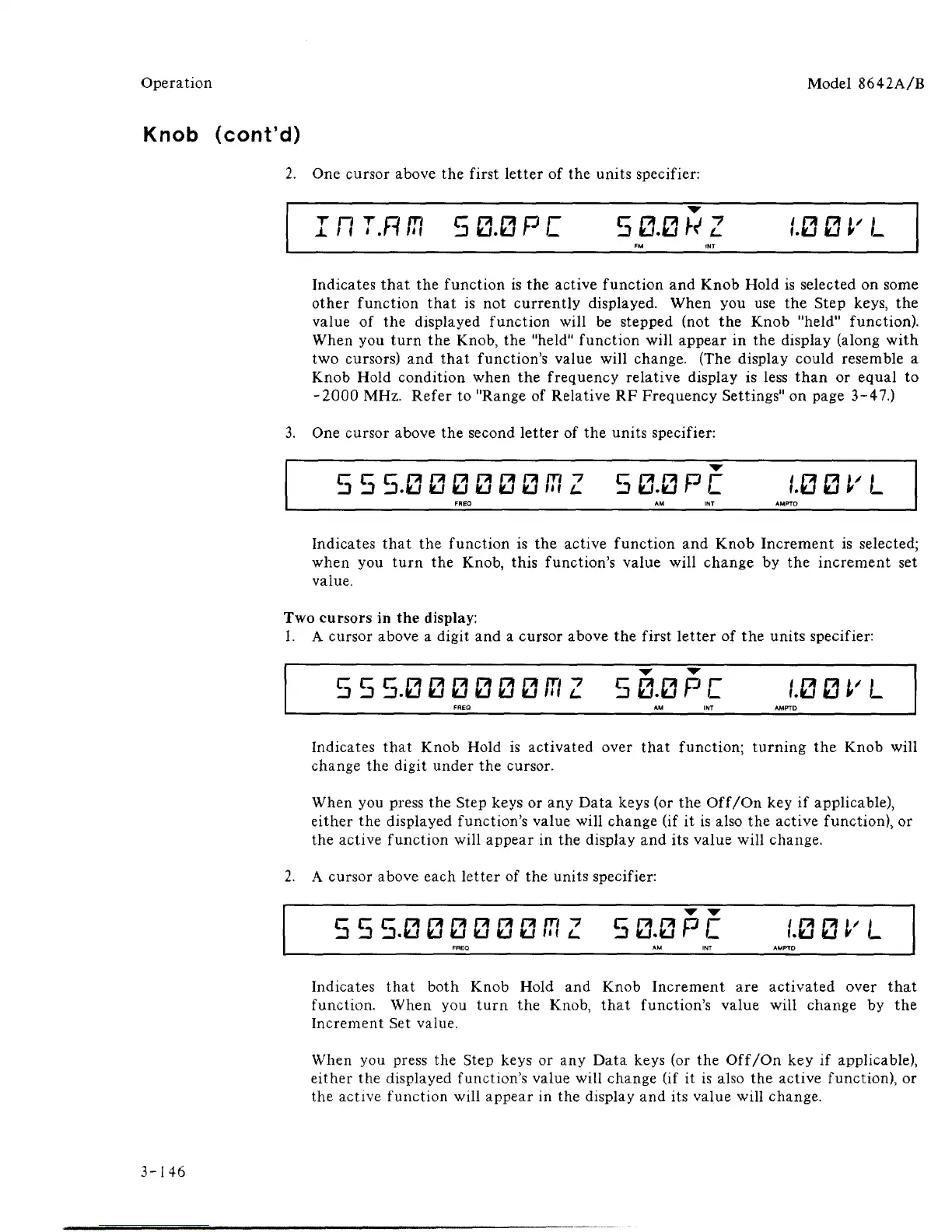
One cursor above the first letter of the units specifier:
flT.Rfn 50.0PC 5 0.0WZ
LBBl'L
Indicates that the function is the active function and Knob Hold is selected on some
other function that is not currently displayed. When you use the Step keys, the
value of the displayed function will be stepped (not the Knob "held" function).
When you turn the Knob, the "held" function will appear in the display (along with
two cursors) and that function's value will change. (The display could resemble a
Knob Hold condition when the frequency relative display is less than or equal to
-2000 MHz. Refer to "Range of Relative RF Frequency Settings" on page 3-47.)
3.
One cursor above the second letter of the units specifier:
c~ c c
b b b .0 0 0 0 0 0
f!\
Z 5 0.0 P
C
,'.0 0 V L
AM INT
Indicates that the function is the active function and Knob Increment is selected;
when you turn the Knob, this function's value will change by the increment set
value.
Two cursors in the display:
1.
A cursor above a digit and a cursor above the first letter of the units specifier:
555.000000CTZ
FREQ
50.0PC
AM INT
,'.0 0 V L
AMPTD
Indicates that Knob Hold is activated over that function; turning the Knob will
change the digit under the cursor.
When you press the Step keys or any Data keys (or the Off/On key if applicable),
either the displayed function's value will change (if it is also the active function), or
the active function will appear in the display and its value will change.
2.
A cursor above each letter of the units specifier:
c~ c~ c
b b b. 0 0 0 0 0 0
CT
Z 5 0.0 P
C
1.0 0
V
L
Indicates that both Knob Hold and Knob Increment are activated over that
function. When you turn the Knob, that function's value will change by the
Increment Set value.
When you press the Step keys or any Data keys (or the Off/On key if applicable),
either the displayed function's value will change (if it is also the active function), or
the active function will appear in the display and its value will change.
3-146



 To Next Page