Operation
Model 8642A/B
Save/Recall (cont'd)
Example
First set the Signal Generator's frequency to
1
0 MHz and set the output amplitude to
-10 dBm:
[ FREQ I m QD f MHZ V I fAMPTD 1 PH PR HT\
1
GHZ DBM I
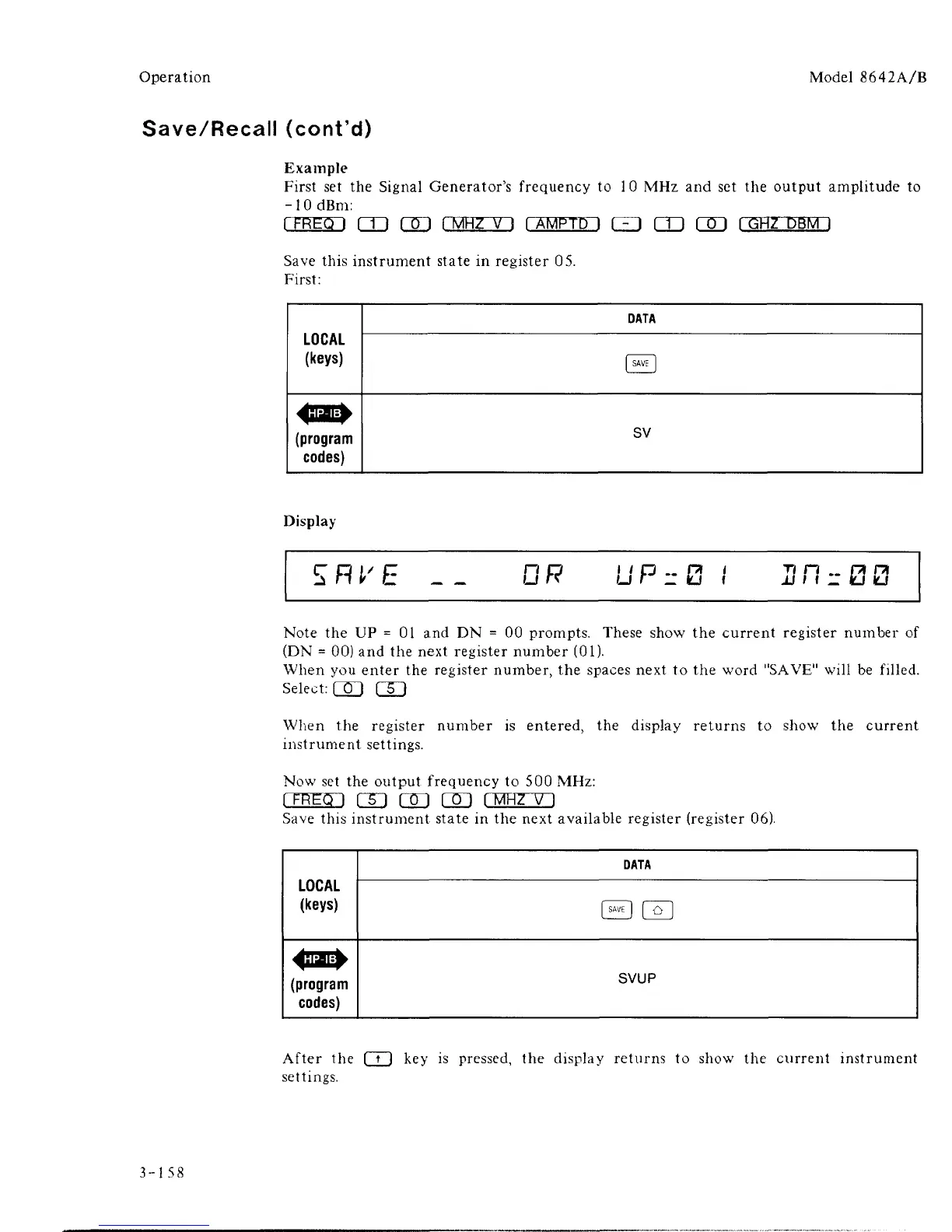
Save this instrument state in register 05.
First:
LOCAL
(keys)
DATA
I
SAVE
1
(program
codes)
sv
Display
SRl'E
OR
u r i- u «
r< n .. r* PI
IS
I I
u
Note the UP = 01 and DN = 00 prompts. These show the current register number of
(DN = 00) and the next register number (01).
When you enter the register number, the spaces next to the word "SAVE" will be filled.
Select:
QD GD
When the register number is entered, the display returns to show the current
instrument settings.
Now set the output frequency to 500 MHz:
rFHEcn GO rro QD I
MHZ V
I
Save this instrument state in the next available register (register 06).
LOCAL
(keys)
DATA
S I~QH
(program
codes)
SVUP
After the [ t ] key is pressed, the display returns to show the current instrument
settings.
3-158



 To Next Page