Operation
Model 8642A/B
SPECIAL FUNCTIONS
CD
©
©
©
^K^H
@
_ ,..u, _
C3EI
s\
[|D
a-\ .®
/-N f~\
r
_.c..,oV„„.o,__
I
J
vJ
®
'QB
•Q Q-"
:g)®-
:EQ
o □ □ □ □
C0DL_0LZ)C_JL_0
□ □□□□
□ □CDCZIQ
^^ STEP ^^
CD
□
I
SHIFT
1
^L.
v - \HI
-v 1
D3Q0 [fl.
•00E30
O Q B 3
GO-
-0QC30
■■■Q
C0
O
■E) B
J5
|
*"y—N.
/^~~\"
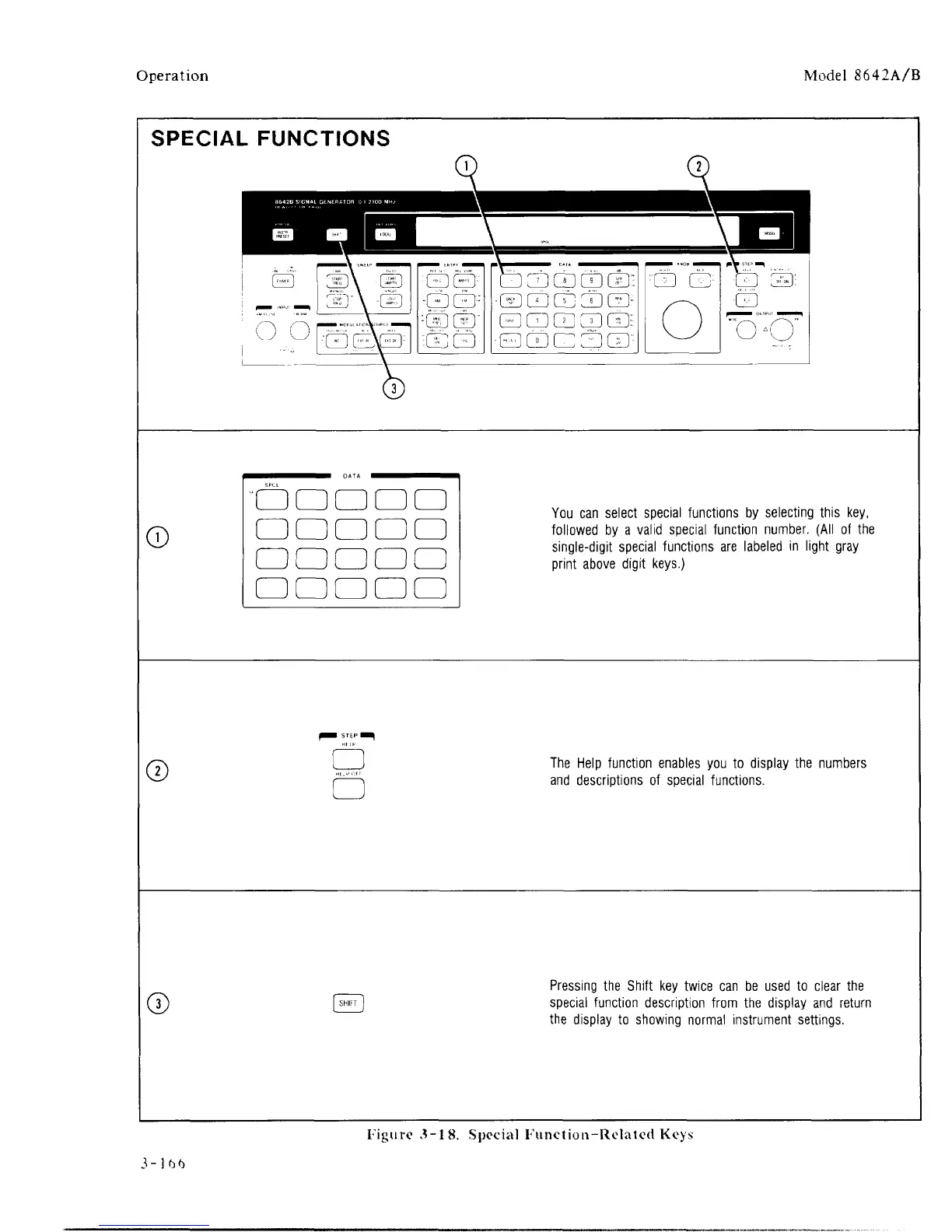
You can select special functions by selecting this key,
followed by a valid special function number. (All of the
single-digit special functions are labeled in light gray
print above digit keys.)
The Help function enables you to display the numbers
and descriptions of special functions.
Pressing the Shift key twice can be used to clear the
special function description from the display and return
the display to showing normal instrument settings.
Figure 3-18. Special Function-Related Keys



 To Next Page